Best AI Voice Cloning Tools in 2026: 7 Voice Cloners Compared


The best AI voice cloner in 2026 depends on where your cloned voice needs to end up. VEED is the best fit for social videos in your own voice, ElevenLabs leads for audio-only narration, and Fish Audio is the easiest free place to start. We compared seven voice cloning tools on how much audio they need, how many languages they cover, what you get for free, and how they handle consent.

Key takeaways:
- The best AI voice cloning tool depends on whether you need finished videos or audio files.
- VEED suits social video because your cloned voice and your video live in one place.
- Most voice cloners now work from a short recording of clean speech.
- Free plans usually limit how much audio you can generate or where you can publish it.
- Only clone your own voice, or a voice you have clear permission to use.
Best AI voice cloning tools at a glance
How we chose the best voice cloning tools
Voice quality alone no longer separates the top tools. In a 2025 PLOS One study, listeners judged 58% of cloned voices to be human, close to the 62% they got right for real voices. Those clones were made with commercially available software.
So we looked at what affects your everyday work: how much audio each tool needs, which languages the clone can speak, what the free plan allows, and whether you end up with an audio file or a finished video.
We also checked consent rules. A Consumer Reports assessment found that four of six voice cloning products had no technical way to confirm that the speaker agreed to be cloned.
The details below come from each company's plan pages and help docs as of November 2026. Plans change often, so check the current page before you subscribe.
The 7 best AI voice cloning tools in 2026
The seven best AI voice cloning tools in 2026 are VEED, ElevenLabs, Descript, HeyGen, Fish Audio, Speechify, and Chatterbox. Each one is the best pick for a different kind of work, so we've listed them by what they do best.
1. VEED: Best for social videos in your own voice
VEED is the best AI voice cloner if your voice needs to end up in a video you post. VEED is an AI video creation platform, so the clone you make in the AI voice cloning tool can narrate a video straight away. You can add subtitles and your branding before you export.
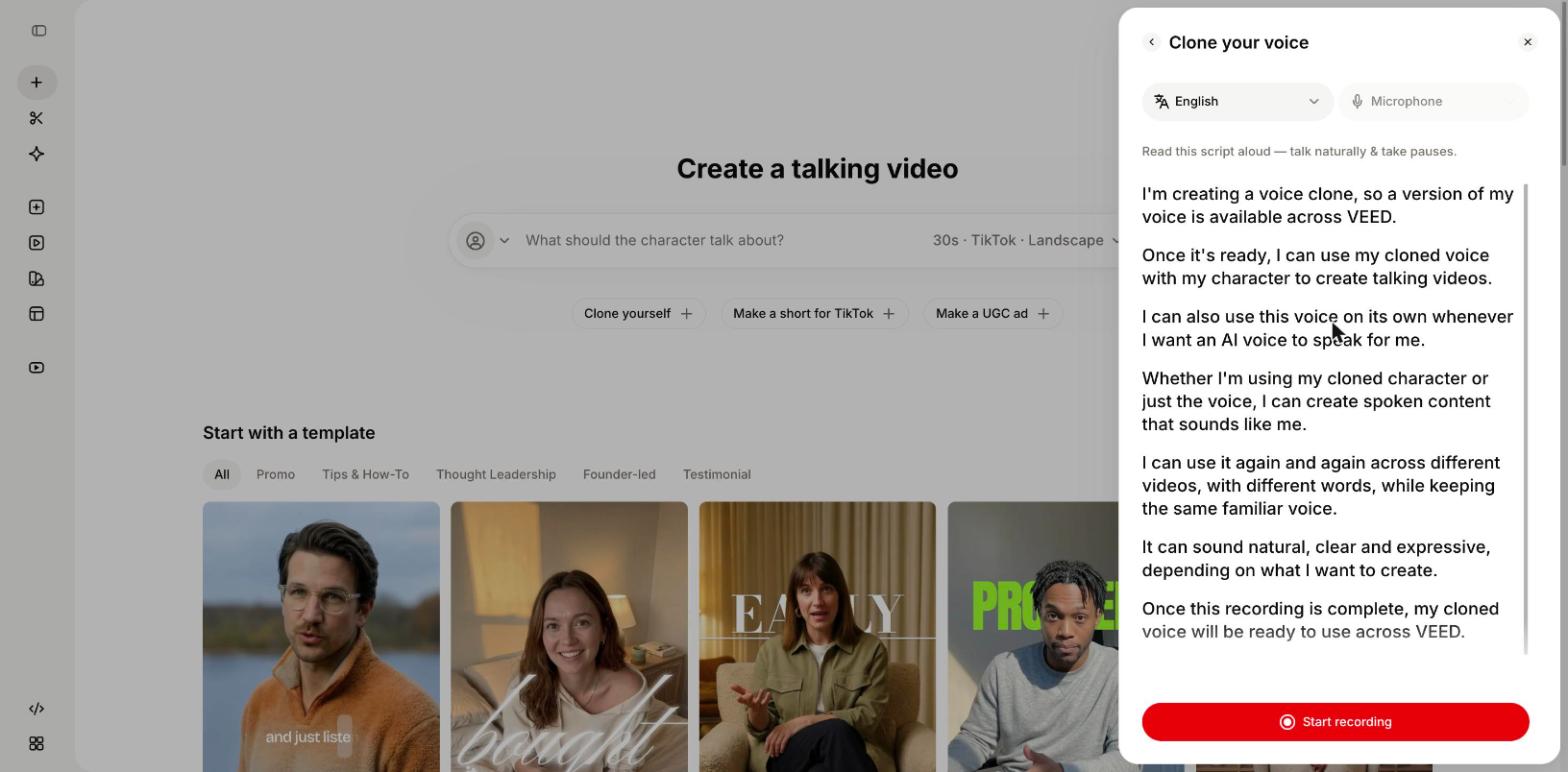
VEED's voice cloning now runs on Eleven v4, the speech model from ElevenLabs. An instant clone needs around 10 seconds of audio, and the same voice carries across more than 90 languages.
You can also go further than audio. Clone yourself builds a character with your face and your voice, so an AI clone of you can present a new script for Reels or LinkedIn without a new shoot.
- Best for: founders and marketers who post video every week
- Audio needed: around 10 seconds for an instant clone
- Languages: more than 90
- Works with: text-to-speech in your own voice and AI dubbing
- Free access: you can start free, and voice cloning access depends on your plan. See the pricing page.
- Keep in mind: VEED is built around video. For audiobook-length narration files, a dedicated audio platform is a closer fit.
2. ElevenLabs: best for audio-only narration
ElevenLabs is the best voice cloning AI for work that stays as audio, such as audiobooks and podcasts. It offers two kinds of clone. Instant Voice Cloning needs at least 10 seconds of audio, with 1 to 2 minutes recommended. Professional Voice Cloning trains on at least 30 minutes of your own voice and suits long-form narration.

Cloning sits on paid plans. Instant cloning starts on the Starter plan and professional cloning starts on Creator, while the Free plan has no cloning.
The output is an audio file, so you need a separate tool to turn it into a video. Our VEED vs. ElevenLabs comparison covers when each one makes sense.
- Best for: audiobooks and long-form narration
- Audio needed: 10 seconds minimum for instant, 30 minutes or more for professional
- Free access: free plan for testing voices, without cloning
- Keep in mind: audio only, so video needs another tool
3. Descript: best for fixing lines in podcasts and recorded video
Descript is the best AI voice cloning software for correcting a recording you already made. You clone your voice into a custom AI Speaker, then retype a misread line, and Descript regenerates that part of the audio in your voice.
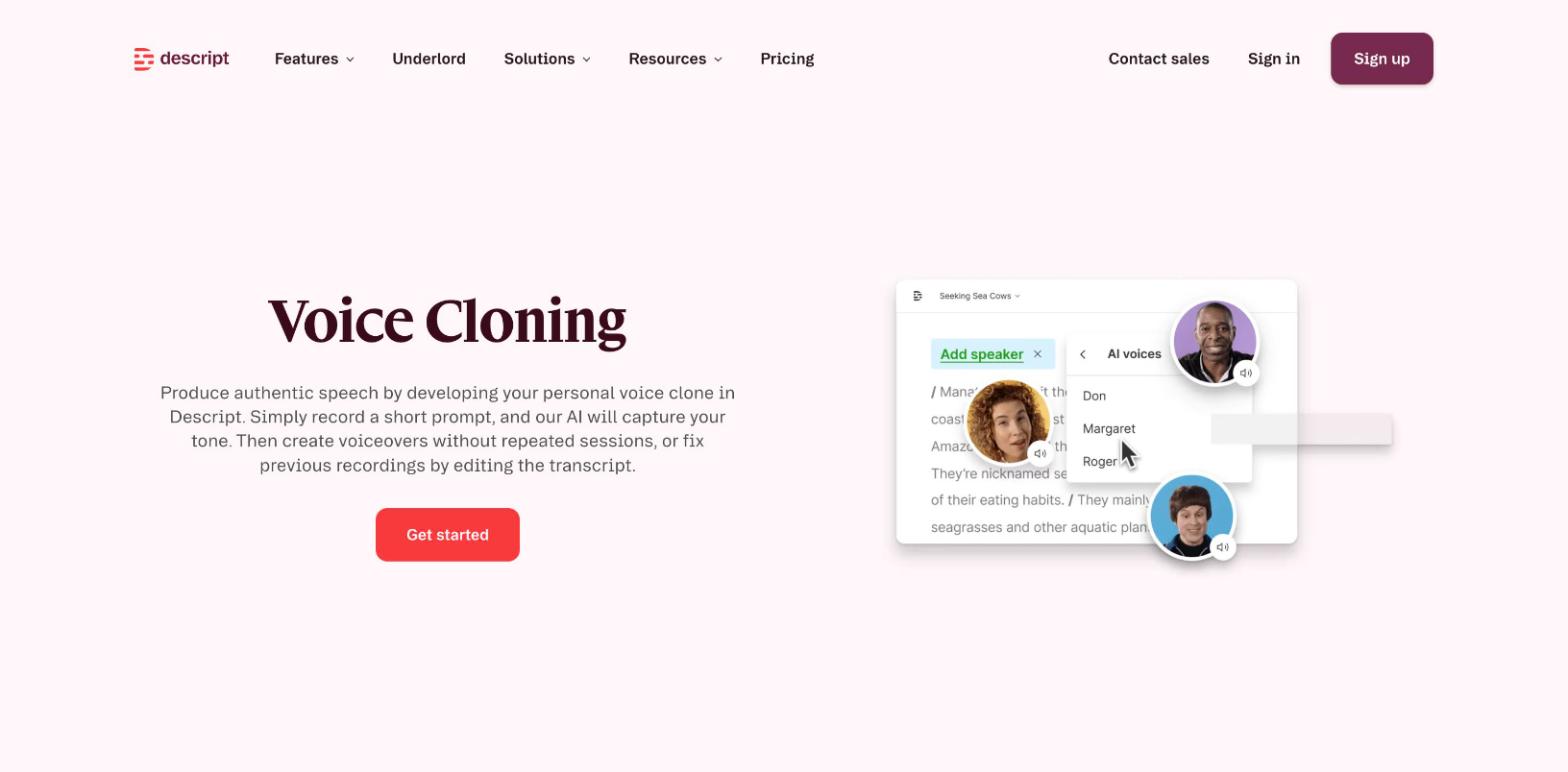
Descript also has the strictest setup on this list. Descript's help center says the person being cloned must record a consent statement before a clone is created. It was one of two products that Consumer Reports credited with meaningful safeguards.
- Best for: podcasters and editors who fix mistakes after recording
- Audio needed: a consent statement, read aloud
- Free access: free to start, and AI speech uses AI credits
- Keep in mind: you can't add more samples to an existing clone, so a different delivery style needs a new clone
4. HeyGen: Best for avatar videos in many languages
HeyGen is the best pick when you want a talking avatar and a cloned voice in the same video. Its Digital Twin is built from a 15-second recording, and it says the twin can be translated into more than 175 languages with your voice and lip sync.

The free plan includes one Digital Twin slot, and free videos carry a watermark.
HeyGen is built around avatar video, so it suits presenter-style content more than voiceover for footage you shot yourself. Our roundup of the best AI avatar generators compares it with other avatar tools, including VEED's AI avatars.
- Best for: training and sales videos with an on-screen presenter
- Audio needed: about 60 seconds for a voice clone
- Languages: more than 175
- Free access: free plan with one Digital Twin and watermarked videos
- Keep in mind: avatar video uses credits for every minute you generate
5. Fish Audio: Best free AI voice cloning tool to start with
Fish Audio is the best free AI voice cloner for trying the technology before you pay. It clones a voice from about 10 seconds of audio and covers 83 languages. The free plan includes around seven minutes of generated audio a month.
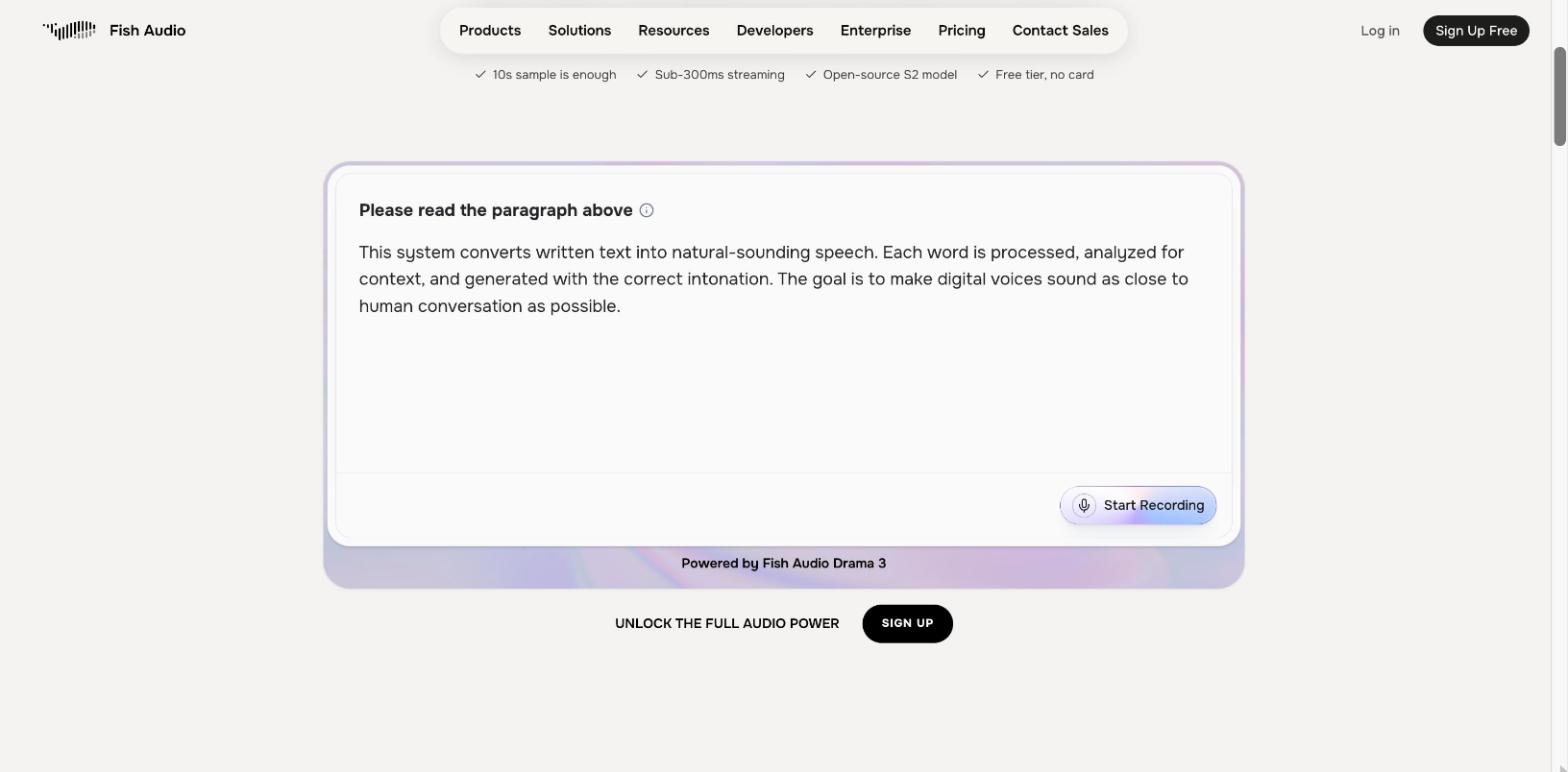
Free use is limited to personal projects, so anything you publish for a business needs a paid plan. Fish Audio has also released open weights for its S2 model, which matters if you later want to host the model yourself.
- Best for: testing voice cloning at no cost
- Audio needed: about 10 seconds
- Languages: 83
- Free access: free plan for personal projects
- Keep in mind: the output is audio only
6. Speechify: Best AI voice cloning app for your phone
Speechify is the best voice cloning app if you want to work from a phone. It runs on iOS and Android as well as on desktop, and its App Store listing says you can clone your own voice, or someone else's with their permission.
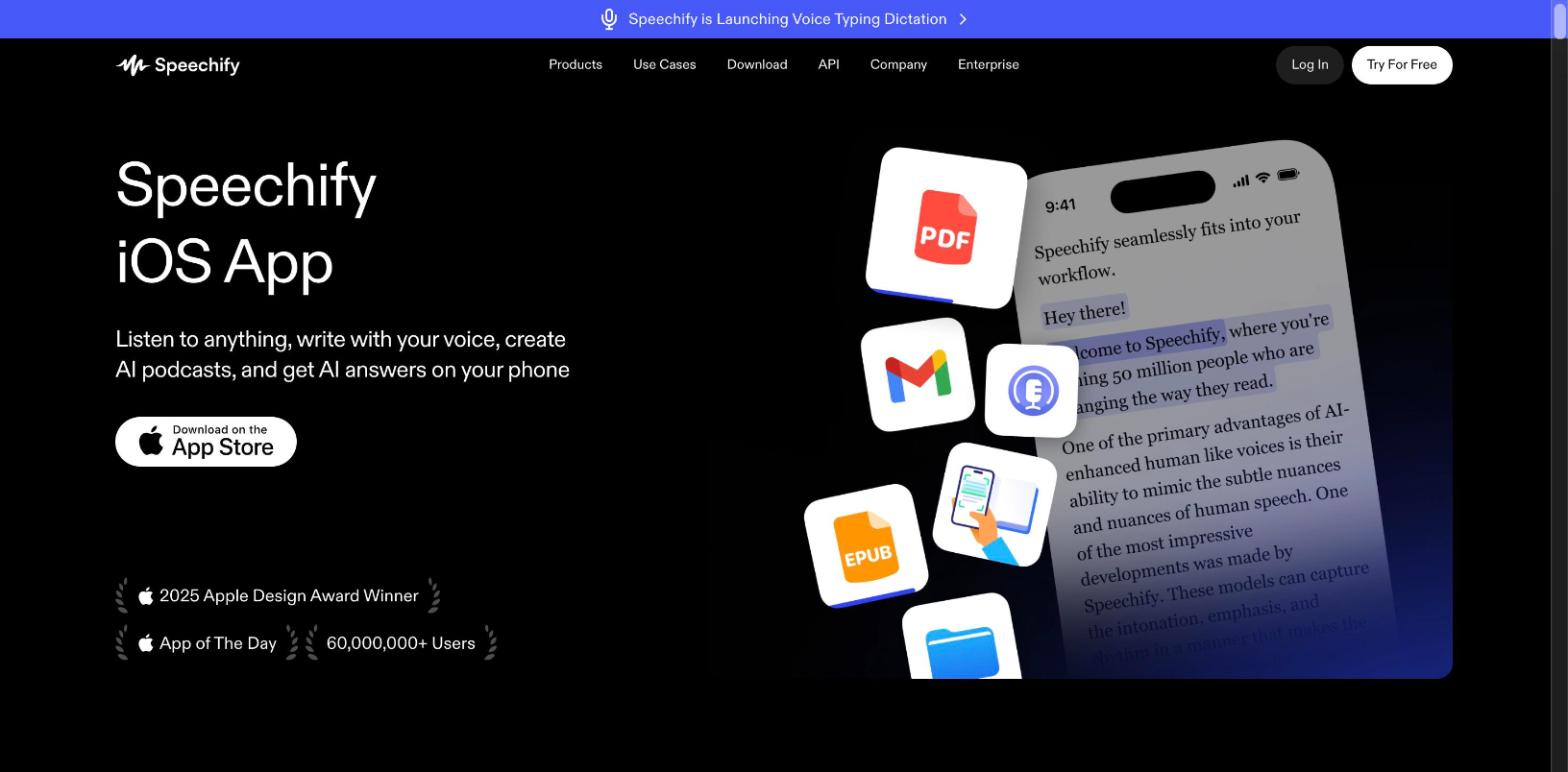
Speechify started as a reading app, so many people use a cloned voice to listen to documents and articles. For voiceovers that go into videos, a browser tool with a timeline is easier to work in. If a stock voice is enough for your project, our guide to the best text-to-speech tools covers more options.
- Best for: cloning and listening on mobile
- Audio needed: a short sample
- Free access: free app with in-app purchases
- Keep in mind: built for listening first, with fewer video options
7. Chatterbox: best free voice cloning software to host yourself
Chatterbox is the best voice cloning software if you want to run the model on your own computer. It is open source under the MIT license, and it can clone a voice from five seconds of reference audio.
Every clip Chatterbox generates carries a built-in watermark, which helps identify the audio as AI-made later. The multilingual version supports 23 languages.
Chatterbox needs some technical setup and runs best on a GPU. Developers who would rather call a hosted service can compare options in our guide to the best voice cloning APIs.
- Best for: developers and teams that want full control of the model
- Audio needed: about 5 seconds
- Languages: 23 in the multilingual model
- Free access: free and open source
- Keep in mind: you install and run it yourself
What is the best free AI voice cloning tool?
Fish Audio is the best free AI voice cloning tool for most people in 2026, because its free plan includes cloning. Chatterbox is the best free option if you can install software yourself, since it is open source and has no usage caps.
Free plans come with trade-offs. Fish Audio's free plan is for personal projects only, and HeyGen's free videos carry a watermark. ElevenLabs has a free plan too, but cloning starts on its first paid plan.
VEED is free to start. You can try the AI voice generator with stock voices before you make a clone of your own.
Which voice cloning app or software fits your setup?
The best voice cloning app or software depends on the device you work on. Browser tools need no install, while self-hosted software gives you more control over the model.
How to choose the best voice cloning AI for your content
Start with what you publish, then check which languages and plans you need.
- Social video: Pick a tool that makes the video too. In VEED, your clone works with text to speech and the script generator, so a typed script becomes a narrated video.
- Podcasts and audiobooks: Pick an audio-first tool. ElevenLabs suits long narration, and Descript suits fixing lines in a recording you already have.
- Apps and products: Developers need a voice cloning API or a model they can host themselves. ElevenLabs and Fish Audio both offer APIs, and Chatterbox is open source if you’d rather run it on your own servers. If your product translates existing videos, VEED’s Dubbing API translates a video and clones the speaker’s voice in one request.
- Stock voices: if you don't need your own voice, a ready-made AI voice is quicker. See our list of the best AI voice generators.
How to clone your voice on VEED
You can clone your voice on VEED by reading one short script from the home screen. Here is the current flow:
1. Log in to VEED. The home screen shows the Create a talking video prompt box.
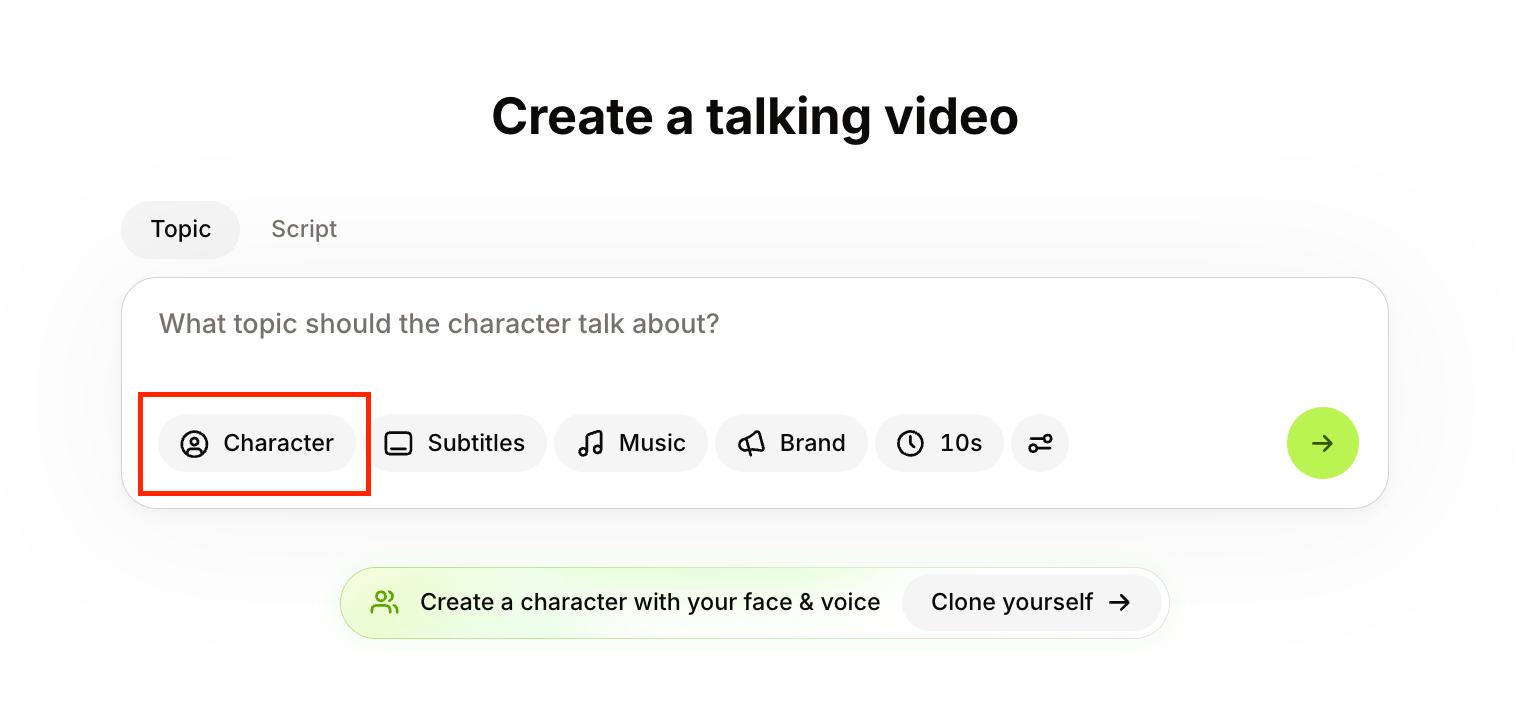
2. Click Character, then turn on Voice only.
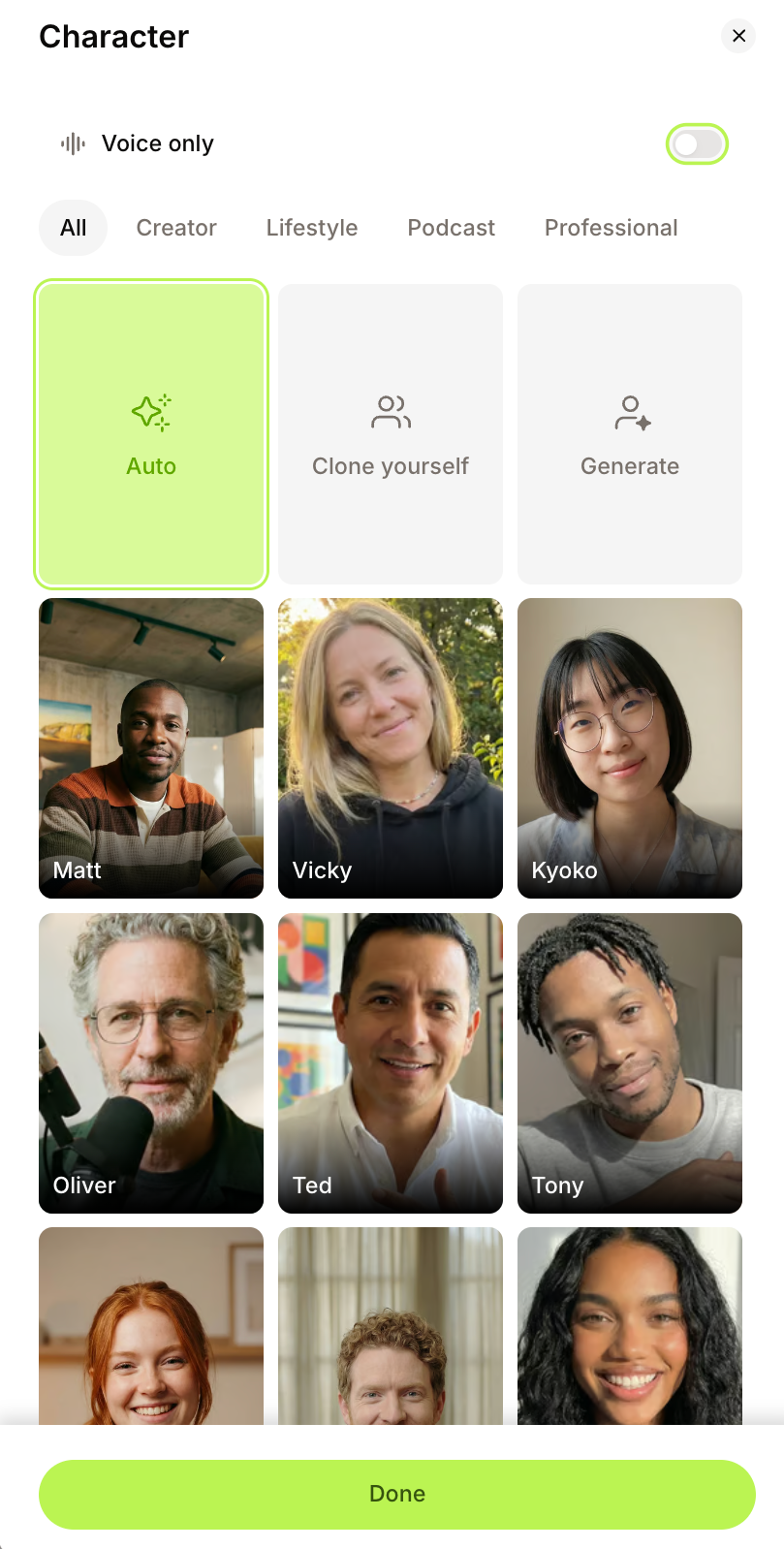
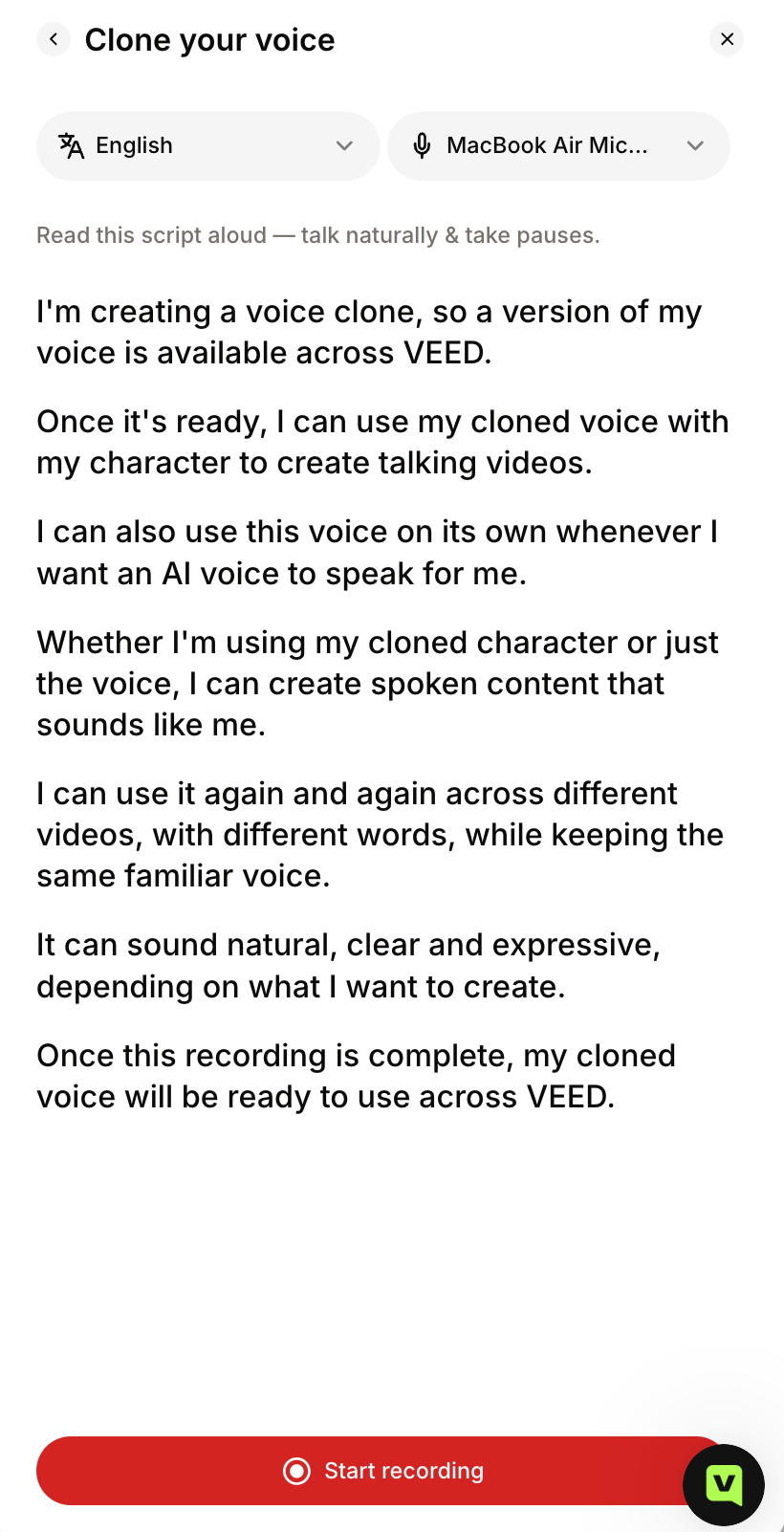
3. Click Clone your voice. A script appears with language and microphone dropdowns.

4. Find a quiet spot, click Start recording, and read the script aloud.
5. Your clone appears in the voice list under Your voice. Click Done.

Once the clone is saved, type a script and VEED reads it in your voice. For the full walkthrough, see how to clone your voice with AI. To put your face on screen as well, follow our guide on how to make an AI version of yourself.
Is AI voice cloning safe and legal?
AI voice cloning is legal when you clone your own voice or have clear permission from the person you clone. The risk comes from cloning people without consent, and tools differ in how they check. Some ask you to tick a box, while Descript requires a recorded consent statement.
Clone only your own voice or one you have written permission to use, and tell viewers when a video uses a cloned voice. It also helps to read each tool's terms on how voice data is stored. Laws on voice likeness vary by country, so check local rules before commercial work.
Which AI voice cloner should you pick?
The best AI voice cloning tools in 2026 can all produce a convincing voice from a short recording, so the choice comes down to what you plan to make. ElevenLabs and Descript suit work that stays as audio, while HeyGen suits presenter-style avatar videos. Fish Audio and Chatterbox are the places to start if you want to try voice cloning for free, and Speechify keeps things simple on a phone.
If your voice is going into social videos, VEED is the best AI voice cloner to start with. You record around 10 seconds of audio once, then type a script whenever you need a new video. The narration and subtitles are added in the same place, so the video is ready to post without moving files between tools.
Clone your voice on VEED and turn your next script into a video in your own voice. It's free to start.
FAQ
The best AI voice cloner in 2026 is VEED for social video, ElevenLabs for audio-only narration, and Fish Audio for free use. The right choice depends on whether you need a finished video or an audio file.
Fish Audio is the best free hosted option because its free plan includes cloning for personal projects. Chatterbox is the best free software if you can install and run an open-source model yourself.
Speechify is the best AI voice cloning app for phones, with apps for both iOS and Android. If your goal is video, a browser-based tool like VEED gives you more editing options.
Most tools need between 5 seconds and 2 minutes of clean speech for an instant clone. VEED needs around 10 seconds, and professional clones on ElevenLabs train on 30 minutes or more.
Yes. Most voice cloning tools in 2026 can read a script in other languages while keeping your voice. VEED's clones cover more than 90 languages, and our video dubbing guide explains how translated voiceovers work.
Cloning your own voice is legal, and cloning someone else requires their clear permission. Rules on voice likeness vary by country, so check local law before commercial use.
