How to Make an AI Version of Yourself in 2026 (Step by Step)

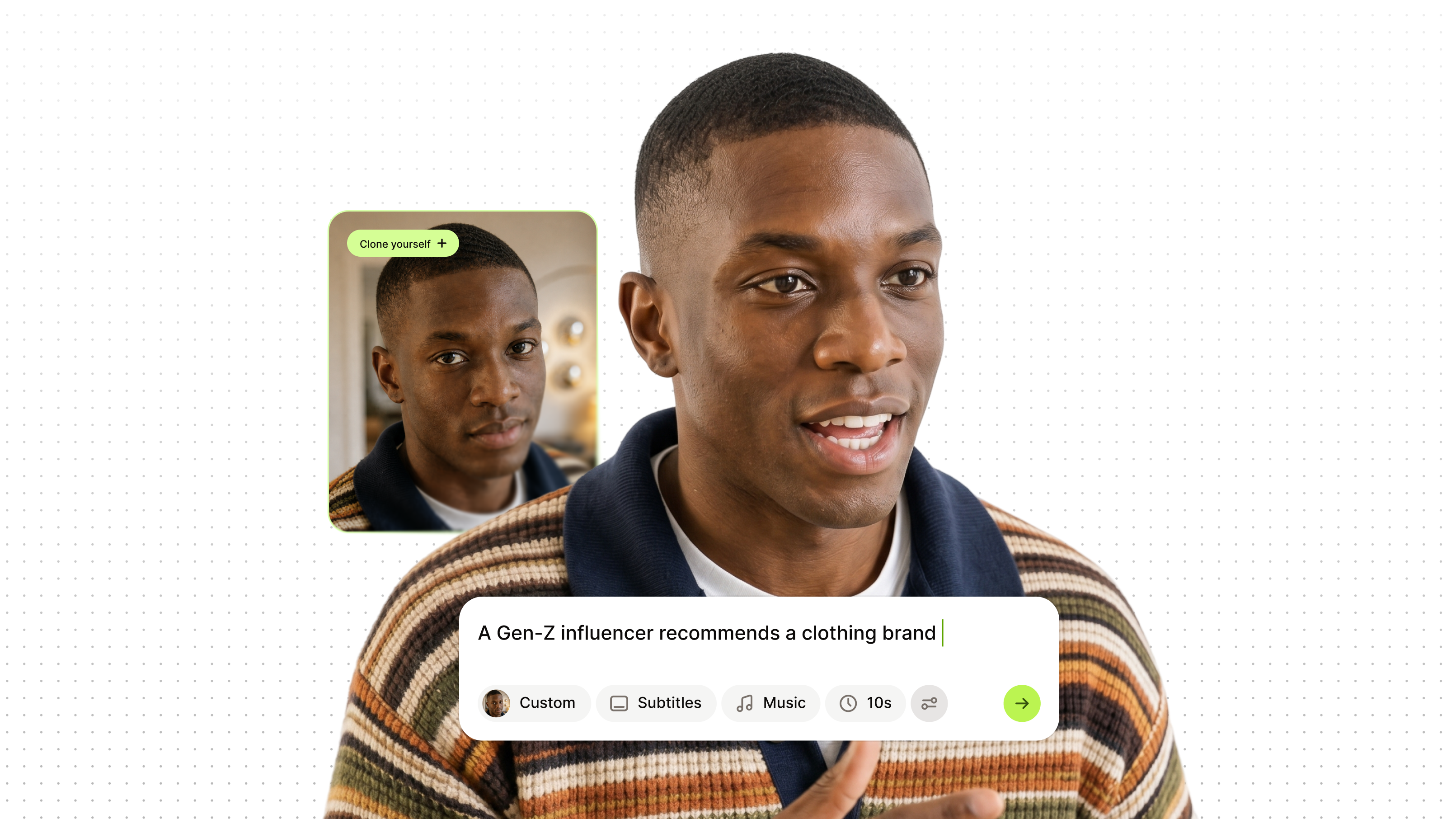
You can make an AI version of yourself from one selfie and your voice, with no filming involved. Upload the photo, pick a voice, then type a topic or a script: your clone presents the video with lip movements matched to the words. In VEED, the whole thing runs from the home screen, and you can add subtitles, music, and your branding before you export.
Key takeaways
- One selfie and your voice are enough to make an AI version of yourself.
- Your clone reads any script you type, so you stay on screen without filming.
- Set subtitles, music, tone, and platform size before you generate.
- Download the finished video as it is, or polish it in VEED AI Studio first.
- Clone only yourself. Cloning anyone else needs their clear permission.
.png)
What is an AI version of yourself?
An AI version of yourself is a digital clone that looks and sounds like you and can present any script in a video. It is built from a photo of your face and a sample of your voice, then animated so the mouth moves with the words. People also call it an AI clone, an AI twin, or a personal AI avatar.
It is easy to confuse with three other things. An AI image of yourself is a still picture in a new style. A voice clone is audio only. An AI chatbot trained on your messages copies how you write, not how you look. This guide covers the video kind: the one that can front your TikToks, Reels, Shorts, and LinkedIn posts.
What you need to turn yourself into AI
- A clear selfie. Face the camera in even light, no sunglasses or heavy filters. One photo is enough.
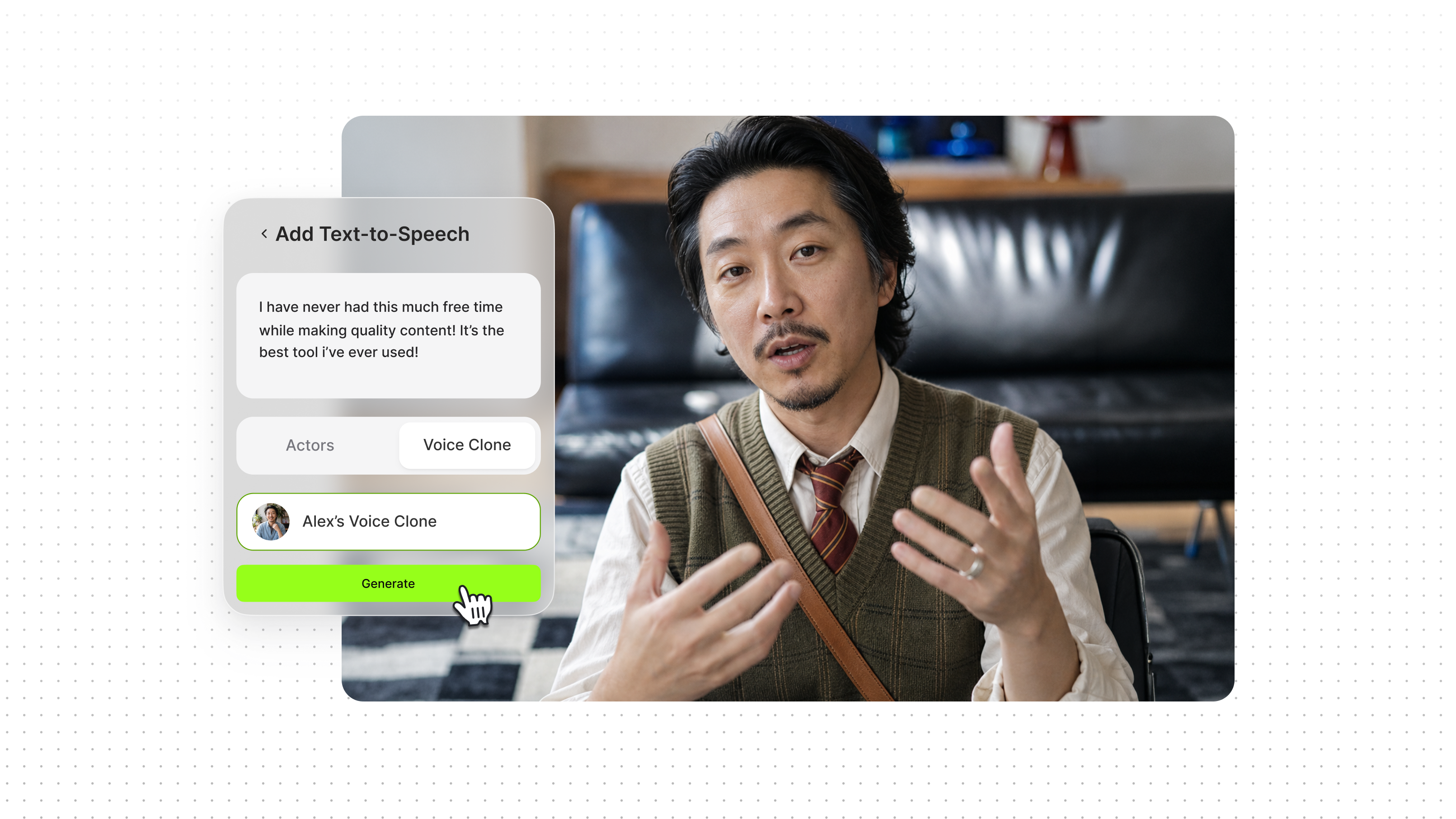
- A voice. Read a short script aloud to clone your own, or pick one of VEED's AI voices.
- Something to say. A topic is enough; VEED drafts the script. Or paste your own.
- A VEED account. Sign up free.
How to make an AI version of yourself step by step
Here is how to make an AI of yourself with VEED's AI clone tool. Everything happens from the home screen.
Step 1: Open Create a talking video and choose Clone yourself
Log in to VEED. The home screen opens on the Create a talking video prompt box. Click Character, then choose Clone yourself.
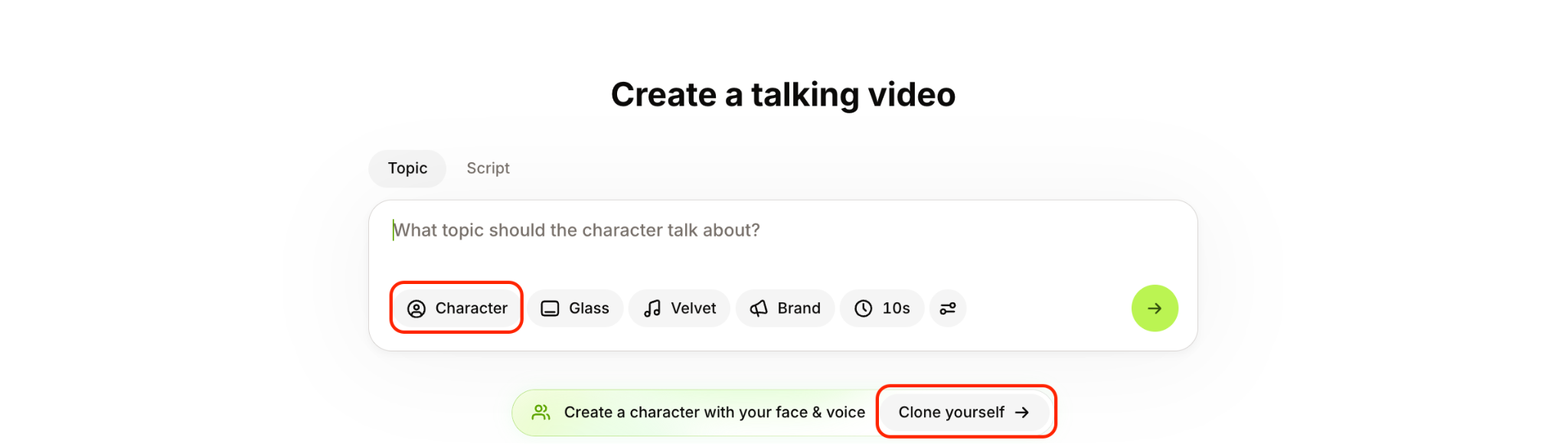
You can also take a shortcut and just click Clone yourself that’s just under the prompt pox.
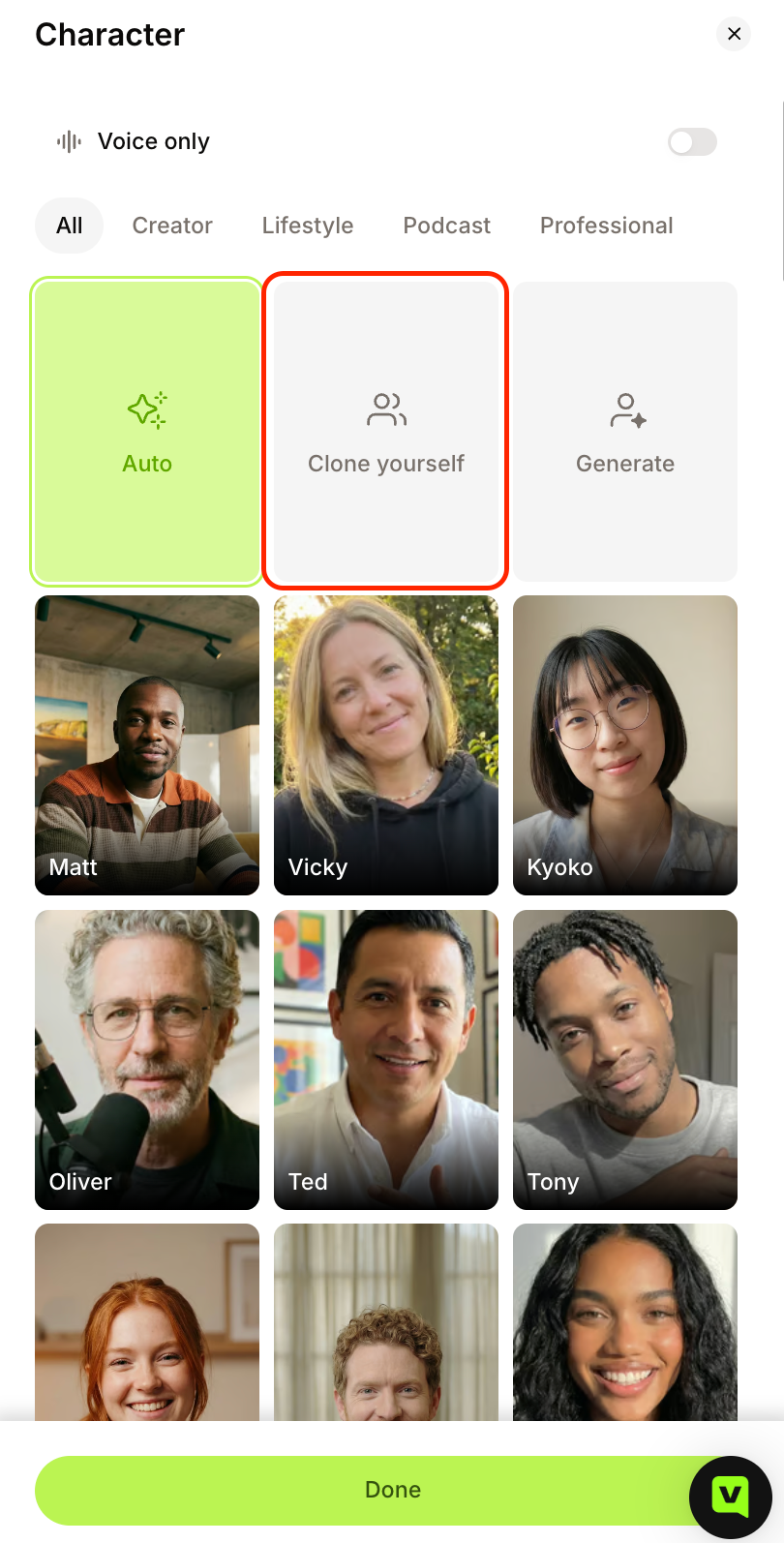
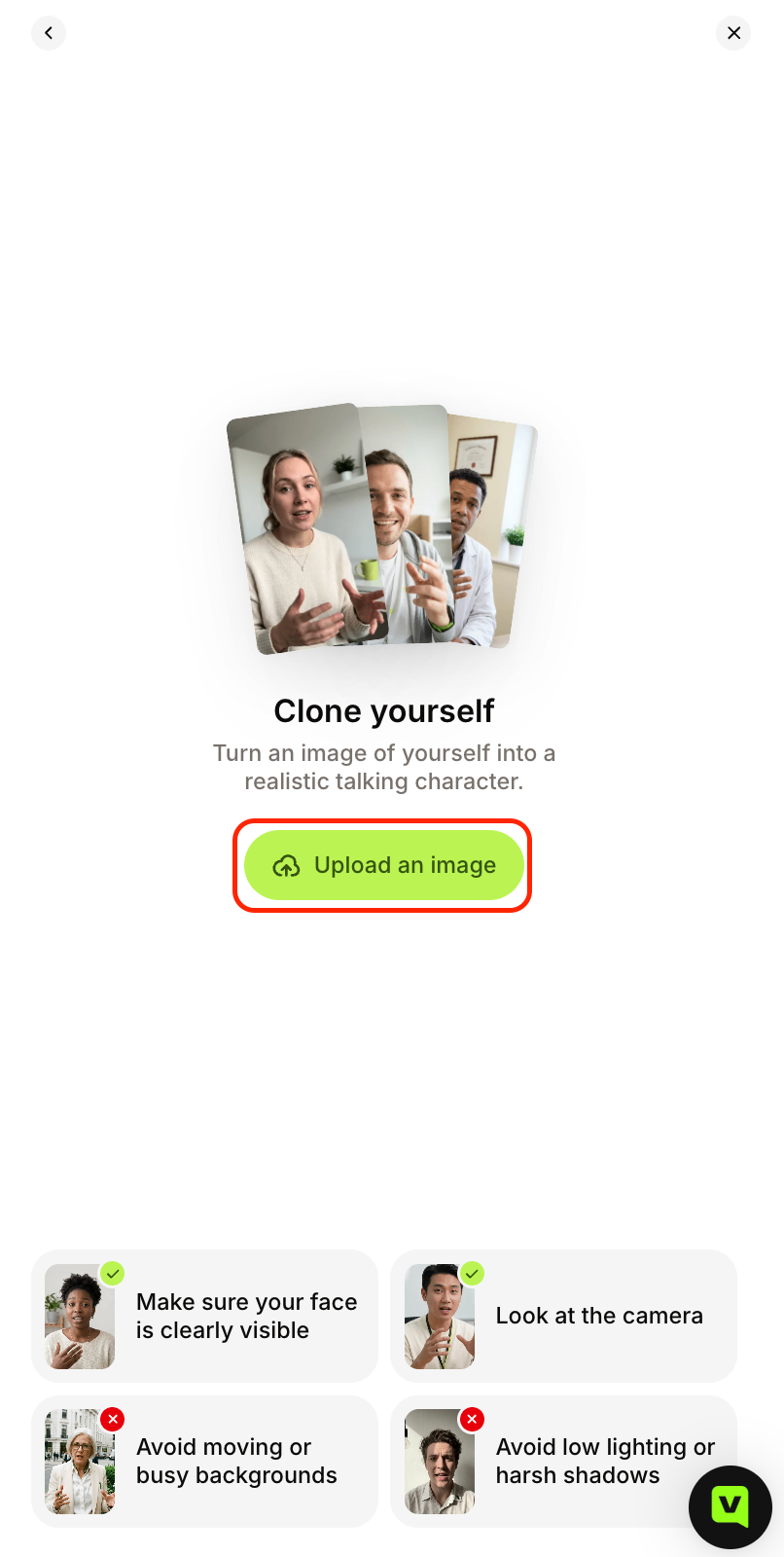
Step 2: Upload a selfie
Upload a selfie or a clear photo of yourself. This becomes your clone's face.
Step 3: Pick a voice
Choose to clone your own voice, which has you read a short script aloud, or select one of VEED's AI voices. Once face and voice are set, your clone is ready and stays in your account, so you only do this once.
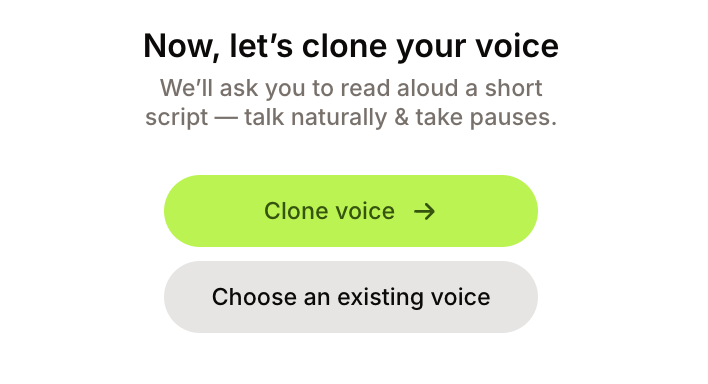
Once face and voice are set, your clone is ready and stays in your account, so you only do this once.
Step 4: Add a topic or a script
Type a topic and VEED writes the script for your clone, or paste your own. Before you generate, set up the video: subtitles, music, tone of voice, length, and the platform or aspect ratio.
Step 5: Generate, then download or keep editing
Click Generate and watch it back. Download the video as it is, or open it in VEED AI Studio to trim it, add text, or polish the details before you export.
Tips for a clone that looks and sounds like you
A clone is only as good as what you give it. Three things make the difference:
- Pick a selfie that looks like your feed. Natural light, plain background, eyes on the lens. The way you look in the photo is the way your clone looks in every video.
- Record your voice the way you talk. Read the script at conversation pace in a quiet room. Background noise gets baked into the clone, and a stiff read sounds stiff in every video after it.
- Write the script for speaking, not reading. Short sentences, one idea per video, a hook in the first line. Watch the result back before you post. If a line lands wrong, edit the script and generate again.
What to do with your AI clone
Make the clone once, then hand it a new script every time you have something to say. Your face and voice stay in your content on the days you do not record.
- Post daily talking-head videos without a shoot. Type the topic, generate, done.
- Update a video by changing the script, not reshooting. A new offer or a better hook is a text edit, not another recording session.
- Recut one idea for every platform. Pick TikTok, Reels, or LinkedIn before you generate; each version comes out in that size.
- Speak other languages. With a cloned voice, type the script in the target language, or dub existing videos with AI in your own voice.
- Make it look like your brand, not AI. Add captions, your fonts, colors, and logo in the same workflow, so the video is post-ready when it leaves VEED.
If you would rather not use your own face, VEED's AI avatars give you a stock presenter with the same script-to-video flow.
Record once, show up everywhere
An AI version of yourself removes the one thing that stalls most social calendars: needing you on camera. Set it up once, and every idea after that is a script away from being a video.
Here is what to remember:
- One selfie and one voice are the whole setup, and you only do it once.
- The script is the work now. Every new video is a topic typed into the prompt box.
- Brand it before you export. Captions, your fonts, and your logo keep the result looking like yours, not like AI.
FAQ
You need a photo, a voice, and something to say. In VEED, open Create a talking video, click Character, and choose Clone yourself. Upload a selfie and pick a voice, your own or one of VEED's. Type a topic or paste a script, set subtitles, music, tone, length, and platform, then generate. Download the video or edit it in VEED AI Studio.
Setting up the clone takes a few minutes: upload a selfie, choose a voice, done. If you clone your own voice, add the minute or two it takes to read a short script. After that, each new video is as fast as typing the topic and generating.
You can start on VEED's free plan with no credit card. Creating your clone and generating videos with it uses AI credits, and how many you get depends on your plan. Check the pricing page for what each plan includes, especially if you plan to post with your clone daily.
Yes. Cloning yourself is legal, because it is your own face and voice. Cloning anyone else needs their clear permission first, and using someone's likeness without it can break impersonation and publicity laws in many places. Tell viewers the video was made with AI, and check the rules where you publish, especially for ads.
An AI image of yourself is a still picture, such as a portrait in a new style. An AI clone is a moving, talking version of you that can read any script in a video, with your face and your voice. If you want to appear in social videos without filming, you want the clone, not the image.