AI Video Automation: How to Automate Video Creation with AI

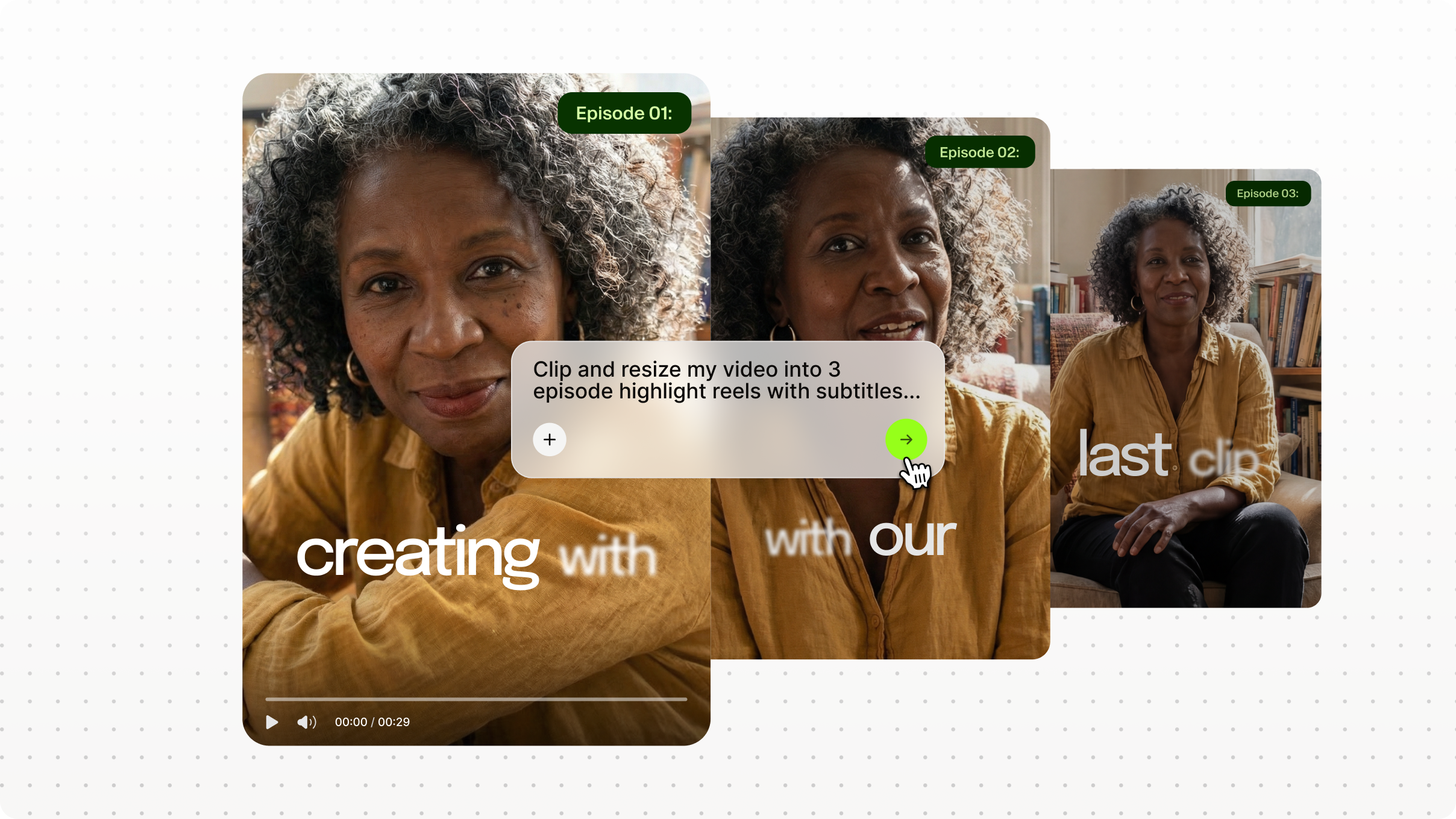
AI video automation is the use of AI models, AI agents, and workflow tools to generate, edit, brand, and publish video without a person handling every step. The newest form is agent-driven: you describe the video you want in plain language and an agent such as VEED AI plans and runs the production steps, from cuts and captions to resizing for each platform. This guide covers what you can automate today, how to set it up, which setup fits your team, and where you still need a human in the loop.
The demand side explains why this matters now. Wyzowl's 2026 survey found that 91% of businesses use video as a marketing tool, while Wistia's 2026 State of Video report found that only 49% of teams plan to increase video spend this year. Most teams are being asked for more video with the same budget, and automation is how they close that gap.

Key takeaways
- AI video automation replaces manual steps in video production with AI models, agents, and workflow rules, so one input can produce many finished videos.
- Start with the most repetitive step in your current workflow, usually subtitles, clipping, or resizing, before automating end-to-end creation.
- There are three ways to set it up: an AI agent inside a video platform such as VEED AI, a workflow tool like n8n or Zapier, or a video API that your own software or agent calls.
- Product video creation can be automated from catalog data by pairing a template, a prompt, or an agent instruction with a trigger such as a new product listing.
- Keep a review step. Automated video still needs someone to check brand fit, accuracy, and platform rules before it posts.
What is AI video automation?
AI video automation is a production setup where AI handles the creative work (writing, voicing, generating, editing) and rules or an agent handle the handoffs (triggers, approvals, publishing). People also call it video content automation or automated video production; the terms describe the same shift. The result is video that gets made on a schedule, on request, or in response to an event, rather than when someone has time to open an editor.
That is different from scheduling. Queuing a finished video in a social media planner saves a few clicks. Automating the production means the video did not exist until the workflow created it. We covered this distinction in more depth in our guide to video marketing automation.
Most AI video automation falls into one of three layers, and teams usually move through them in order:
- An AI agent inside a video platform. You describe the edit or the video, and the agent does the work. In VEED, VEED AI takes an instruction like "cut the silences, add captions in our brand font, and format this for Reels" and carries it out on your footage, or generates a clip from a description. A person still starts each project, but the production steps run on their own.
- Workflow automation across tools. A workflow tool such as n8n, Make, or Zapier connects a trigger (a new row in a sheet, a CRM event, a weekly timer) to a video generation step and a publishing step. One setup, many videos, no one starting each project by hand.
- Programmatic video through an API or your own agent. Your software calls a video API directly, or a coding agent such as Claude Code drives the pipeline through an MCP server. This is how products add video features and how large teams run automated video production at the scale of thousands of localized or personalized variations.
Adoption is already past the experiment stage. Wyzowl reports that 63% of video marketers have used AI tools to create or edit marketing videos. Goldcast's State of AI in B2B Video found that more than 40% of marketers say AI has saved them at least three hours on tasks like editing. The gap is between teams using AI for one-off tasks and teams that have turned those tasks into a repeatable workflow.
Which parts of video production can you automate with AI?
Every stage of video production can be automated to some degree, but the stages with the clearest inputs and outputs automate best. Subtitling, resizing, clipping, voiceover, and translation are close to fully automatable today. Scripting, generation, and editing can be automated, but the output quality depends on how good your prompts, templates, and source material are.
For most teams the quickest wins are in the middle of this table, and an agent is the fastest way to get them. In VEED, you can type an instruction to VEED AI such as "remove the silences, add captions in our brand style, and make a 9:16 version" and the agent runs each step on your upload. The same cleanup, captions, and reframing are also available as a single pass in the auto video editor, and the auto subtitle generator covers captions on its own if that is the only step you need.
Generation is where teams see the biggest range of results. VEED is an AI video creation platform, built for social, so generation runs in the same place as branding and editing. VEED AI can generate a clip from a description, or you can call a model like Fabric 1.0 directly. Either way, you apply your fonts, colors, and captions in the same workflow instead of exporting raw AI output and fixing it somewhere else.
How to automate video creation with AI
To automate video creation with AI, pick one repeatable video format, define the input that triggers it, map each production step to an AI agent, tool, or feature, and add a review step before publishing. The whole setup can run in a day for a simple format like weekly social clips, and an agent shortens it further because the agent handles the steps you would otherwise connect by hand. Here is the video workflow automation process we recommend to teams starting out.
- Choose one format to automate first. Pick something you already make on a schedule: a weekly recap, a product explainer, a customer quote, a podcast clip. Repetition is what makes automation pay off. A format you make once a quarter is not worth the setup.
- Define the trigger and the input. Decide what starts the workflow and what data it needs. Examples: a new row in a Google Sheet with a script, a long recording landing in a folder, a new product added to your catalog, a Monday 9am timer. Write down every field the video needs, such as title, script, product image, and target platform.
- Write the instruction once. For agent-driven work, write the instruction you will give VEED AI as a reusable prompt with the parts that change marked, for example "Turn [recording] into a 45 second clip, remove silences, add captions in our brand style, export 9:16 and 16:9." For template-driven work, set up a brand template in VEED with your fonts, colors, lower thirds, and caption style. Test either one five or six times until the output is consistent.
- Connect the production steps. Map each step from the table above to where it runs. In VEED, most steps run from a single instruction to VEED AI inside one project: script from a sheet, AI voiceover, a talking-head clip with Fabric 1.0 or an AI avatar, auto subtitles, reframing for each platform. For a cross-tool setup where the trigger lives elsewhere, our VEED and n8n automation guide includes three ready-made workflow templates.
- Add a review gate. Route the finished video to a person before it posts. An email with approve and reject buttons, a Slack message, or a Notion status field all work. This is the step most teams skip and later regret.
- Publish and measure. Send approved videos to your scheduler or post directly through the platform APIs. Track which automated formats perform, then adjust the instruction or template rather than editing individual videos.
Three ways to set up video automation: an AI agent, a workflow tool, or an API
The right setup depends on who is running it and how much video you need. Marketers who make a handful of videos a week are best served by an AI agent inside a video platform, where they describe the video and get it back. Teams that need video triggered from other systems should use a workflow tool. Companies that need video inside their own product, or at a volume of thousands, should use an API or point their own agent at one. When people search for video automation AI tools, they usually mean one of these three.
An AI agent inside a video platform is where most teams should start. VEED AI is the agent inside VEED. You type what you want, such as "remove the silences and filler words, add captions in our brand font, add background music, and give me a TikTok version," and the agent runs the edit on your footage. It can also generate a clip from a description when you have no footage at all. Every action it takes can be undone, brand kits keep the fonts and colors consistent, and there is no integration to maintain. The person reviewing the video is the same person who gave the instruction.
This walkthrough from the VEED STUDIO team shows a full run: raw clips and a prompt go in, and the agent comes back with a first version, then two more after follow-up prompts.
A workflow tool is the step up when the trigger lives outside the video platform. The common pattern is a sheet or CRM that holds the inputs, an AI model that writes the script, VEED that generates and finishes the video, and a scheduler that posts it. Talking-head updates, screencast tutorials, and social clips can all run from a single workflow. If you want to see that pattern built out with VEED, scale video production with AI walks through the stack.
A video API, or your own agent, removes the interface entirely. The VEED API exposes generation, lip sync, background removal, and editing as endpoints, so your code can request a video and receive a finished file. If your team already works through a coding agent such as Claude Code or Codex, the VEED MCP server lets that agent call VEED's generation and editing tools directly, and OpenEdit is VEED's open-source editing pipeline that an agent drives from a plain-language description and renders locally. Pricing is credit-based and listed on the VEED pricing page.
Whichever setup you choose, the finishing step is what separates usable automation from a pile of raw AI clips. Generation tools produce footage. Someone, or something, still has to add captions, apply the brand, and export for each platform. An agent that works inside the same platform as the brand kit and the editor can do that finishing in the same pass, which is why teams get post-ready video out of automation instead of drafts.
Can you automate product video creation?
Yes. Product video creation can be automated from the data you already have in a catalog, a product feed, or a spreadsheet. Each product record becomes the input, a template, a prompt, or an agent instruction turns it into a video, and the workflow runs once per product instead of once per video shoot. This is the most common form of automated video content creation, because the inputs are already structured. It works for e-commerce listings, feature announcements, app updates, and sales enablement clips.
A typical automated product video workflow looks like this:
- Trigger: a new product is added to Shopify, Airtable, or a product sheet.
- Script: an AI model writes a 20 to 30 second script from the product name, description, and three key features.
- Visuals: the product images and script go to VEED AI with an instruction like "make a 20 second product video from these images, add the script as a voiceover, and use our brand template," or an image-to-video model animates the hero shot. For a presenter-led version, Fabric 1.0 can make any character image speak the script, including a brand mascot.
- Finish: auto subtitles, a logo sting, and a closing CTA are applied from the template.
- Export: the video is rendered in 9:16 for TikTok and Reels, 1:1 for feed posts, and 16:9 for the product page.
- Review and publish: the set is sent to a reviewer, then pushed to the store listing and social scheduler.
The constraint is consistency of inputs. Automation works when every product has an image of similar quality and a description with the same fields filled in. Teams with messy catalogs usually spend the first week cleaning data, not building the workflow.
Two product video automations worth starting with:
- Localized variants. Make one product video, then automate translated versions with AI dubbing and lip sync. One master video becomes five market-ready versions without a second shoot.
- Personalized outreach. For B2B products, generate a short talking-head clip per prospect from CRM data. The script changes, the presenter and the brand frame stay the same.
Where AI video automation still needs a person
AI video automation handles production well and judgment poorly. An agent or a workflow cannot tell that a generated clip looks off-brand, that a product claim is out of date, or that a joke in the script will not land in a second market. Those checks still belong to a person, and the teams getting the most out of automation are the ones that planned for it.
Wistia's 2026 report noted that AI adoption in professional video workflows dipped slightly, from 41% to 38%, after nearly doubling the year before. Part of that is teams pulling back after early output did not meet their quality bar. The fix is usually not less automation but better guardrails:
- Lock the brand layer. Keep fonts, colors, logo placement, and caption styles in a template that the workflow cannot change. Let AI vary the script and footage, not the look.
- Review before publishing, not after. A 30 second check per video is cheap. A deleted post and a correction are not.
- Keep a human-made benchmark. Compare automated output against your best manually produced video every month. If the gap is widening, the template or prompt needs work.
- Watch platform rules. Each social platform has its own policies on AI-generated and synthetic media, including labeling. Build the label into the template where it is required.
First-person formats are the hardest to automate well. Founder updates, customer interviews, and reaction content depend on a real person being present. Automate the production around them (captions, cuts, resizing, translation) and leave the recording to the person.
What to remember about AI video automation
- Automate the repetitive step first. Captions, cuts, and resizing give you time back on day one. End-to-end generation comes after that.
- Match the setup to the team. VEED AI for marketers who want to describe the video and get it back, a workflow tool for ops teams, an API or MCP server for developers and their agents.
- Templates do the brand work. A locked brand template is what keeps automated video from looking like everyone else's AI video, whether a person or an agent runs the edit.
- Product video is a data problem. Clean product data in, consistent product videos out.
- Keep the review gate. Automation makes video. People decide whether it ships.
Open VEED AI, upload a recording or describe the video you want, and let the agent handle cleanup, captions, and reframing in one instruction. If you are building video into your own product or agent, start with the VEED API documentation and the VEED MCP server.
FAQ
AI video automation is the use of AI models and workflow tools to produce video with little or no manual work per video. AI handles steps like scripting, voiceover, generation, captions, and resizing, while a workflow connects a trigger, such as a new product or a weekly schedule, to those steps and to publishing. The person's role shifts from making each video to designing the template and reviewing the output.
Start by choosing one repeatable video format, then define what triggers it and what data it needs. Write the instruction or build the template once, connect each production step to an AI agent, feature, or tool, and add a review step before publishing. For small teams, VEED AI covers most steps from a single typed instruction on one upload. For cross-tool setups, a workflow builder such as n8n connects your data source, the AI steps, and your scheduler.
Yes. Product video can be generated from catalog data by treating each product record as the input to a template or prompt. The workflow pulls the product name, description, and images, writes a short script, places the visuals into a branded template or animates them with an AI model, adds captions, and exports a version for each platform. The main requirement is consistent product data, since the output is only as uniform as the inputs.
Yes. An AI video agent takes a plain-language instruction, works out which editing steps it needs, and runs them on your footage. VEED AI, the agent inside VEED, handles instructions like removing silences and filler words, adding captions in a brand style, resizing for TikTok or Reels, adding music, and generating a clip from a description. Every action can be undone, so the agent does the production and you keep the final say on what ships.
Automate subtitles, silence and filler removal, and resizing for each platform first. These tasks have clear inputs, predictable outputs, and no creative judgment, so they automate reliably and save the most time per video. Once those run on their own, move to voiceover and translation, then to scripted or generated video formats that you produce on a regular schedule.
No. An AI agent inside a video platform needs no setup beyond a typed instruction, and workflow tools like n8n, Make, and Zapier use visual builders where you connect steps instead of writing them. Code is only needed when you want video generated inside your own product or at very high volume, which is when a video API or an MCP server makes sense. Many teams start with VEED AI or a no-code workflow and move to an API later as volume grows.