Video Marketing Automation: How AI and APIs Scale Your Output

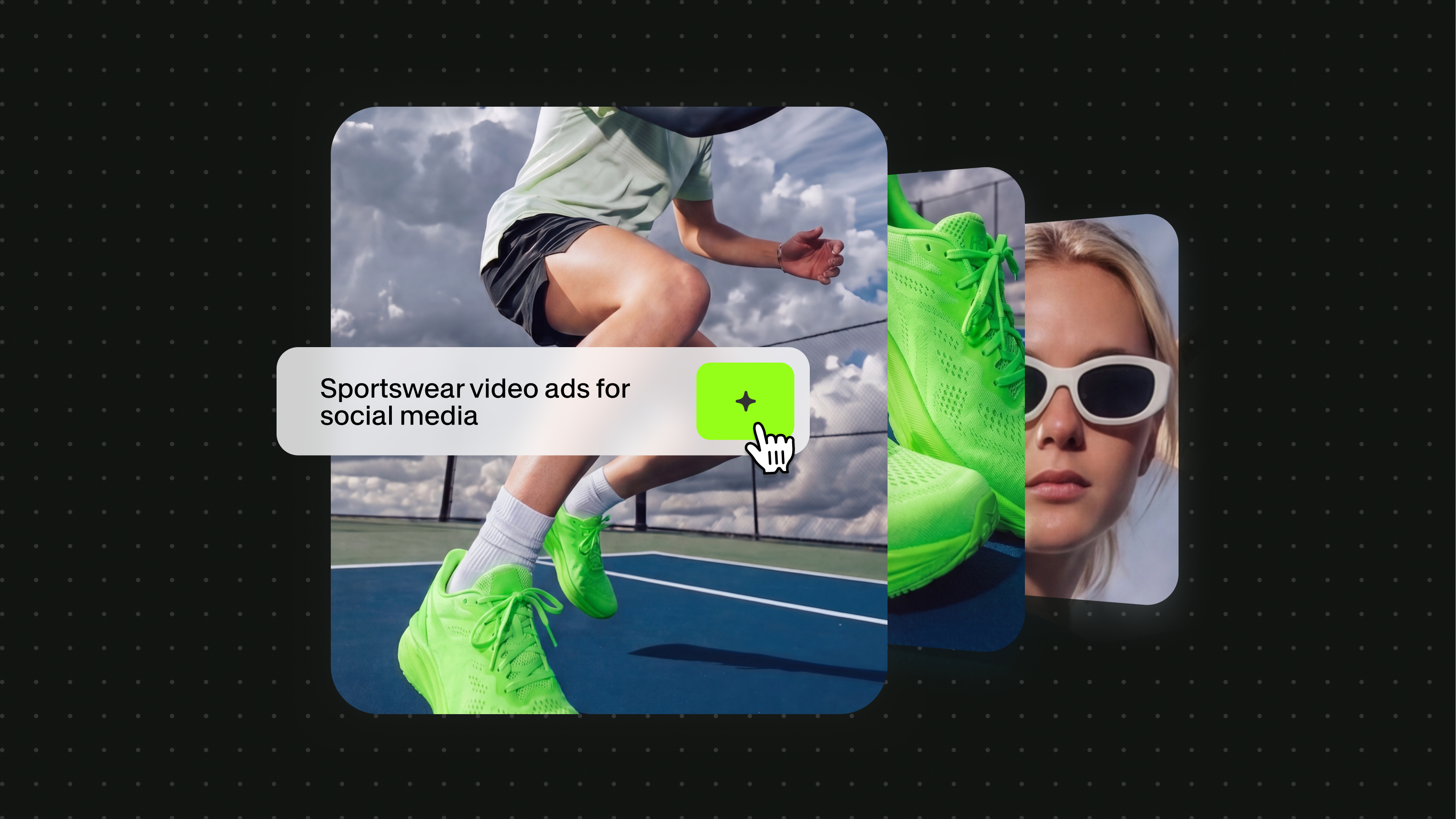
Video is the highest-ROI content format in marketing. It also takes the most time to produce. That gap, between the volume of video you need and the volume your team can actually make, is where video marketing automation comes in.
Key takeaways:
- Video marketing automation uses AI and APIs to generate, personalize, and distribute video content programmatically, removing the production bottleneck that limits how much video a team can publish.
- AI video marketing APIs connect to your existing marketing stack through triggers: a CRM event, a product update, or a content calendar can kick off automatic video creation without a human in the loop.
- The four biggest use cases are AI video ad generation, personalized sales and lifecycle video, automated social content pipelines, and multilingual localization.
- VEED's API covers the full pipeline, from generation and lip sync to editing and export, so your team does not need to stitch together multiple tools.
- You can get a working video automation workflow running in hours using VEED and a workflow tool like n8n, no ML expertise required.
Historically, automating video meant scheduling it in a calendar or queueing up pre-recorded content. That is not automation, that is just planning. Real video marketing automation uses AI to generate the video itself, and a video automation API to trigger that generation from your existing tools. The result is a pipeline where a data event, a new lead, a product launch, a localization request, automatically produces a finished video, without a human touching the editor.
For a deeper look at video marketing strategy before diving into automation, the complete video marketing guide is a useful starting point.
This guide explains how AI and video marketing APIs work together to make that possible. You will get the core concepts, the key use cases, a step-by-step workflow, and a breakdown of the tools that make it real.
What is video marketing automation?
Video marketing automation is the use of software, AI models, APIs, and workflow tools, to generate, personalize, and distribute video content without manual production for every piece.
The key word is programmatic. In manual video production, a human writes the script, records or sources the visual, edits the video, and exports it. In automated video marketing, a trigger, a data point, an event, a schedule, initiates the production process, an AI video creation API handles the generation or editing, and the output lands wherever it needs to go, automatically.
This is not a new concept in marketing. Email marketing automation has worked this way for years: a new subscriber triggers an email sequence. CRM automation fires follow-up tasks based on deal stage. Video marketing automation works the same way, but the payload is a video, not a message.
The difference in 2025 and 2026 is that AI generation models have made the video payload viable at scale. Previously, automated video meant templated slideshows or pre-recorded clips assembled from a library. Now, AI video APIs can generate original talking-head video, animate product images, dub existing content into multiple languages, and produce social clips from a script. All of this runs programmatically, at a cost per video that makes high volumes economically feasible.
How AI and APIs enable video marketing automation
A video marketing API is the bridge between your marketing data and the finished video. Here is how the layer works.
The anatomy of a video generation API call
Every AI video generation API call for marketing follows the same basic pattern:
- Input: you send a payload, a script, an image, a voice file, or a combination, to an endpoint
- Processing: the model generates a video based on your inputs
- Output: the API returns a URL pointing to the finished video file
- Distribution: your workflow tool pushes that URL to the destination, an email, a CRM record, a social queue, or an ad platform
The entire sequence can run in seconds to minutes, depending on the model and video length. Once the workflow is built, every subsequent video follows the same path automatically.
How it connects to your marketing stack
The API layer is what connects video generation to your existing tools. A CRM like HubSpot or Salesforce can send a webhook when a deal reaches a new stage. Your workflow tool (n8n, Zapier, Make) receives that webhook and fires an API call to your video generation platform. The resulting video URL gets stored back in the CRM record and sent to the prospect via an automated email sequence.
This is not a hypothetical workflow. It is how teams using VEED's API and n8n are automating personalized video outreach today. The integration takes a few hours to build and then runs without intervention.
Key use cases for AI video APIs in marketing
AI video ad generation at scale
Generating ad creative is one of the highest-volume, most repetitive tasks in marketing. Every campaign needs variants, different scripts, different visuals, different calls to action, to A/B test and improve. Doing this manually takes days per campaign cycle. With a programmatic video API, a single creative brief can produce dozens of variants automatically.
The workflow: pass a product image, a script variant, and a voice file to a video ad generation API. The API returns a finished ad-length video. Repeat for every variant. Push to your ad platform via its own API. The creative testing loop that used to take a week now takes hours.
Personalized video for sales and lifecycle marketing
Personalized video has proven conversion advantages in outbound sales and lifecycle email. A video that addresses the prospect by name, references their company, and speaks to their specific use case converts significantly better than a generic video.
AI makes this scalable. A personalized video API takes a template and a data payload, name, company, role, product interest, and generates a unique video for each recipient. The developer guide to AI avatar APIs covers the technical options in detail, including VEED Fabric, HeyGen, and Synthesia for building these pipelines. The common architecture: CRM record supplies the merge fields, an AI avatar or talking-head API generates the video, the finished file is hosted and linked into an email or LinkedIn message.
Automated social content pipelines
Social video demands consistency: multiple posts per week, across multiple platforms, formatted for each aspect ratio. That volume is only achievable manually if you have a dedicated production team. Most marketing teams do not.
A video content automation API solves this. Inputs from a content calendar or product feed trigger video creation for each scheduled post. Scripts are generated from product descriptions or blog content. Aspect ratios are handled programmatically. The resulting videos are queued directly to the social scheduler. The team reviews and approves. They do not produce.
Localization and multilingual video
Publishing video in multiple languages manually means re-recording every piece of content, or paying for professional dubbing. AI lip sync APIs have changed the economics of localization entirely. You record the original video once, then pass it to a lip sync API with an audio track in each target language. The API remaps the speaker's lip movements to match the new audio, producing a localized version without re-shooting. See VEED's AI video generation API for the full integration details.
For a team producing monthly product update videos for five markets, VEED's lip sync API makes this affordable at scale. See current pricing for the latest rates on lip sync and generation.
How to build a video marketing automation workflow
Here is a concrete workflow, CRM-triggered personalized video, built using VEED's API and n8n. The VEED and n8n automation guide covers three production-ready implementations in full detail. Here is the core pattern.
Step 1: Define the trigger
Identify the marketing event that should initiate video creation. Examples: a new lead form submission, a deal reaching 'proposal sent' stage in your CRM, a product page visit above a threshold, or a scheduled weekly content calendar item. Most CRMs and marketing platforms can send a webhook on these events.
Step 2: Choose your API
Select the video generation or editing API that matches your use case. For a personalized talking-head video, VEED Fabric 1.0 (any image animated with audio) or a platform like HeyGen (preset AI avatars) are the right options. For social clips from text, a text-to-video API or a dynamic video API like JSON2Video fits better. For multilingual dubbing, VEED's lip sync API is the most cost-effective option.
Step 3: Build the generation call
In n8n or your workflow tool of choice, create an HTTP request node that calls the API endpoint. Pass the required inputs, image URL, script text, voice file URL, or data merge fields, from the trigger payload. Most AI video APIs accept a JSON body and return a video URL in the response.
Step 4: Store the video URL
When the API responds with a video URL, store it back in the record that triggered the workflow: the CRM deal, the lead record, the content calendar row. This creates a log of every generated video tied to the event that caused it, which is essential for tracking and debugging.
Step 5: Push to distribution
Use the video URL to trigger the next step in your marketing workflow: insert it into an email template and send it via your ESP, post it to a social platform's API, push it to your ad platform as a new creative, or attach it to a CRM activity. The video is now in the channel that delivers it to the audience.
Tools and APIs for video marketing automation
These are the platforms worth knowing when building a video marketing automation stack. For a broader evaluation of AI tools across marketing functions, see best AI marketing tools for video and content.
VEED API
VEED's video marketing automation API covers the full pipeline: image-to-video generation (Fabric 1.0), lip sync and multilingual dubbing, and video editing and export. For teams that need generation plus post-production in one workflow, VEED is the only option that handles both without routing output to a separate tool. The API is available via fal.ai with REST access and Python/JS SDK support, making it straightforward to integrate into any marketing automation stack. See current pricing for the latest generation and lip sync rates.
Best for: full-pipeline automation, generation, editing, export, and distribution from a single API relationship.
HeyGen
HeyGen specializes in AI avatar video: realistic preset avatars with accurate lip sync across 40+ languages. The platform suits personalized outreach video and enterprise-scale training content. API access is available on paid plans with thorough documentation. Best for teams that want the simplicity of preset avatars and do not need to animate custom images.
For a full comparison of avatar-based options for marketing workflows, see best talking head video APIs for marketing.
JSON2Video
JSON2Video is a template-based video creation API: you define a video template once and populate it with dynamic data via JSON. It suits high-volume templated content: product showcase videos, property listings, sports highlights, and similar use cases where structure is consistent but data changes. Less suited to AI-generated or avatar-driven content.
n8n (workflow layer)
n8n is the workflow automation platform that ties the video API to the rest of your marketing stack. It connects your CRM, content calendar, ESP, and social platforms to the video generation API via a visual node-based editor. n8n's 400+ integrations cover almost every marketing tool in common use. It is not a video tool itself. It is the orchestration layer that makes the automated pipeline work end to end.
Recap and final thoughts
- Video marketing automation is a production infrastructure decision, not just a tool choice: it requires a trigger, an API, and a distribution layer, and these need to be connected deliberately.
- The use cases are real and proven: ad generation at scale, personalized sales video, automated social pipelines, and multilingual localization are all live in production at marketing teams today.
- The technology is accessible: you do not need an ML team or a video production studio. A few hours of integration work using VEED's API and a workflow tool like n8n is enough to get a working pipeline running.
- Cost is no longer a barrier: per-second pricing on AI video APIs makes high-volume automation economically viable for teams that are not at enterprise scale.
Next step: Ready to build? Explore VEED's API, generation, lip sync, and editing in one pipeline. Or start with the VEED and n8n automation guide to see three production-ready workflows you can build today.
FAQ
Video marketing automation is the use of AI models, APIs, and workflow tools to generate, personalize, and distribute marketing video content without manual production for every piece. A trigger, a CRM event, a product update, a content schedule, initiates the video creation process programmatically, and the finished video is delivered to its destination automatically.
A video marketing API is an interface that lets your marketing tools send data inputs (scripts, images, voice files, or data payloads) to an AI model and receive a finished video file URL in return. It is the production layer in a video automation pipeline: your CRM or workflow tool calls the API, the API generates the video, and the result plugs back into your distribution system.
An AI video API takes a data input, a script, an image, a voice file, or a data payload, sends it to an AI model, and returns a video file URL. That URL can be stored in a CRM record, embedded in an email, published to social media, or pushed to an ad platform. The API is the production layer; a workflow tool like n8n or Zapier handles the orchestration around it.
Start by identifying the marketing event that should trigger video creation: a new lead, a deal stage change, a content calendar item. Connect your CRM or marketing platform to a workflow tool that can call a video generation API. Build the API call with the required inputs (script, image, voice), store the output URL, and push it to your distribution channel. VEED's API and n8n are a practical starting combination for most teams.
The basic pattern: send a POST request to your chosen video generation API endpoint with a JSON body containing your inputs (image URL, script text, voice file URL). The API processes the request and returns a video URL, typically within seconds to a few minutes depending on video length. From there, your workflow tool stores or distributes the URL. Most AI video APIs, including VEED's, accept standard REST calls, so no specialized SDK knowledge is required to get started.
Scaling video marketing with AI requires shifting from per-video production to workflow-based production. Instead of producing each video manually, you build a workflow where a trigger (CRM event, content calendar, product feed) automatically calls a video API and distributes the output. Once the pipeline is running, the volume of video you can produce is limited by your API rate limits and budget, not your team's production capacity.