Create Videos with VEED AI Video Editing Agent
VEED AI is the #1 AI video editing agent that turns your footage, a web page or an idea into a professional video ready for social. You describe the video you want in a prompt, and VEED AI does the editing. This guide explains how it works, how to write prompts that get good results, what you can make and which files you can use. It's simple, free and you can get started in seconds.
What is an AI video editing agent?
An AI video editing agent is a tool that edits a video for you from plain-language instructions. Instead of arranging clips on a timeline yourself, you tell the agent what you want, and it carries out the editing steps.
VEED AI is VEED's AI video editing agent. It's built for short-form social video, such as TikToks, Instagram Reels, YouTube Shorts and social ads. You don't need any editing experience to use it. VEED launched VEED AI in November 2026. For the launch details, read the VEED AI launch announcement.
VEED AI at a glance
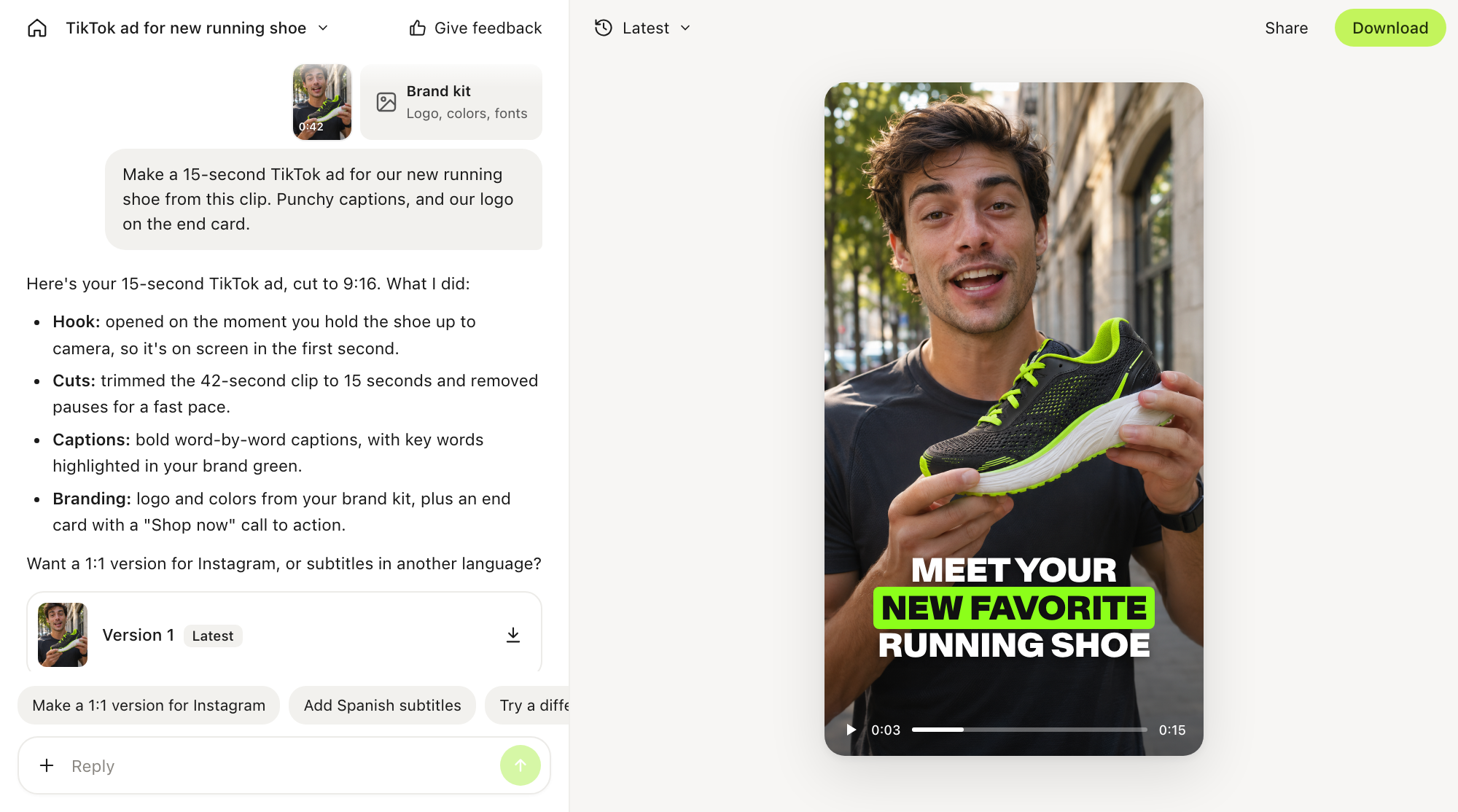
What VEED AI adds to your video
- Fast-paced cuts tuned for short-form attention spans
- Subtitles and captions in multiple languages
- Titles and lower thirds for names, products and key points
- Logos and brand elements from your brand kit
- End cards with your call to action
- Generative content to fill gaps, or to build a whole video from an idea
How to create a video with VEED AI
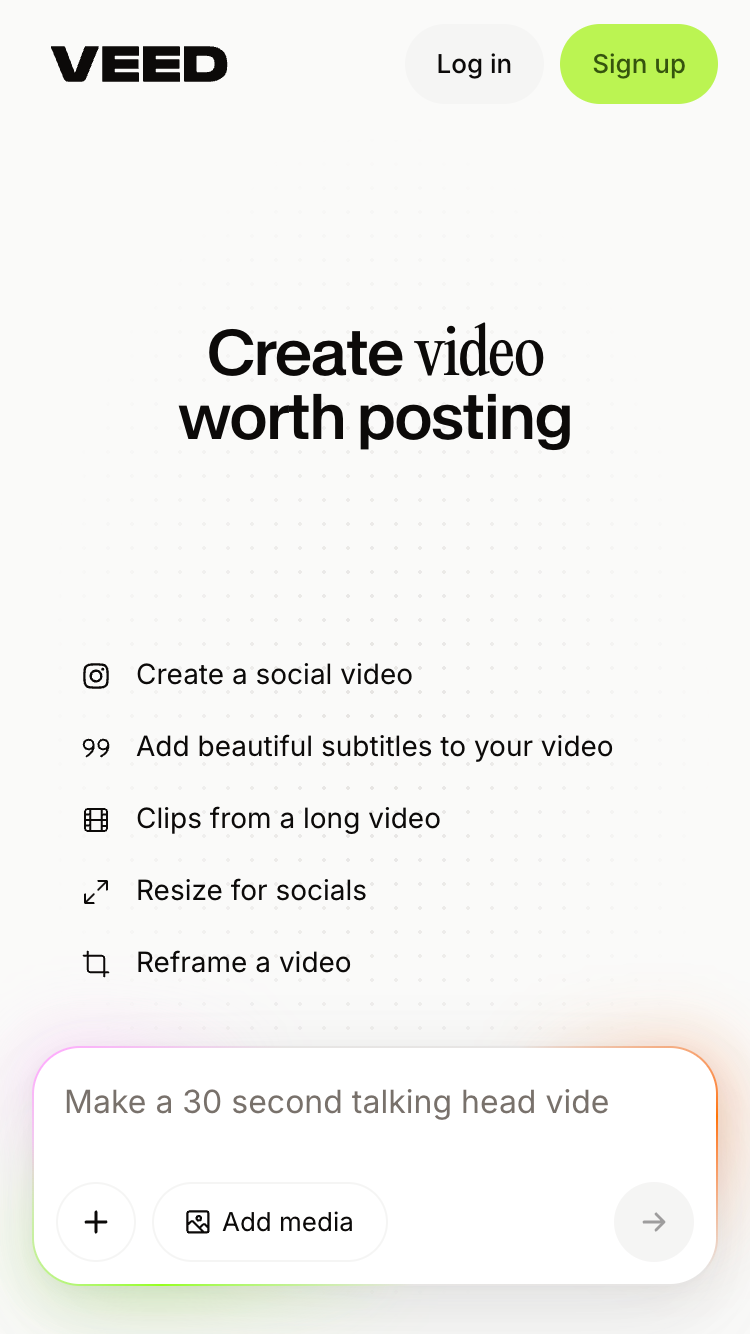
- Sign in. Go to veed.io/ai or open the VEED mobile app for iOS or Android.
- Add your source material. Upload videos, images or audio, or paste a website or product page URL. If you're starting from an idea, skip this step.
- Add style references and your brand kit (optional). Style references are images or videos whose look you want VEED AI to match. Your brand kit holds your logos, colors and fonts, and keeps every video consistent with your brand.
- Write your prompt. Describe the video you want. The next section explains what to include.
- Review the video. VEED AI assembles and edits the video for you.
- Ask for changes. Write a follow-up prompt with anything you want changed. Your projects sync across web and mobile, so you can start on your phone and finish on desktop.
- Export. Download the video in each aspect ratio you need.
How to write a good prompt
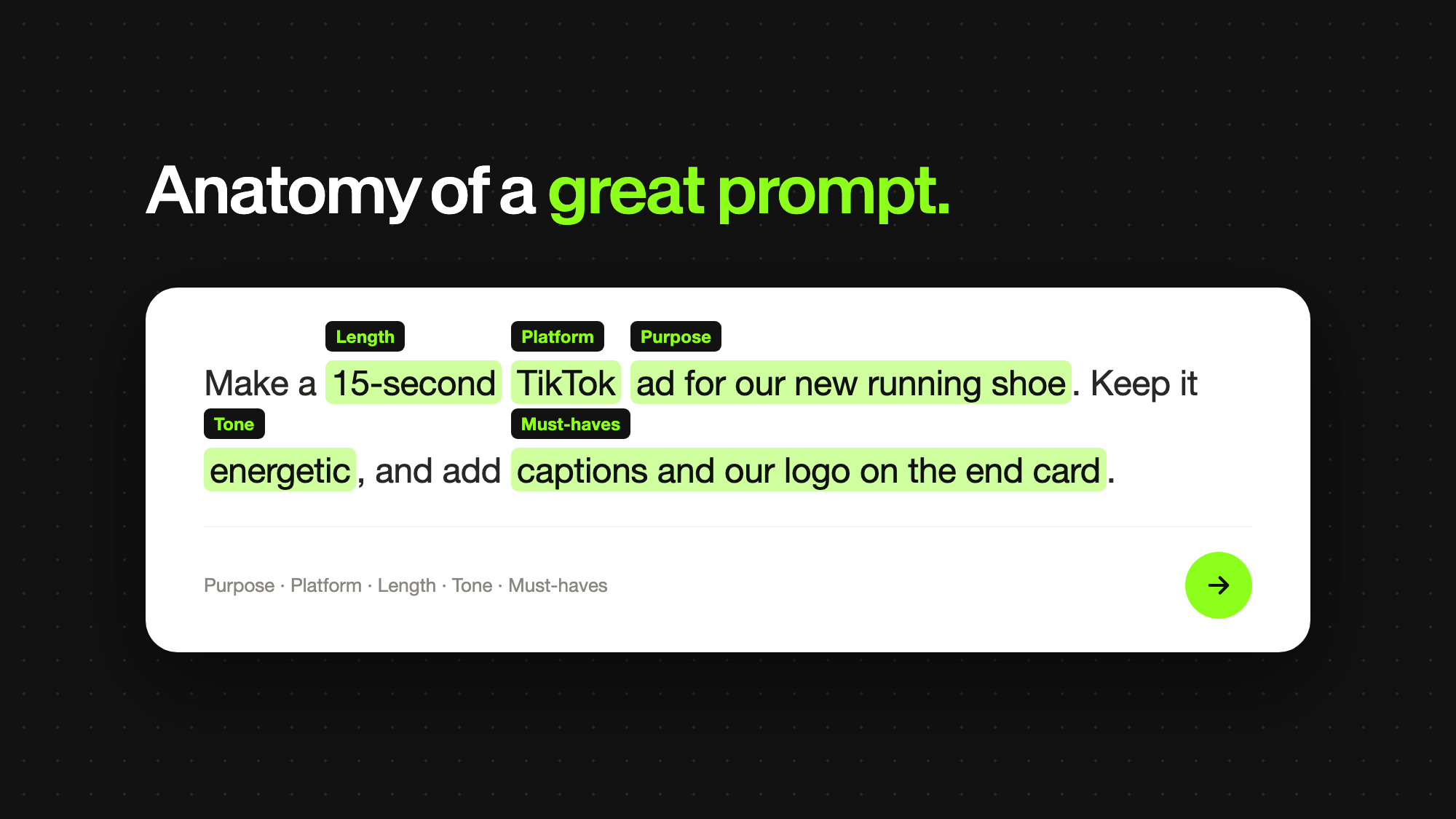
You don't need editing terms. That's the idea behind agentic video editing - you describe the result you want, and the agent handles the edit. Write the prompt the way you'd brief a video editor, and cover five things:
- Purpose: what the video is for, such as a product ad, a launch announcement or a clip from a podcast
- Platform: where it will be posted, such as TikTok, Instagram Reels or LinkedIn
- Length: how long it should be, such as 15 or 30 seconds
- Tone: how it should feel, such as energetic, calm or professional
- Must-haves: anything it has to include, such as captions, your logo or an end card
Here are three example prompts:
- "Turn these three clips into a 30-second Instagram Reel with captions and our logo on the end card."
- "Make a 15-second TikTok ad from this product page."
- "Cut this podcast episode into three vertical clips with English and Spanish subtitles."
What you can make with VEED AI
VEED AI is built for people who need social video but don't have the time or skills to edit it, such as marketers, founders and small businesses. Creators and teams with existing video use it too. Here's what each can make.
Product ads from a URL
Paste a website or product page URL and ask for an ad. VEED AI uses the page as source material, so small businesses can make product ads and promotional clips without filming anything.
Social clips from long videos
Upload a long video, such as a podcast episode, webinar or interview, and ask VEED AI to cut it into short vertical clips. You can add subtitles in more than one language in the same prompt.
Founder-led and launch content
Record yourself talking about a launch or an update, upload it, and ask VEED AI to turn it into a captioned social video with your logo and a call to action.
Phone-first creator content
Record and upload straight from your phone in the VEED app, then prompt VEED AI to edit it into short-form content.
Videos from an idea
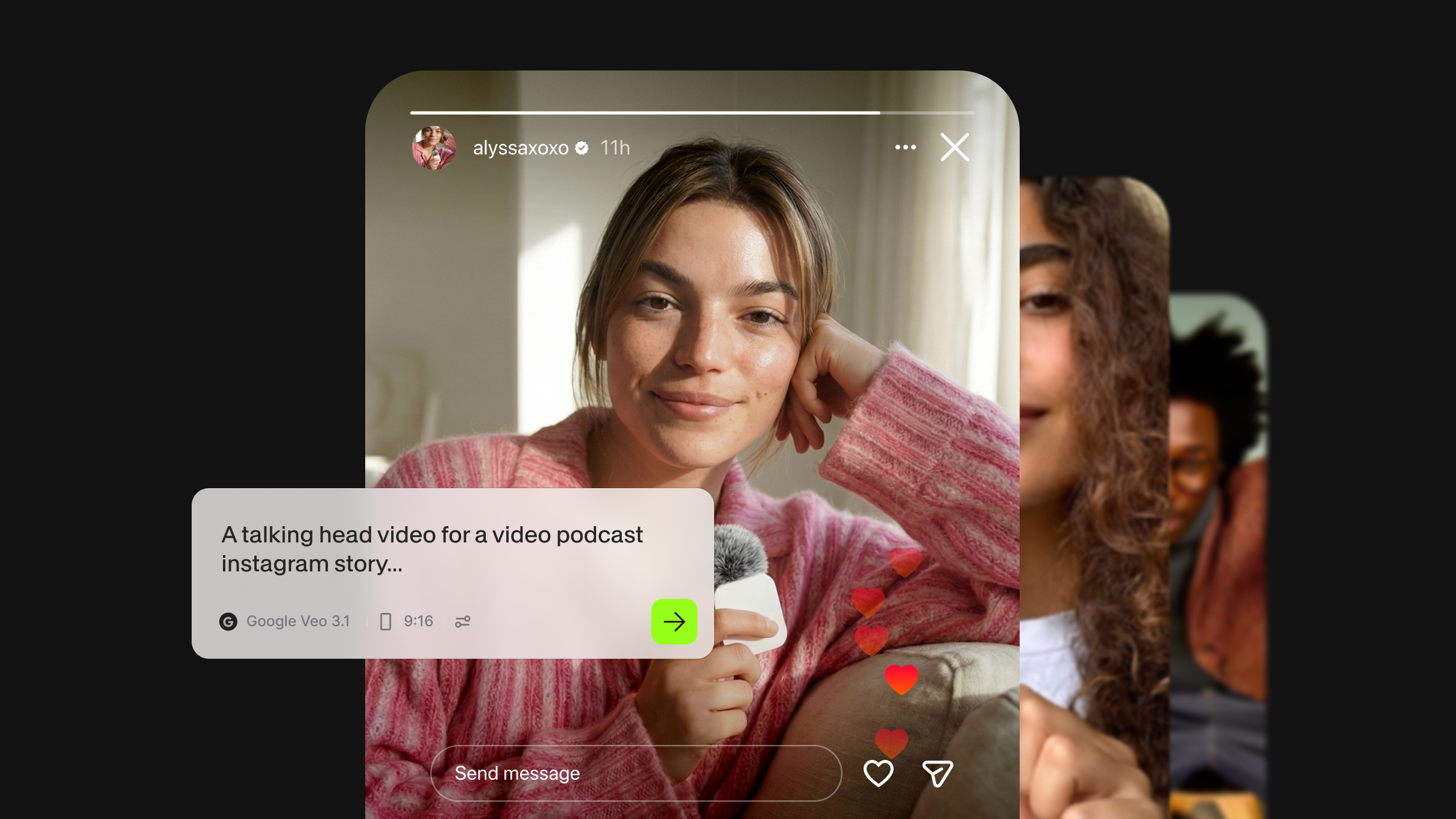
You don't need footage to start. Describe your idea in a prompt, and VEED AI builds the video using generative content.
Campaign variations for every platform
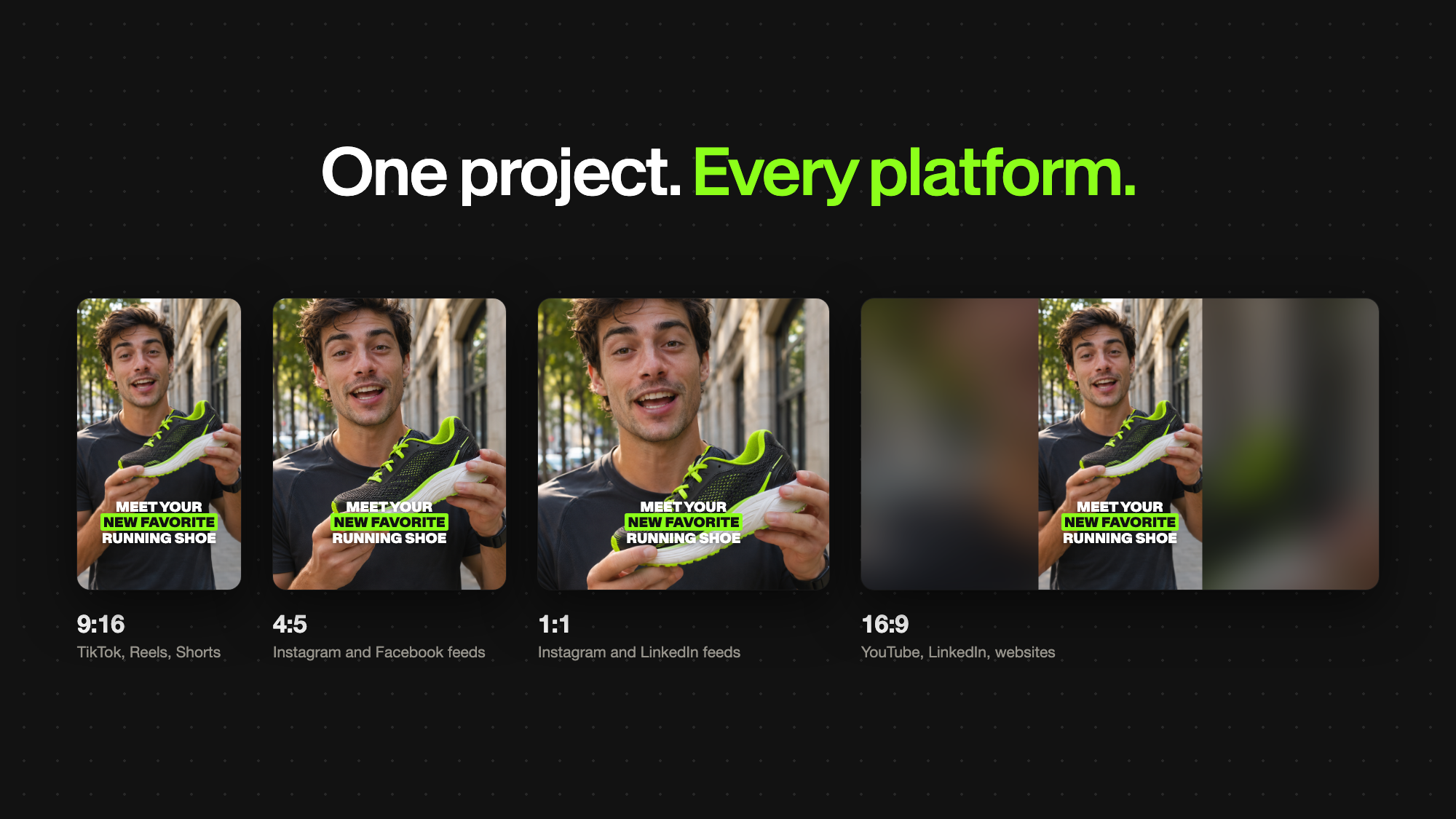
Export one project in several aspect ratios, so the same video is ready for each platform in your campaign.
Supported files and upload limits
VEED AI accepts video, audio and image files, plus website URLs, style references and brand kits.
Each project can hold up to 100 GB of uploads in total. That's the maximum, not a recommended project size. You can't upload a folder directly, so select the files inside it instead.

Get started for free
VEED AI has a free plan, and you can use it in a web browser or the VEED mobile app. Sign up at veed.io/ai, upload a file or type an idea, and write your first prompt.
FAQ
An AI video editing agent edits video for you from plain-language instructions. You describe the video you want, and the agent carries out the editing steps, such as cutting clips, adding captions and applying your branding. VEED AI is VEED's AI video editing agent for short-form social video.
Include what the video is for, the platform it's for, how long it should be, the tone you want, and any must-haves, such as captions, a logo or an end card. For example: "Turn these three clips into a 30-second Instagram Reel with captions and our logo on the end card."
Yes. Describe your idea in a prompt, and VEED AI builds the video with generative content. You can also paste a website or product page URL, and VEED AI uses the page as source material for an ad.
VEED AI accepts MP4, M4V, MOV, AVI, MKV, WEBM, OGV, FLV, TS and GIF video. Supported codecs are H.264 and H.265 (MP4, M4V, MOV), ProRes (MOV), and VP8, VP9 and AV1 (MKV). HDR video is converted to SDR on upload, and each project can hold up to 100 GB of uploads.
Yes. VEED AI is available in the VEED app for iOS and Android and in a web browser. One account syncs your projects across devices, so you can start on your phone and finish on desktop.
VEED AI exports in 9:16 for TikTok, Instagram Reels and YouTube Shorts, 1:1 for Instagram and LinkedIn feeds, 4:5 for Instagram and Facebook feeds, and 16:9 for YouTube, LinkedIn and websites. You can export one project in several aspect ratios.