


Trusted by 1M+ creators
Translate Arabic Video to English
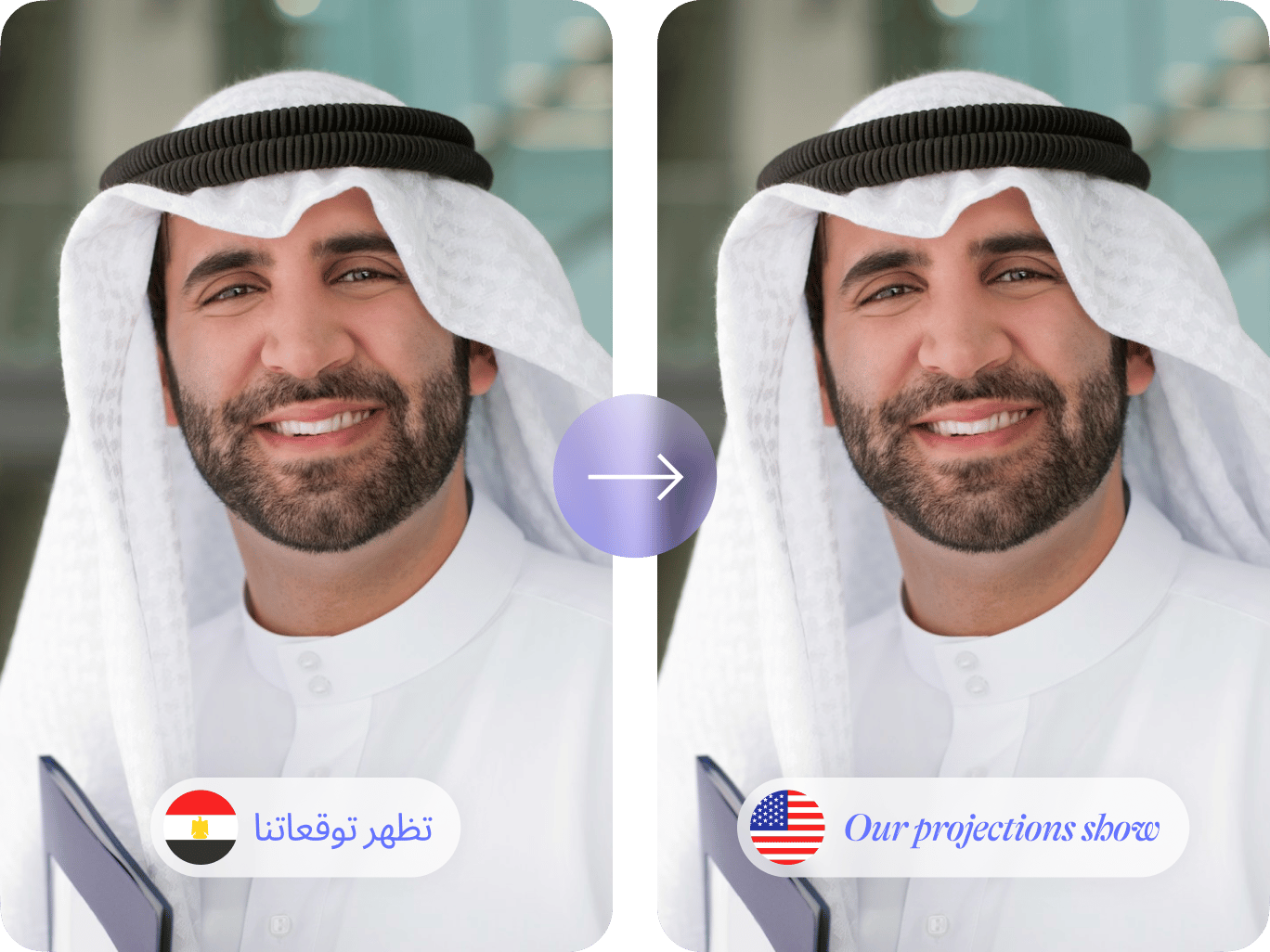
Add English subtitles to Arabic videos. Transcribe and translate in minutes
No credit card required
4.6
2,100+ reviews















Translate Arabic videos to English instantly
Need quality Arabic-to-English translations? Upload your video and auto-translate with VEED. Refine the text and add professional-looking subtitles to your video. Translate marketing videos, educational material, and more. We offer 125+ language options.
From translations to video editing, VEED has you covered! Convert text to speech for instant voiceovers. Trim clips, add graphics to your videos, and collaborate with your team. Streamline your workflow with our all-in-one video editor.
How to translate Arabic videos to English:
Step 01
Upload your video
Import your Arabic video. You can upload the file or drag and drop it into the video editor.
Step 02
Translate to English
Select ‘English’ in the language dropdown menu. Click ‘Create Subtitles’ to translate your video.
Step 03
Customize subtitles
Edit the subtitle text or customize the subtitle style. Export the video with subtitles. Pro subscribers can download translations in SRT, VTT, or TXT format.
Learn More
Watch this video translator tutorial:
Instant Arabic translation
Translate Arabic videos to English. Simply upload your video, auto-translate, and refine the subtitles as needed. You can also customize the subtitle styles to match your brand. Make your content accessible and engaging.
Connect with diverse audiences
Create multilingual content effortlessly. You can translate videos into 125+ languages, including various Arabic dialects. Add subtitles in several languages to a single project. Need personalized voiceovers? Our voice cloning tool lets you convert text to speech in your own voice.
Generate subtitles, create engaging videos
VEED combines translation and video editing tools, streamlining your workflow. After translating Arabic to English, trim clips, enhance audio, and add graphics without switching applications. Get all the video editing tools you need in one place.
FAQ
Translate Arabic to English with VEED:
- Upload your video.
- Click ‘Subtitles’ and select ‘Auto Subtitles.’
- Set the original language to Arabic.
- Click ‘Translate’ and choose English.
Yes, you can customize the style and font of your English subtitles to match your branding. In the Subtitles menu, you'll find many fonts, colors, and styles to choose from.
Absolutely! You can translate Arabic into 125+ languages, including French, Spanish, and Turkish. To add languages:
- Open the Subtitles menu.
- Click the language dropdown and ‘Add language.’
- Choose your desired language.
You can switch between different translations and export your video for each language.
Free users can export videos with English subtitles. Pro subscribers can download the transcripts or translations separately. Click ‘Options’ and then ‘Download’ on the Subtitles page. Export your transcript as a TXT, SRT, or VTT file.
Loved by creators.
Loved by the Fortune 500
“
With VEED I didn't need 15 tutorials - I jumped straight in and started editing.

Gwenne Wilcox
Founder,
Brand Brainery
“
You can go beyond choppping things. VEED actually makes my videos look great.

Michael Glover
Demand Gen Manager,
ConvertFlow
“
The first four videos i created with VEED got over 40,000 impressions on LinkedIn.

Travis Tyler
Senior Content Producer,
PandaDoc
“
I found VEED at the right time: if you're making UGC ads and not using Eye Contact Correction and Noise Reduction on VEED you're missing out on ROI.

Sebastian Schurgers
Head of Growth Marketing,
Gronda
“
With VEED I didn't need 15 tutorials - I jumped straight in and started editing.
Gwenne Wilcox
Founder,
Brand Brainery
“
You can go beyond choppping things. VEED actually makes my videos look great.
Michael Glover
Demand Gen Manager,
ConvertFlow
“
The first four videos i created with VEED got over 40,000 impressions on LinkedIn.
Travis Tyler
Senior Content Producer,
PandaDoc
“
I found VEED at the right time: if you're making UGC ads and not using Eye Contact Correction and Noise Reduction on VEED you're missing out on ROI.
Sebastian Schurgers
Head of Growth Marketing,
Gronda
“
The first four videos i created with VEED got over 40,000 impressions on LinkedIn.
Travis Tyler
Senior Content Producer,
PandaDoc
“
I found VEED at the right time: if you're making UGC ads and not using Eye Contact Correction and Noise Reduction on VEED you're missing out on ROI.
Sebastian Schurgers
Head of Growth Marketing,
Gronda
“
With VEED I didn't need 15 tutorials - I jumped straight in and started editing.
Gwenne Wilcox
Founder,
Brand Brainery
“
You can go beyond choppping things. VEED actually makes my videos look great.
Michael Glover
Demand Gen Manager,
ConvertFlow
Discover more
- English to Amharic Translation with Sound
- English to Hindi Video
- German Video Translation
- Italian to English
- Latvian to English Translation
- Polish to English
- Russian to Spanish
- Spanish to English Video
- Translate Chinese Video to English
- Translate English to Mandarin
- Translate French to Dutch
- Translate Italian to French
- Translate Japanese to Spanish
- Translate Korean Video to English
- Translate MP3
- Translate Russian Video to English
- Translate Spanish to Dutch
- Translate Turkish Video to English
- Video Japanese Translation
Explore related tools
More from VEED

Best Video Translation Software to Try in 2025
Translate your videos like a pro! Check out the best video translation software of 2025 to boost engagement worldwide.

How to Translate Subtitles in 2026: The Complete Guide
This article explains how to translate subtitles online using AI, covering SRT files, foreign films, Japanese and Arabic translations, Netflix workarounds, and videos without any existing subtitles.

How To Translate a YouTube Video to English (and Any Other Language)
Knowing how to translate YouTube videos online can be one of the most useful things in a bilingual content creator’s arsenal.
Trusted by 1M+ creators
When it comes to amazing videos, all you need is VEED
No credit card required
More than Arabic-to-English video translation
VEED lets you do more than translating Arabic to English and other languages. Create professional-quality videos with our comprehensive video editor. No need for complex software or editing skills. Explore our full suite of video editing tools. From trimming clips to removing background noise, we’ve got you covered! We also offer various AI tools like text-to-video and talking avatars. Try VEED now and make amazing videos in just a few clicks.