VEED vs. Clideo: More Than a Quick Edit? Here's What Each Tool Can Really Do


Quick comparison summary
- Best for professional video creation: VEED — AI avatars, team collaboration, brand kit, and 50+ AI-powered tools in one platform
- Best for quick, one-off edits: Clideo — simple browser-based toolkit for casual users who need a fast trim or file conversion
- Key differences:
- VEED: AI avatars, auto subtitles, text-to-video, background removal, team collaboration, brand kit, 4K export
- Clideo: 30+ single-task tools, lightweight interface, $9/month pricing, no download required
- Pricing gap: Clideo Pro starts at $6/month (billed annually) vs. VEED Lite at $19/month — but VEED includes a suite of AI features Clideo doesn't offer at any price
- Free plan reality check: Clideo's free plan adds a watermark to every export and stores projects for only 24 hours — worth knowing before you invest time in an edit

What is Clideo?
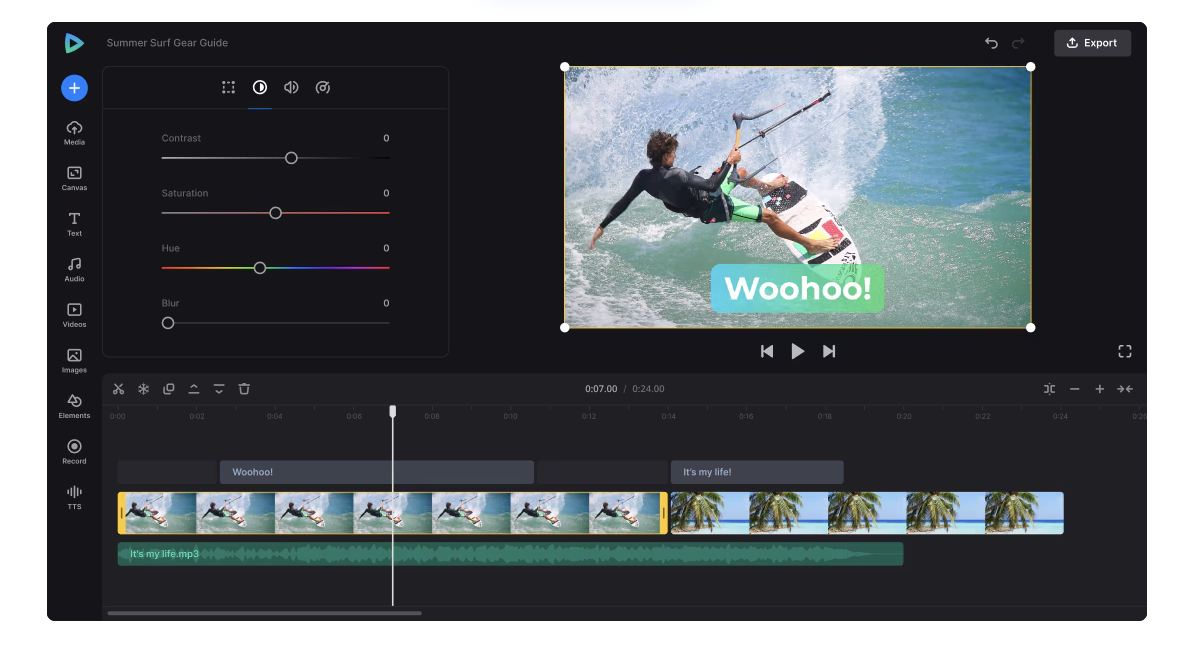
Clideo is a browser-based video toolkit. It’s designed for casual, individual users who need quick video tasks done without downloading software. Clideo is best known for its collection of 30+ standalone tools — trim, merge, compress, convert, loop, and more — each built to do one thing fast. The platform claims over 5 million monthly users.
Best features of Clideo
- 30+ individual task tools — dedicated utilities for trimming, merging, compressing, converting, rotating, and more, each accessible without navigating a full editor
- Universal file conversion — converts between a wide range of video, audio, and image formats with no software required
- In-browser recording — screen, webcam, and presentation recording tools that work without browser extensions
- Basic AI subtitle generator — auto-captions in 100+ languages with editable output and SRT export
VEED vs. Clideo: How they compare
Ease of use
Clideo genuinely shines here. Its single-task design means a first-time user can compress a video in under two minutes — no project setup, no timeline to learn. VEED has a slightly steeper learning curve due to its fuller editor, but it remains one of the most beginner-friendly platforms in its class. For anyone planning to edit video regularly, VEED's unified workspace saves significant time compared to Clideo's tool-by-tool approach.
AI features
This is the biggest gap between these two platforms. VEED offers AI avatars, text-to-video, voice cloning, magic cut, eye contact correction, one-click background removal, and AI-generated B-roll — none of which Clideo offers. Clideo's AI toolkit is limited to a basic subtitle generator, text-to-speech (capped at 500 characters per track), and a video translator. For anyone looking to speed up content creation with AI, there's no comparison.
Subtitle quality and customization
VEED's auto-subtitles achieve up to 99% accuracy across 125+ languages, with animated caption styles — karaoke, pop, glide — and full brand styling. Clideo's subtitles are accurate for basic use but offer limited placement options and no dynamic animations.
Collaboration and team features
These simply don't exist in Clideo. VEED provides real-time multi-editor collaboration, time-stamped comments, review and approval workflows, and shared brand kits. Clideo is a single-user tool by design — there's no workspace sharing, no commenting, no team management. For marketing teams or agencies, this alone makes VEED the only viable option.
Pricing
Clideo holds a genuine advantage for budget-conscious individual users. At $6/month (billed annually), Clideo Pro is accessible. But it's worth flagging that the free plan watermarks every export and stores projects for only 24 hours — something users frequently find frustrating after they've invested time in an edit. VEED's free plan is more transparent about its limitations.
Processing speed
This is a known weak point for Clideo. Multiple reviewers report cloud rendering delays, with simple tasks occasionally taking 20+ minutes. Users looking for reliable, fast turnaround — especially on longer videos — consistently report better results with VEED.
Advanced features of VEED
- AI avatars — 50+ photorealistic avatars with custom voice cloning, available in 125+ languages
- Text-to-video — generate video content directly from a script or prompt, no footage needed
- Magic cut — automatically removes silences, filler words, and dead air from recordings.
- Brand kit — store logos, custom fonts, and brand colors to keep every video on-brand without manual setup
What real users are saying
On Trustpilot, Clideo has a 4.8/5 rating — though the page has been flagged with a notice that the company may be soliciting reviews in a non-compliant way, which can bias results.
On Capterra, where reviews come from verified business users, Clideo’s rating drops to 2.9/5, with value for money scoring just 1.8/5. Recurring complaints cover long processing times, unexpected watermarks on free exports, and difficulties getting refunds.
Positive Clideo reviewers tend to be casual users who value simplicity:
"No sign up, no asking for my card details, no over-marketing — just straight to the point."
Critical reviews flag the watermark experience:
"The website put a big watermark on my video after doing a basic task like cropping, which other websites do for free with no watermark."
VEED users, by contrast, most often highlight the AI features and brand consistency tools as standout value drivers.
Why choose VEED over Clideo
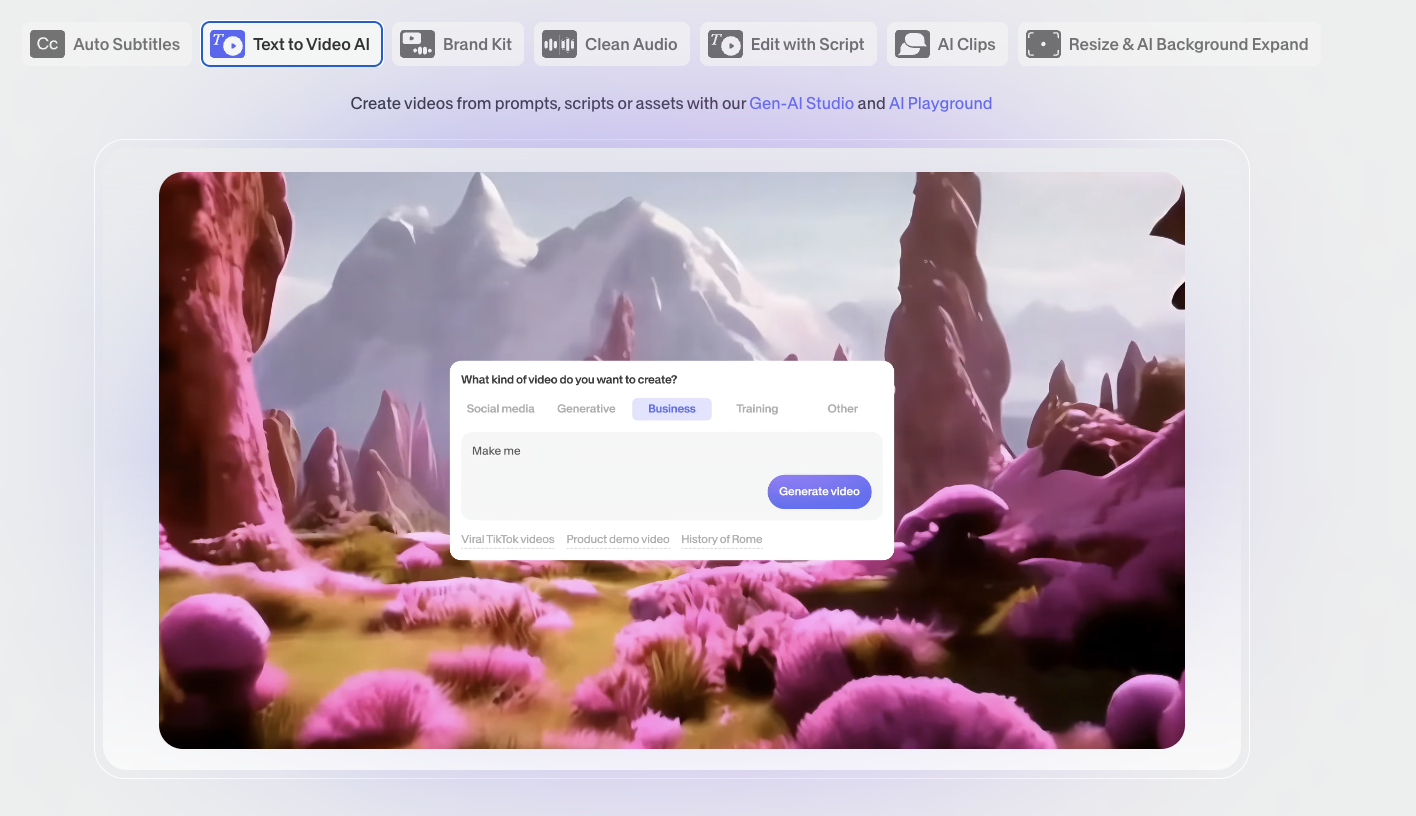
For marketers, content teams, and creators who need more than a quick file conversion, VEED offers a fundamentally different level of capability. Unlike Clideo, VEED gives you AI avatars, voice cloning, auto subtitles with 99% accuracy, and real-time team collaboration — all in one platform rather than spread across 30 separate tools. The brand kit alone is a game-changer for anyone producing video at scale.
If Clideo's free plan limitations or processing speed issues have been a pain point, VEED's free plan is more transparent, and its cloud rendering is significantly faster. For teams, the comparison isn't close. Try VEED free and see how much faster your workflow gets.
FAQ
Yes, Clideo has a free plan, but it adds a watermark to every exported video and only stores your projects for 24 hours. Clideo Pro removes the watermark and starts at $6/month billed annually.
Yes, Clideo is a legitimate platform used by millions of people monthly. It uses TLS encryption and auto-deletes uploaded files after 24 hours. That said, its Trustpilot page has been flagged for potentially non-compliant review collection, and its Capterra rating from verified business users is significantly lower than its Trustpilot score.
Clideo is best for simple, one-off video tasks — trimming a clip, merging files, converting formats, or compressing a video for sharing. It's not well-suited for multi-step workflows, team collaboration, or professional-grade content creation.
If you're looking for Clideo alternatives with more AI features and professional tools, VEED is the top option. Other alternatives include Kapwing, Adobe Express, and Descript, depending on your specific needs.
Clideo has added basic AI tools, including an auto subtitle generator, text-to-speech, and a video translator. However, it lacks the more advanced AI capabilities found in VEED — such as AI avatars, text-to-video, voice cloning, magic cut, and background removal.
Yes, Clideo is fully browser-based and works on any modern browser without downloads or extensions. It also has iOS apps for mobile editing, but there is no Android app or native desktop application.