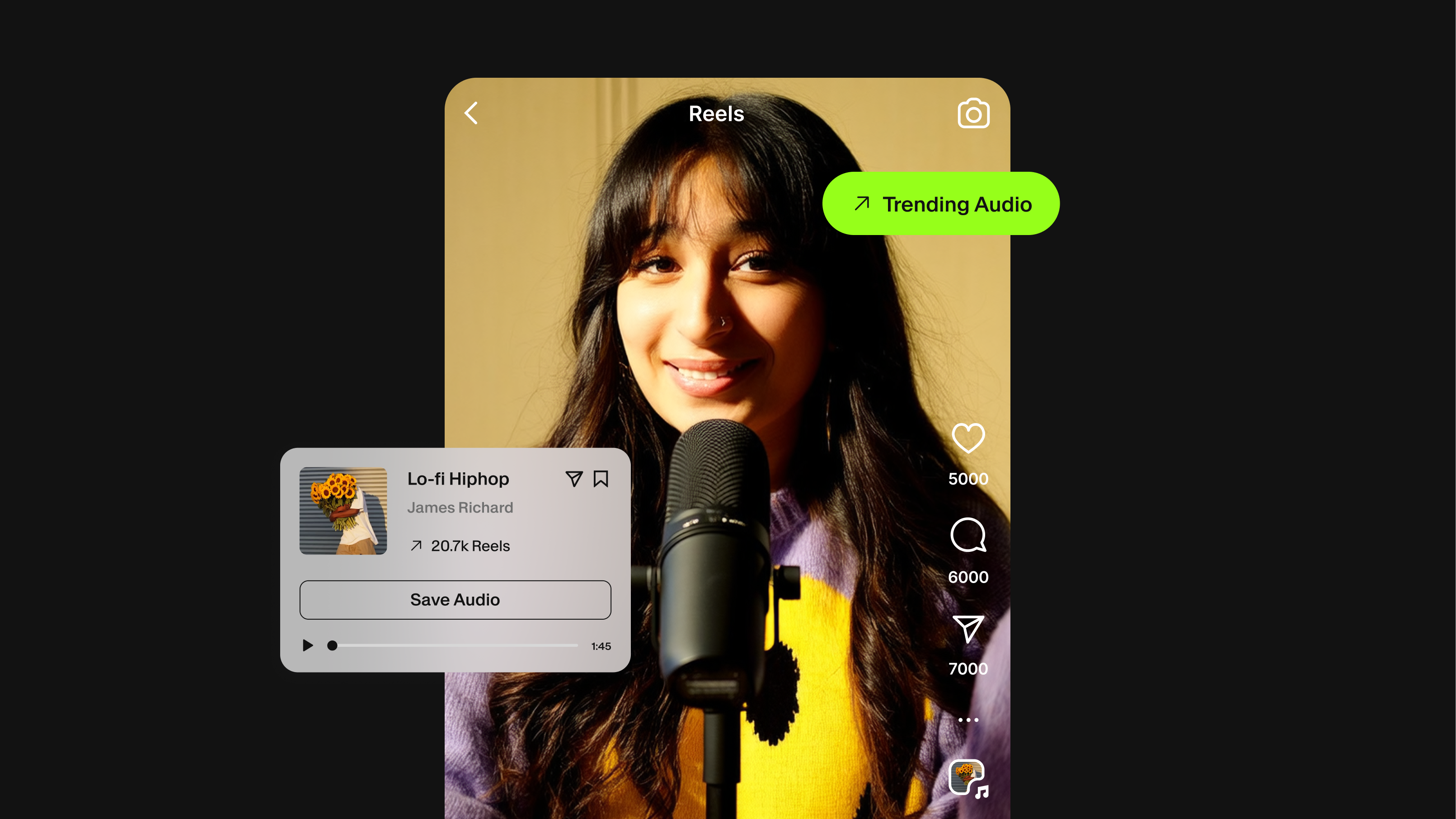
How to Find Trending Audio on Instagram Reels, TikTok, and YouTube Shorts


Key Takeaways:
- Trending audio on Instagram is found through the Reels tab, the audio browser, and the arrow icon on individual Reels
- TikTok's Discover page and Creative Center show what sounds are gaining traction before they peak
- Finding trending audio on YouTube Shorts natively is more challenging because the search and trending tabs are the most effective tools.
- Using trending audio improves reach, but only if it fits your content naturally
- Royalty-free libraries like Epidemic Sound (built into VEED's AI video creation platform) let you find trending-adjacent tracks that won't get your video muted or flagged

You post a Reel. It gets 200 views and then disappears. Someone else posts a near-identical video, except they used the audio that everyone was swiping to that week. Forty thousand views.
This is not a coincidence. Audio is one of the most significant discovery signals on short-form video platforms. Instagram, TikTok, and YouTube Shorts all use engagement patterns around sounds to determine who else should see a video. When a track is trending, the algorithm already knows people are stopping for it. Your video gets drafted into that current.
The catch is that "trending audio" is a moving target. What was popular last Tuesday may already feel outdated by Thursday. This guide covers how to find trending audio on Instagram Reels, TikTok, and YouTube Shorts in real time, what the research says about whether it actually matters, and how to source royalty-free audio that is safe to use on any platform without risking a copyright claim or a muted video.
Pro tip: Watch this to learn how to make AI reels for Instagram and other platforms:
Does trending audio actually matter on Instagram?
Yes, but context matters. Instagram's algorithm uses audio as a discovery layer. When a sound is trending, Instagram has data showing that users engage with that audio and that videos using it tend to get recommended to new audiences. Your reel is tied to that signal when you use it.
The word "trending" can be deceptive, though. The arrow icon that appears next to audio in Instagram's browser does not mean a track is new. It means it has been used in a significantly high number of Reels recently, typically by a minimum threshold Instagram sets internally. Some tracks trend because of a viral moment. Others cycle back and trend every few months.
For business accounts specifically: yes, you can use trending audio. Instagram does not restrict trending sounds to personal accounts. The limitation some creators run into is that business accounts may have restricted access to certain commercial recordings that personal accounts can use freely. The fix is to use audio from Instagram's library tab, which is licensed for commercial use, or to source royalty-free tracks that cover you regardless of account type.
How to find trending audio on Instagram
Instagram has three reliable entry points for finding trending audio right now.
The Reels tab and the audio browser
Open the Reels tab in your Instagram app. Scroll your feed. When you see a Reel using audio, tap the rotating disc icon at the bottom right. This takes you to the audio's dedicated page, showing how many Reels have been made with that sound and whether usage is trending upward. The volume of Reels is not the key number. The direction of growth is.
From inside the Instagram video editor, tap the music note icon to open the audio browser. You will see a "Trending" section at the top. This updates frequently and reflects what is gaining traction at the platform level, not just in your niche. Browse by scrolling, or tap into a track to preview it against your video before committing.
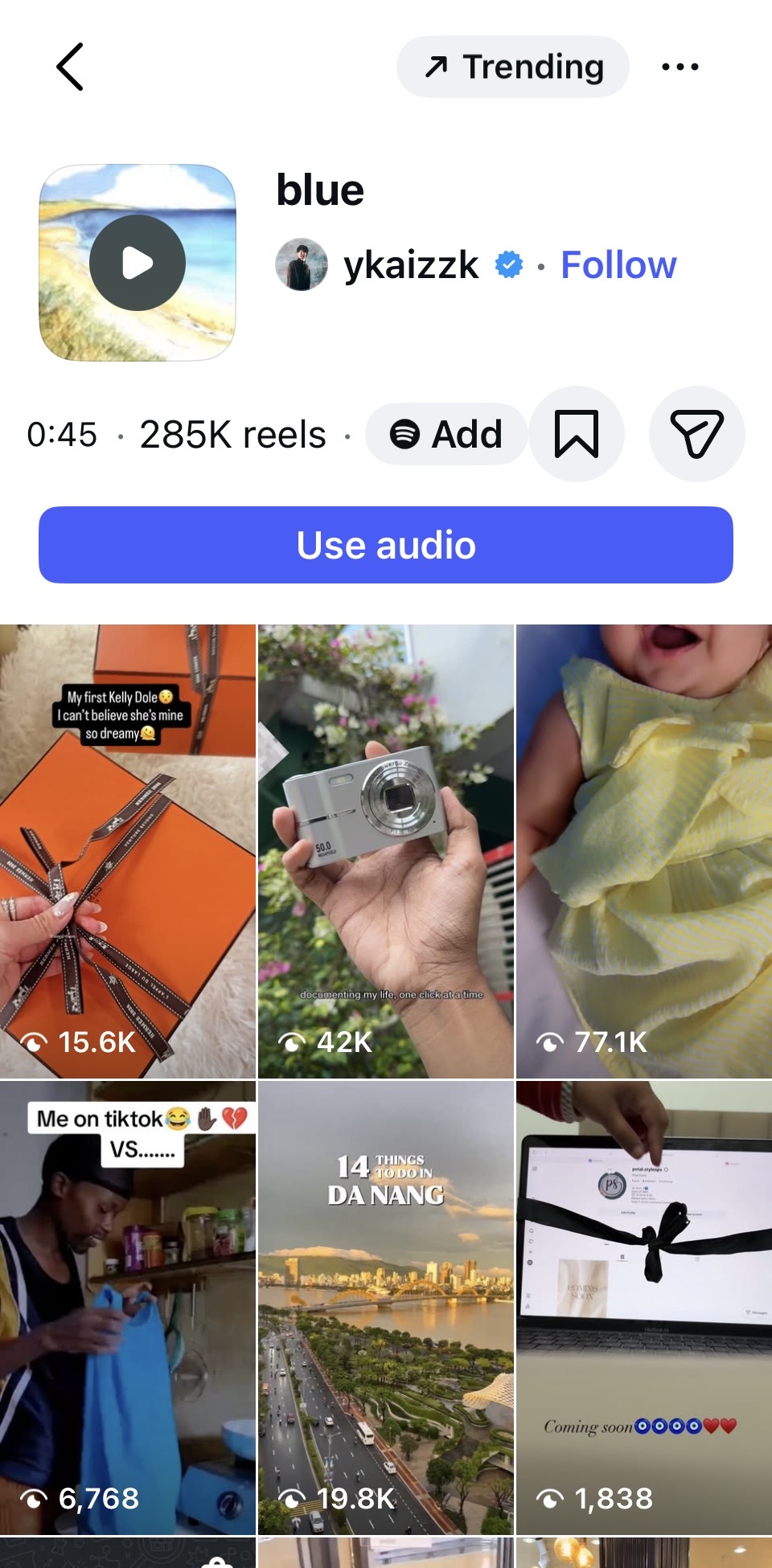
The arrow icon: What it actually means
When you browse audio in the Reels editor or on an audio page, some tracks display a small upward-pointing arrow next to the title. This is Instagram's trending indicator. The arrow indicates a significant increase in the number of Reels using the track over the recent period. Tracks with the arrow are worth paying attention to, but the window is short. Once a track is visibly trending, there is a limited time before it becomes oversaturated and loses its appeal.
The best use of this indicator is to catch audio just as the arrow appears, before the track gets saturated. To do that, check the Reels audio browser at least a few times a week rather than just before you post.
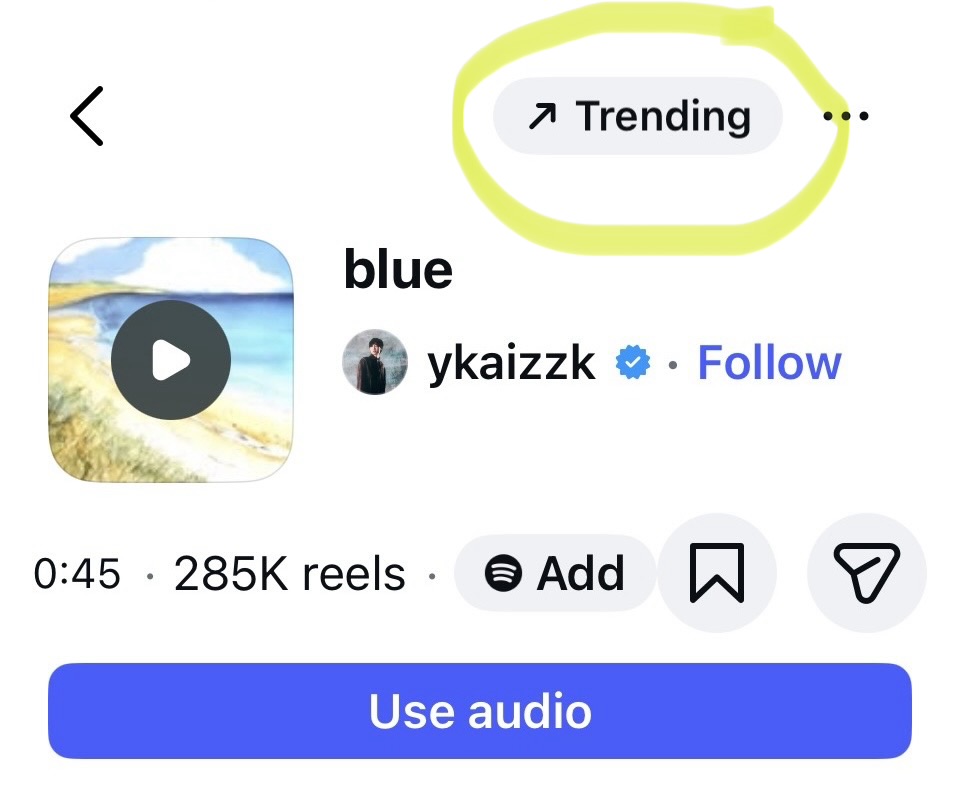
Browsing other creators in your niche
One of the most reliable methods is manual: scroll your Reels feed for 10 to 15 minutes with the intent of noting audio. When you hear something appear more than twice in a session, tap through to check the usage count and growth direction. The algorithm has already noticed you're watching those videos. It will feed you more, which is a decent proxy for what is gaining traction in your specific niche rather than at a platform-wide level.
How to find trending audio on TikTok
TikTok's native tools for surfacing trending audio are more developed than Instagram's.
The Creative Center
TikTok's Creative Center (available at ads.tiktok.com/business/creativecenter) has a dedicated trending sounds section. It shows which audio clips are gaining traction over 7-day and 30-day windows, with filters by region and industry. This is the most data-driven method available without a third-party tool. You can sort by usage growth rate, not just total usage, which lets you find sounds earlier in their cycle.
The For You page
Open TikTok and scroll your For You page for 10 minutes. Note the sounds that appear more than once in a short scroll session. Tap the spinning disc to access the sound page, check how many videos have been created with it, and look at the most recent posts to confirm it is still actively being used and not trailing off.
TikTok's "Trending" hashtag and search bar
Search trending sounds directly in TikTok's search bar. Trending queries autofill, giving you a quick read on what searches are spiking. The trending hashtag page also surfaces audio-driven content clusters before they fully peak. If you see a sound appearing across multiple trending hashtags in the same session, it is worth noting.
How to find trending audio for YouTube Shorts
YouTube Shorts does not have a dedicated trending audio browser comparable to TikTok's. The discovery is more indirect.
The Shorts shelf and trending tab
Open the YouTube app and navigate to the Shorts tab. Scroll the Shorts shelf on the homepage. When a sound appears in multiple Shorts during the same session, tap through to any of them and tap the audio name. This takes you to a page showing other Shorts made with that sound. A high count with recent uploads confirms the audio is active.
YouTube's Trending tab (under Explore) occasionally surfaces music-driven Shorts as well, though it lags behind real-time. Use it as a secondary check.
YouTube's audio library and trending music section
Inside YouTube Studio, the Audio Library has a "Trending music" section showing what tracks are performing well in creator content. This section includes music that YouTube has licensed for free creator use, which sidesteps copyright concerns entirely. The overlap between tracks in this library and sounds trending in regular Shorts can be limited, but it is a useful starting point when you want to be certain you are covered on all platforms.
Trending background music vs. trending vocal tracks: Why the distinction matters
Not all trending audio is the same. There is a meaningful difference between trending vocal tracks (original audio or commercial songs where the lyrics or melody is the point) and trending background music (instrumental or low-vocal tracks used under voiceover or visual content).
Trending vocal tracks drive lip-syncs, duets, and reactive content. They are usually commercial recordings, which means business accounts or creators posting across multiple platforms may run into licensing issues if they try to source or download the track outside the platform's native tools.
Trending background music is what most marketers, founders, and educators actually need. The track is not the main event. It sets a mood, fills silence, and signals production quality. For this use case, natively trending tracks on social platforms may not be the right source at all. The better answer is a royalty-free catalog that keeps up with genre trends without the copyright risk.
Why downloading trending audio can get your video muted
A common mistake: hearing a trending track on TikTok or Instagram, downloading it through a third-party app, and using it in a video posted to a different platform. This approach breaks the licensing chain.
When you use a sound natively inside Instagram's or TikTok's editor, you are operating within those platforms' licensing agreements with rights holders. The moment you download that audio and upload it to YouTube or use it in a video posted on LinkedIn or Facebook, you are outside that agreement. YouTube's Content ID system will detect the recording and either mute your audio or claim the revenue from your video.
The safe approach for cross-platform posting is to use audio that is cleared for commercial use across every platform you publish to. That means royalty-free music from a library with explicit commercial clearances.
How to find copyright-safe trending audio with VEED and Epidemic Sound
VEED is an AI video creation platform built for social, and it includes the full Epidemic Sound catalog directly inside the editor. That is 55,000+ royalty-free tracks covering every genre and mood, plus a dedicated sound effects library, available without a separate Epidemic Sound subscription or account.
Every track in the Epidemic Sound catalog is royalty-free and commercially cleared. You can use them in videos posted on YouTube, TikTok, Instagram, Twitch, Facebook, and LinkedIn without risking a copyright claim, content strike, or demonetization.
The catalog includes genre and mood browsing, keyword search, trending playlists, and curated collections built around real creator use cases, including product launches, travel content, YouTube intros, and UGC ads. These collections are updated regularly by Epidemic Sound's editorial team, which means the catalog reflects what is performing in creator content right now, not a static library frozen in time.
How to add Epidemic Sound audio to your video in VEED
- Open VEED's AI video editor and upload your footage, or open an existing project. You can also generate a video from scratch using VEED's AI video tools before adding your track
- Click the Audio tab in the left sidebar to open the stock audio catalog
- Use the keyword search to describe the mood or genre you want, or browse trending playlists
- Preview any track against your timeline before committing
- Click to add the track, then adjust volume, trim to fit, or layer in sound effects
- Export—the royalty-free license covers every platform you publish to
Free users get a curated 25-track Epidemic Sound playlist to explore the catalog quality before committing. Pro users unlock the full 55,000+ track catalog plus the complete sound effects library, with unlimited use across projects. Enterprise users get 500 lifetime exports with background music and full commercial clearance for brand content.
Once your audio is on the timeline, VEED's AI video creation tools handle the rest of the workflow in the same place: AI-generated captions, AI background noise removal, platform resizing, and branding. If you are starting from scratch, VEED lets you generate the video itself using leading AI models, then drop your Epidemic Sound track straight onto the timeline. No switching between tools, no separate subscriptions.
Trending music genres in 2025 and 2026
If you are not chasing a specific viral sound but want audio that fits the current aesthetic of short-form video, knowing which genres are performing helps narrow your search.
- Slowed and reverb: Remains a dominant aesthetic on Instagram and TikTok, particularly for emotional or nostalgic content. Older pop tracks slowed and filtered have consistently driven high engagement
- Phonk: High energy, distorted, often used in fitness, car, and transformation content. Originated in TikTok subcultures but has crossed into Instagram and YouTube Shorts
- Sped-up pop: Hyper, slightly chipmunk-pitched tracks under 90 seconds. Particularly effective for fast-cut lifestyle and product content
- Indie acoustic: Warm, low-stakes background tracks. Works well under voiceover-heavy content like tutorials, reviews, and explainer videos
- Afrobeats and amapiano: Consistent trending presence, especially in food, travel, and fashion content globally
- Hyperpop and electronic: Used in tech, gaming, and high-energy product content
None of these categories require you to use the specific viral track. They represent sonic aesthetics. Royalty-free tracks in the same genre often work just as well for reach because the mood signal is what triggers the emotional engagement—not necessarily the specific recording.
What to do once you have found trending audio
Finding the audio is step one. Using it well is step two.
- Match the audio to the visual rhythm. Cut your video to the beat drops and transitions in the track. A trending track used with no visual sync is worse than a non-trending track edited tightly.
- Post within the window. Trending audio has a short shelf life. If you find a sound gaining traction, plan a post around it within 48 to 72 hours. After that, the saturation point is usually close.
- Keep the audio at a mix-appropriate volume. If your video includes voiceover or dialogue, the background music should sit behind it, not compete with it. VEED's AI video editor lets you adjust the volume track by track and add fade-ins and fade-outs directly on the timeline.
- Do not force it. A trending sound that has no connection to your content will confuse your audience and hurt watch time. The algorithm reads watch time. A poorly matched trending track will perform worse than a well-matched non-trending one.
🔧 Next step: Browse 55,000+ royalty-free tracks inside VEED's AI video creation platform — explore the Epidemic Sound catalog on VEED
FAQ
Trending audio on Instagram refers to sounds, songs, or original audio clips that are being used in a rapidly increasing number of Reels. Instagram signals trending audio in its Reels editor with an upward arrow next to a track's name. Using trending audio can improve a Reel's reach because the platform already has positive engagement data associated with that sound.
Open the Reels editor in your Instagram app and tap the music note icon to open the audio browser. The top section shows currently trending sounds. You can also scroll your Reels feed and tap the disc icon on any video to see that audio's usage stats and growth direction. Tracks showing the upward arrow are gaining traction at the time you are browsing.
Yes. Business accounts can use trending audio on Instagram, but they may have more restricted access to some commercial recordings compared to personal accounts. To avoid restrictions, use audio from Instagram's licensed music library inside the app, or use royalty-free tracks from a cleared catalog like Epidemic Sound, which covers commercial use across all platforms.
No, not without checking the license. When you use audio inside TikTok or Instagram's native editor, you are covered by those platforms' agreements with rights holders, but only for content posted on those platforms. Downloading that audio and uploading it to YouTube, LinkedIn, or Facebook breaks the licensing chain. Your video may get muted by Content ID or demonetized. Use a royalty-free library like Epidemic Sound (available inside VEED) for audio you plan to post cross-platform.
Slowed and reverb, phonk, sped-up pop, and indie acoustic are all performing well across Instagram, TikTok, and YouTube Shorts. Afrobeats and amapiano remain consistent performers in food, fashion, and travel content. You do not need the specific viral track. Finding royalty-free music in the same genre often produces comparable engagement because the sonic aesthetic is what triggers the emotional response.
VEED is an AI video creation platform that includes the full Epidemic Sound catalog directly inside the editor — no separate Epidemic Sound account or subscription required. You can generate a video from a text prompt, or upload existing footage, then search by keyword, mood, or genre to find your track, preview it in real time, and add it to your timeline in one click. Every track is commercially cleared for YouTube, TikTok, Instagram, Twitch, Facebook, and LinkedIn. Free VEED users get access to a curated 25-track playlist. Pro users unlock all 55,000+ tracks and the full sound effects library.