VEED Fabric 1.0: How to Animate Your Photos and Create Talking Avatar Videos

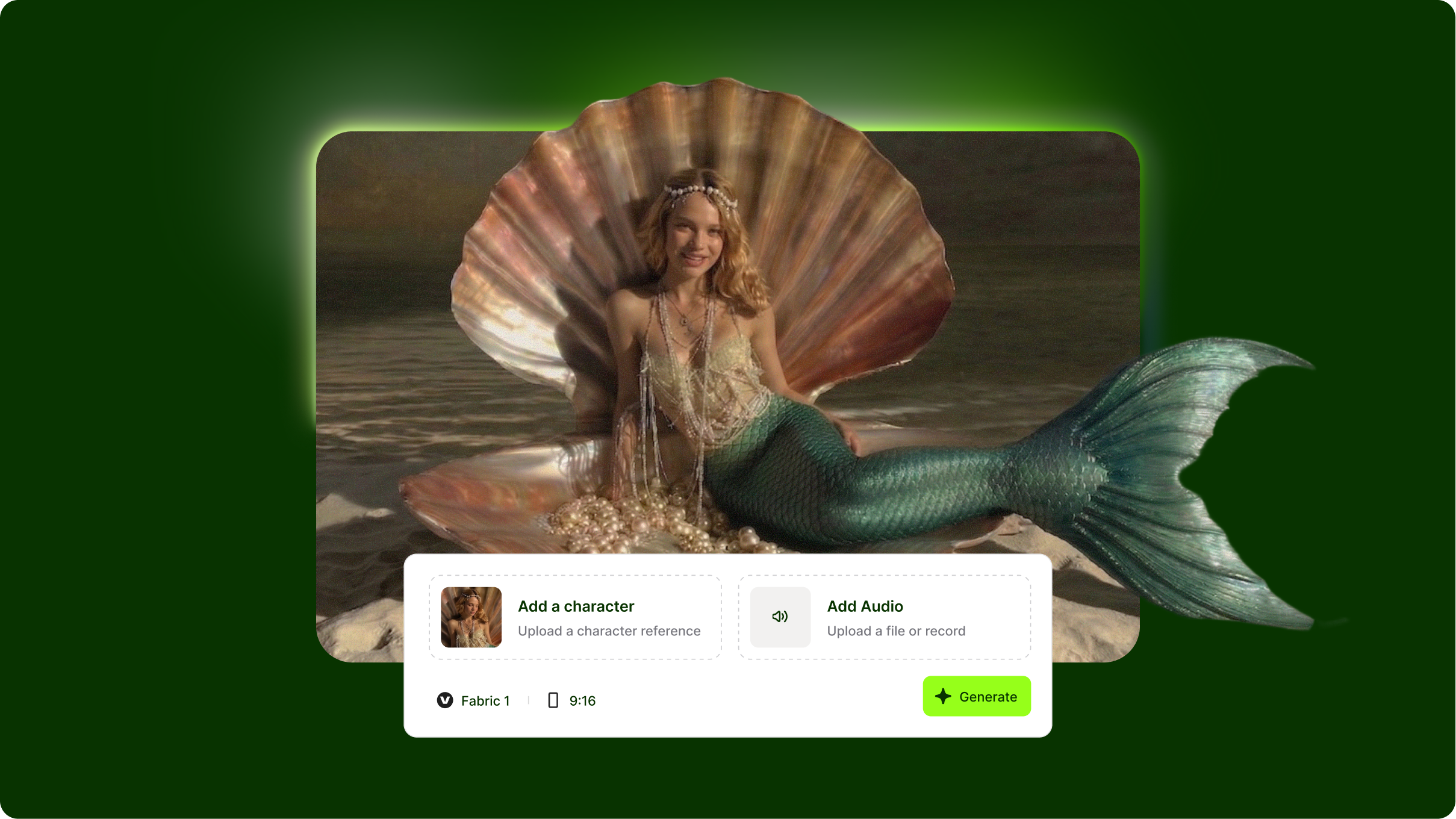
VEED Fabric 1.0 essentials
- VEED Fabric 1.0 is an AI talking video generator that creates realistic avatar videos from text prompts with natural speech, facial expressions, and body language
- The Fabric prompt format uses a 5-part structure: avatar description, speech content, tone/emotion, visual setting, and delivery style for professional results.
- Fabric AI prompts work best with clear speech instructions, specific emotional direction, and realistic avatar characteristics rather than extreme stylization
VEED Fabric 1.0 represents a breakthrough in AI talking videos, transforming text into realistic avatar presentations with synchronized speech and natural expressions. Without understanding how to write effective Fabric prompts, you'll get generic avatars with stiff delivery and mismatched emotions. This Fabric prompt library guide shows you how to structure prompts for natural-looking presenters, control tone and pacing, and create professional talking head videos for marketing, education, and content creation.
What you'll learn: The 5-element Fabric prompt structure, speech and emotion control techniques, avatar customization strategies, and proven Fabric AI prompt examples.
Understanding VEED Fabric 1.0's strengths
What VEED Fabric excels at:
Natural speech synthesis: Produces realistic voice delivery with proper pacing, emphasis, and natural pauses that match written content. Speech sounds conversational rather than robotic.
Facial expression synchronization: Generates appropriate facial expressions and lip-sync that align with speech content and emotional tone. Smiles, nods, and eye movements appear at contextually relevant moments.
Professional avatar quality: Creates photorealistic or stylized avatars suitable for business presentations, educational content, and marketing videos without the uncanny valley effect.
What to avoid:
- Extremely long monologues over 2 minutes may show repetitive gestures or expression fatigue
- Technical jargon-heavy content without pronunciation guidance can produce awkward delivery
- Rapid emotional switches within single sentences create unnatural expression transitions
Quick tip: VEED Fabric 1.0 performs best with conversational, naturally-paced speech. Write prompts as if you're scripting for a human presenter, not a robot.
Step 1: Set up your Avatar
Before writing a single word, you need an avatar. Fabric gives you two options.
Option 1: Upload your own photo
This is where Fabric stands out. You can upload any clear, front-facing photo and Fabric will animate it to speak your script. This works well for:
- A photo of yourself or a spokesperson
- A person holding a product you want to endorse
- A presenter holding a mic or standing in a branded setting
- A character or mascot with a human face
For best results, use a photo that is:
- Well-lit, with the face clearly visible
- Front-facing or at a slight angle
- Sharp and in focus with no heavy filters
- From the shoulders up, or at least chest height
Option 2: Choose a ready-to-use avatar
If you do not have a photo ready, Fabric offers a library of pre-built avatars you can use immediately. These are fixed and cannot be customized, so choose one that best fits the tone and context of your video.
Step 2: Set up your voice
Once your avatar is ready, the next step is choosing how it will sound. Fabric gives you three options.
Option 1: Choose a preset voice
Fabric includes a library of AI-generated voices you can browse and preview. These cover a range of accents, ages, and tones—from warm and conversational to professional and authoritative. Pick one that matches your avatar's personality and your script's mood.
Option 2: Upload your own voice
If you want the video to sound exactly like you, you can upload your own voice recording. This works well for:
- Personal brand content where your voice is recognizable
- Creators who want authenticity over convenience
- Businesses using a consistent brand voice across videos
Tips for a clean voice upload:
- Record in a quiet space with minimal background noise
- Speak at a natural, relaxed pace
- Use a decent microphone or record close to your phone mic
- Avoid heavy reverb or echo in your recording environment
Step 3: Write your script
This is the core of Fabric. Unlike other AI video tools that let you describe what should happen visually, Fabric is driven entirely by what your avatar says. The quality of your script determines the quality of your video.
Example scripts:
Product Endorsement (Skincare)
Avatar: Woman holding a skincare product in a casual home setting. Voice: Warm, conversational, genuine
"Okay, I have to be honest with you -- I was skeptical at first.
I have tried so many products that promised everything and delivered nothing. So when my friend told me about this one, I almost ignored her.
But I gave it two weeks. Just two weeks.
And my skin has not looked this calm in years. No breakouts, no dryness, just... normal skin. Which honestly felt like a miracle.
I am not telling you it will work the same for everyone. But if your skin has been as frustrated as mine was, it might be worth trying.
Link is below. You can thank me later.
Educational Explainer (Finance Tips)
Avatar: Professional man at a desk, clean office background. Voice: Clear, patient, authoritative, but approachable
"Let me tell you the one thing most people get wrong about saving money.
They think it is about discipline. It is not. It is about systems.
When you rely on willpower alone, you will fail eventually. Life gets busy, things come up, and suddenly the savings plan goes out the window.
But when you automate it -- when the money moves before you even see it -- discipline becomes irrelevant.
Set up an automatic transfer on payday—even a small amount. The habit matters more than the number right now.
Start there. Build from that. Everything else gets easier."
Getting started with VEED Fabric 1.0
The VEED Fabric AI approach emphasizes natural conversational delivery. Use the 5-part framework, write the speech as you'd actually speak it, include specific emotional direction, and control pacing with strategic pauses. Start with simple 30-60-second presentations before attempting longer, more complex scripts.
Try VEED Fabric 1.0, which lets you generate talking-avatar videos and integrate them directly into your video editing workflow with text overlays, music, and transitions.