VEED Video Editing API: Build Social-Ready Video Creation at Scale

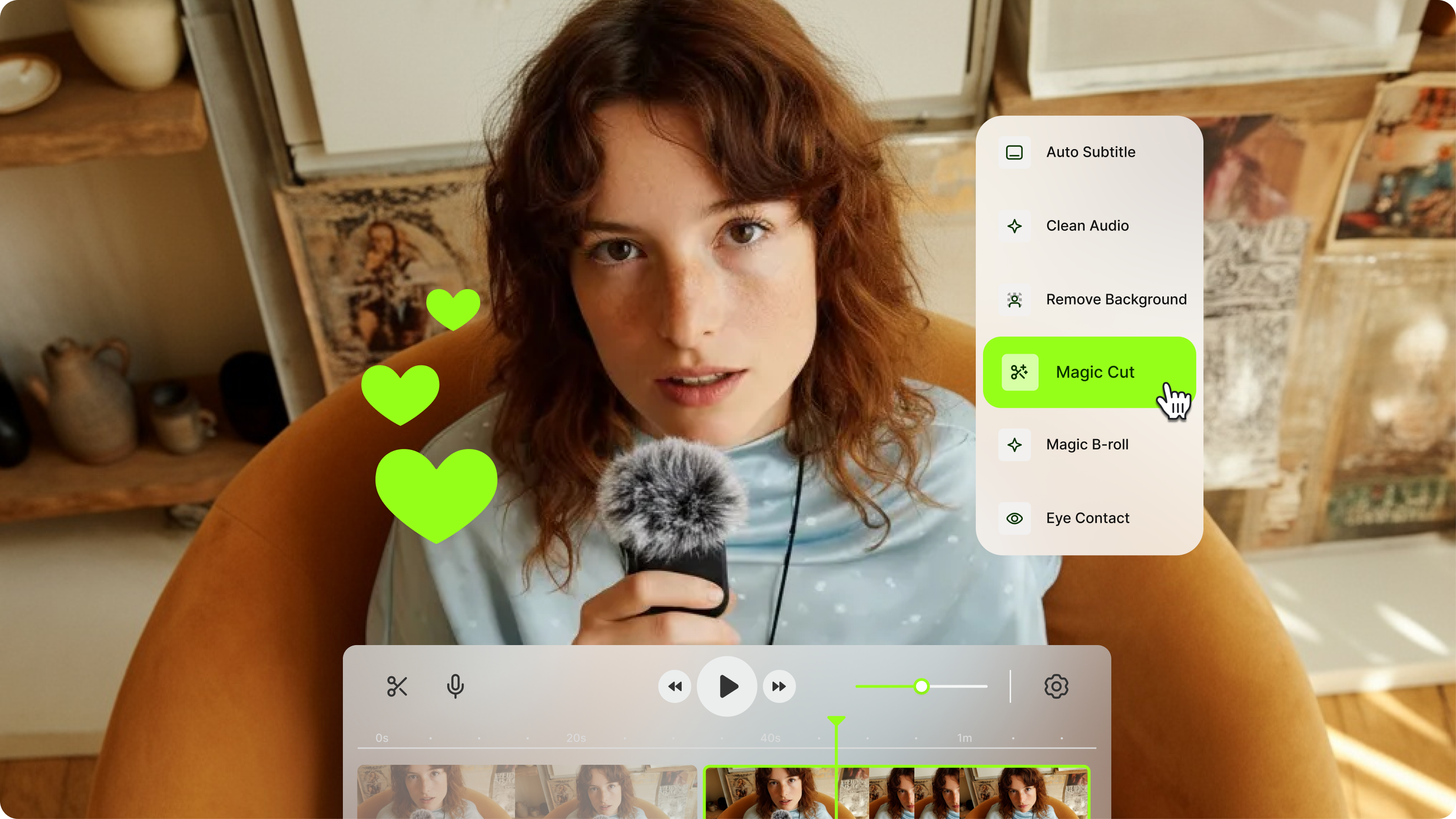
Most video editing APIs give you infrastructure. You get transcoding endpoints, format conversion, maybe subtitle generation if you're lucky, and then you're on your own to assemble them into something that actually produces content worth sharing. VEED's video editing API is built around a different goal: helping developers ship AI-powered video creation products that produce social-ready output, not just processed files.
That distinction matters. Social video has specific requirements: captions that display correctly on mobile without sound, aspect ratios that fill a feed, pacing and text overlays that hold attention. VEED's API exposes the same AI-powered editing pipeline behind VEED's AI video creation platform so your users can go from raw footage or a text prompt to a finished, social-ready video through code.
The result is an API you can use to build automated content production pipelines, embed video creation into your own platform, or add AI editing features to a product you're already shipping.
Key takeaways:
- VEED's video editing API automates AI-powered video creation and editing without self-hosted infrastructure
- It covers the full pipeline: upload, edit with AI, encode, and export social-ready video
- Features include AI subtitles, background removal, text overlays, watermarking, and video generation
- Developers can embed video creation into SaaS products, build automated content pipelines, or process video at scale
- VEED handles cloud video processing and encoding, so teams skip the cost of managing media servers

What is VEED's video editing API?
VEED's video API is a REST interface that gives developers programmatic access to VEED's AI video creation and editing capabilities. You send a video file or a creation request, define the operations you want applied, and receive back a finished video ready to publish.
Unlike a raw video processing API that hands you encoding primitives, VEED's API is outcome-oriented. The operations map to the things social video creators actually need: subtitles that auto-generate and style correctly, AI background removal that works on real footage, eye contact correction that makes talking-head video feel direct, and AI video generation from a text or image prompt.
The architecture is straightforward:
- Authenticate with an API key
- Upload a video file or URL, or send a generation prompt
- Define editing operations in a JSON request body
- Trigger the render job and receive a webhook callback when processing completes
- Download the finished video from VEED's CDN
VEED runs the cloud video processing, handles scaling across render jobs, and keeps output quality consistent across formats and resolutions. There are no encoding servers to manage, no FFmpeg configurations to maintain, and no media processing queue to build.
What you can build with the VEED video API
Automated social video production
Teams building programmatic video workflows use the video creation API to generate content at a volume and speed that manual editing can't match. The most common patterns: templated social content where copy or assets swap across variants, personalized video sequences for onboarding or outreach, localized ad creatives where a single master cut gets adapted across languages, and data-driven video that pulls from live sources to generate current content.
Because the API supports batch operations and webhook callbacks, you can trigger hundreds of render jobs in parallel and handle completion events asynchronously, rather than waiting on sequential processing.
Embedding AI video creation in your platform
SaaS companies and platform builders use VEED's video API integration to add video creation capabilities to their own products without building a native editor. The API handles the AI and processing layer; you control the UX. For teams that need extra bandwidth to build and ship those integrations, you can hire AI engineers with production experience across APIs, AI, and SaaS development. Common integrations include LMS platforms adding social-style course video, CMS tools adding video content creation, marketing platforms building social ad generation, and HR tools creating employee-facing video at scale.
Cloud video processing and transcoding
Developers building upload pipelines or video hosting features use VEED's video processing API for format conversion, compression, and normalization. Unlike running your own encoding infrastructure, VEED absorbs the compute and scales automatically. You get consistent output without managing server capacity.
Supported cloud video processing operations:
- Format conversion: MP4, MOV, WebM, GIF, and more
- Resolution scaling and aspect ratio adjustment (including square and vertical for social)
- Video compression with configurable quality and file size targets
- Audio track extraction, replacement, and normalization
AI video generation
The AI Playground capabilities are available via API through VEED's Fabric 1.0 model. Developers can generate video from text prompts or images, create AI avatar videos with custom scripts, and combine generation with editing in a single API workflow: generate a clip, add subtitles, overlay a logo, export in the correct aspect ratio for Instagram Reels or TikTok.
VEED video API features
Video API integration: code examples
The VEED API uses standard REST conventions. Every request requires an API key in the Authorization header. Full video API documentation is available in the VEED developer portal.
Add AI subtitles for social
This request uploads a video and auto-generates styled captions in English:
curl -X POST https://api.veed.io/v1/videos \
  -H "Authorization: Bearer YOUR_API_KEY" \
  -H "Content-Type: application/json" \
  -d '{
    "url": "https://your-storage.com/video.mp4",
    "operations": [
      {
        "type": "subtitles",
        "language": "en",
        "style": "social",
        "position": "bottom"
      }
    ],
    "output_format": "mp4",
    "webhook_url": "https://your-app.com/webhook/render-complete"
  }'
Compress and convert for platform-specific export
Convert a MOV file to vertical MP4 (9:16) for Reels or TikTok, compressed to a target file size:
curl -X POST https://api.veed.io/v1/videos \
  -H "Authorization: Bearer YOUR_API_KEY" \
  -H "Content-Type: application/json" \
  -d '{
    "url": "https://your-storage.com/raw-footage.mov",
    "operations": [
      {
        "type": "resize",
        "aspect_ratio": "9:16",
        "resolution": "1080x1920"
      },
      {
        "type": "compress",
        "target_size_mb": 50,
        "format": "mp4"
      }
    ],
    "webh
Add a watermark
Overlay a logo in the bottom-right corner at 80% opacity across the full video duration:
curl -X POST https://api.veed.io/v1/videos \
  -H "Authorization: Bearer YOUR_API_KEY" \
  -H "Content-Type: application/json" \
  -d '{
    "url": "https://your-storage.com/video.mp4",
    "operations": [
      {
        "type": "watermark",
        "image_url": "https://your-cdn.com/logo.png",
        "position": "bottom-right",
        "opacity": 0.8
      }
    ]
  }'
Chain multiple operations in one request
The API supports multi-operation requests, so you can add subtitles, resize for social, and watermark in a single render job:
curl -X POST https://api.veed.io/v1/videos \
  -H "Authorization: Bearer YOUR_API_KEY" \
  -H "Content-Type: application/json" \
  -d '{
    "url": "https://your-storage.com/video.mp4",
    "operations": [
      { "type": "subtitles", "language": "en", "style": "social" },
      { "type": "resize", "aspect_ratio": "9:16" },
      { "type": "watermark", "image_url": "https://cdn.co/logo.png", "position": "top-right" }
    ],
    "webhook_url": "https://your-app.com/callback"
  }'
VEED API vs alternatives
The most common alternative to a managed video API is self-hosted FFmpeg. Here is how the tradeoffs land:
Self-hosted FFmpeg is the right choice when you need exact control over every encoding parameter and have the engineering capacity to maintain it. VEED's API makes more sense when the goal is shipping a product that produces social-ready video fast, without building and maintaining media processing infrastructure alongside it.
Video API pricing
VEED's API pricing is usage-based, so you pay for what you process rather than a fixed monthly tier. This works well for variable-volume use cases, like social content production that scales with campaign activity, or platforms where video generation is triggered by user actions.
For current API plans, limits, and enterprise pricing, check VEED's pricing page. Enterprise plans include dedicated support, higher rate limits, and custom SLAs for production deployments.
Video API documentation and getting started
VEED provides full video API documentation in the developer portal, including:
- Authentication and API key setup
- Full endpoint reference with request and response schemas
- Code examples in cURL, JavaScript, and Python
- Webhook configuration and event types
- Rate limits, error codes, and retry guidance
- SDKs for common languages and frameworks
Getting started takes three steps:
- Create a VEED account and generate an API key from the developer settings
- Make a test request using the cURL examples in the documentation
- Build your integration using webhooks for async processing in production
Start building with VEED's video API
VEED's video editing API gives development teams the tools to build social-ready video creation products without building media infrastructure. The same AI capabilities that power VEED's editor, including auto-captions, AI background removal, eye contact correction, and Fabric video generation, are available through REST calls with full documentation and webhook support.
To get started, visit the VEED API documentation or explore VEED's AI video tools to see what the platform can produce before integrating the API.
FAQ
VEED's video API is built specifically for social-ready output: AI subtitles, vertical and square aspect ratios, social caption styles, and AI generation via Fabric 1.0. If your production pipeline targets social platforms, VEED covers the editing operations that actually matter for that output without requiring you to wire up separate AI services for each feature.
CapCut does not have a public video editing API available to external developers as of 2025. VEED offers a documented, production-ready video editing API with full developer support.
With VEED's API, watermarking is an operation in the request body. You specify the image URL, position (top-left, top-right, bottom-left, bottom-right, or center), opacity (0 to 1), and optionally a time range if you want the watermark to appear only on part of the video. See the watermark code example above for the full request structure.
Yes. VEED's API supports webhook callbacks, so render jobs run asynchronously. You trigger a job, VEED processes the video, and your callback URL receives a notification when the output is ready. This makes it straightforward to build fully automated pipelines where video creation is triggered by user actions, scheduled events, or upstream data changes.
VEED offers a free tier that gives developers access to the API for testing and low-volume use. For production deployments, check current pricing for the plan that fits your usage volume.
A video editing API is a server-side REST interface. Your application sends requests to VEED's servers, which process the video and return output. A video SDK typically refers to a client-side library that wraps the API calls for a specific language or framework. VEED provides both: the REST API for direct integration, and SDKs for JavaScript, Python, and other common environments to speed up development.