Best AI Lip Sync Tools in 2026: Compared Based on Features, Pricing, and Real User Reviews

.png)
Most lip sync tools look great in a controlled demo. The real question is how they hold up when you dig into the actual feature set, read through hundreds of user reviews, and check what you actually get on a free or entry-level plan. We compared six tools that all support the same core workflow: upload a single image, add audio, get a talking video. Here's what the research showed, and why VEED is our pick for teams that need to generate and edit in one place.
Key takeaways:
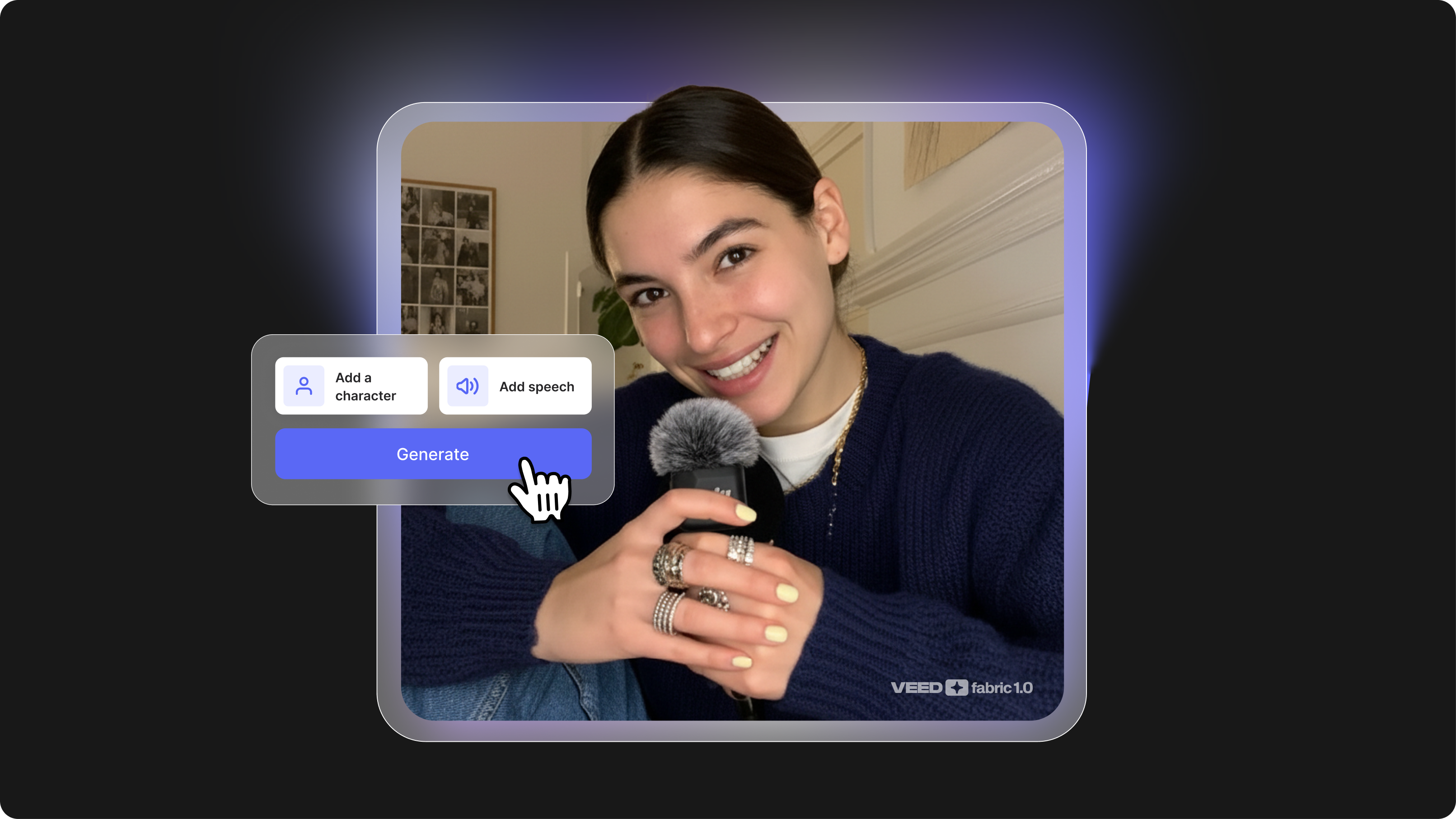
- VEED lets you upload a single image, generate a talking video with Fabric 1.0, and edit the output, all in the same browser tab
- Most AI lip sync tools require a source video; fewer support image-to-talking-video directly
- We compared six tools across features, user reviews, and documented performance to help you choose the right one for your workflow
- VEED is the only tool on this list that combines an AI video generator with a full online video editor
- Free tiers exist across most tools, but lip sync quality and image support vary significantly between plans
%2520(1).png)
How we selected and compared this list
Each tool on this list supports the same core workflow: upload a single image, add audio, and generate a lip-synced talking video. We narrowed the field based on published feature documentation and user reviews, focusing on tools that support this workflow on accessible plans, not just at the enterprise tier.
We compared each tool across four criteria:
- Image-to-talking-video support: does the tool actually let you start from a still photo?
- Lip sync quality: based on published benchmarks, independent reviews, and documented user feedback
- Free tier reality: what you actually get without paying, based on official plan pages and user reports
- Workflow: whether the platform includes editing tools after generation, or hands you a file to take elsewhere
User sentiment is drawn from verified reviews on G2, Capterra, Trustpilot, and Product Hunt. Where possible, we link directly to the source.
AI lip sync tools compared at a glance
1. VEED: best AI lip sync tool for teams that need to generate and edit
VEED is an editor AI Video Creation Platform, built for social with a growing suite of AI features, and it's the only tool on this list where you can go from a static image to a finished, edited video without switching tabs. The key feature here is Fabric 1.0, VEED's image-to-talking-video model. You upload a photo, add your audio, and Fabric generates a lip-synced video from scratch, no source video required.
This matters because every other tool on this list produces a video file you then have to take somewhere else to edit. With VEED, the output lands directly in the online video editor. You can add captions, trim clips, drop in B-roll, and export, all in the same session.
What users say
On G2, VEED holds a 4.6/5 rating across 900+ reviews. Reviewers who use it for avatar and lip sync content note the workflow from generation to editing is faster than managing separate tools. The most common criticisms are occasional bugs in the browser editor and pricing tier confusion around which AI features are available on which plan.
Check VEED's current pricing for the latest plan details.
2. HeyGen: best for avatar videos and multilingual content
HeyGen is one of the most established AI avatar platforms on the market. It supports 175+ languages and 300+ AI voices, which makes it a strong pick for teams producing international content at volume. You can upload a single photo and HeyGen will generate a talking avatar with synchronized lip movements.
According to HeyGen's plan page, the free tier includes 3 videos per month, each up to 1 minute, plus 500+ stock photo avatars. Using your own custom photo avatar consistently requires a paid plan.
What users say
On G2 and Capterra, HeyGen earns consistent praise for its avatar realism and multilingual lip sync accuracy. The most common frustration is the credit system: many users find that Avatar IV renders consume credits faster than expected, and unused credits expire monthly. The free plan's 3-video cap is widely called too limited to properly evaluate the tool before committing.
3. Hedra: best for realistic talking-head generation
Hedra is built specifically for the image-plus-audio-to-video workflow. You upload a photo, upload or record audio, and Hedra generates a talking video. The model puts emphasis on facial realism, particularly around subtle expressions and natural head movement alongside lip motion.
Based on user reports, Hedra's free tier offers limited daily generations with watermarked output. The main limitation is that multilingual dubbing is restricted compared to HeyGen, and there is no editing environment after export.
What users say
Hedra gets mixed reviews depending on the platform. Product Hunt users call it fun and intuitive for short creative clips. Trustpilot reviewers are more critical, citing credit systems that don't roll over, support issues, and output quality that lags behind the marketing. The free tier's character limit and watermarked downloads are a consistent complaint across both platforms.
4. Magic Hour: best for creators who want quick photo-to-video
Magic Hour is a creator-focused AI content platform with a lip sync tool used by a large base of social media creators. It supports audio-to-video synchronization from a single image and is popular for music videos and short-form content. The interface is optimized for speed rather than fine-grained control.
Reviewers consistently note that Magic Hour's free tier gives genuine access to the lip sync tool without immediately hitting a paywall. Output customization is limited, and there is no video editor included after generation.
What users say
Product Hunt reviewers highlight Magic Hour's rollover credits and fast generation as standout strengths. The face swap and lip sync combination gets strong marks for short-form content. The consistent criticism is that lip sync can slip on harder phonemes with fast speech, and there is no editor in the platform once you have your output, so finishing the video requires a separate tool.
5. Jogg AI: best for marketing teams and product videos
Jogg AI is positioned toward marketing teams and business use cases. It supports photo-avatar-to-video generation and multilingual output, and has 450+ AI avatars to choose from if you don't want to use a custom photo. The platform is oriented around speed and volume, making it a reasonable option for teams that need to produce content at scale.
According to user reports, the free tier lets you generate but not download videos, which makes it difficult to evaluate output quality without moving to a paid plan.
What users say
G2 reviewers rate Jogg AI at 4.7/5, praising its speed for UGC ad production and the URL-to-video workflow. However, a vocal group of users on Product Hunt and Trustpilot report post-sale changes to credit systems and model access that weren't disclosed upfront. Multiple reviewers flag that the free plan allows video creation but not download, locking evaluation behind a paid subscription.
6. Captions: best for selfie-based avatar content
Captions is an AI video tool with a selfie-to-avatar workflow and a lip sync feature called Lipdub. According to its plan documentation and user reviews, Lipdub and video export are mainly available on paid plans, making it difficult to evaluate the lip sync output without subscribing.
It's a reasonable tool for solo creators working on social content, but the paywall on lip sync-specific features makes it harder to evaluate freely compared to other tools on this list.
What users say
Captions has a split reputation. Earlier users praised its selfie-to-avatar workflow and AI Twins feature for consistent on-brand content. More recent Trustpilot reviews flag platform instability, reduced avatar libraries, and glitches. Reviewers consistently note that the lip sync features sit behind a paywall and the free tier does not include export.
Which AI lip sync tool should you use?
The right pick depends on what you need to do after the lip sync is generated.
Choose VEED if you want to generate a talking video from a photo and then edit it, add captions, or export it for social, all without leaving your browser. It's the only tool here that combines AI video generation with a full editing environment.
Choose HeyGen if multilingual avatar content is your core use case and you need broad language coverage at volume.
Choose Hedra if facial realism is your priority and you want the most natural-looking output from a single image.
Choose Magic Hour if you're a creator who needs fast turnaround on short-form content and a platform with a genuinely accessible entry point based on reviewer feedback.
Choose Jogg AI if you're a marketing team producing content in multiple languages and prefer a business-oriented interface.
Choose Captions if you're a solo creator primarily producing selfie-based social content and are willing to move to a paid plan for export.
How to create an AI lip sync video from a photo
To create an AI lip sync video from a photo, you need a tool that supports image-to-video generation: upload a still image, add an audio file, and the AI animates the face to match the speech. Here's how it works in VEED using Fabric 1.0:
1. Open VEED and go to the AI video generator.
2. Upload your source image. A clear, forward-facing photo with even lighting gives the best results.
3. Add your audio. You can upload a file or record directly in the browser.
4. Run the generator. Fabric 1.0 will process the image and audio and return a lip-synced video.
5. Edit the output. Trim, add captions, insert B-roll, or export directly from the VEED editor.
The process is similar on other tools: upload image, add audio, generate. The key difference is that VEED is the only platform where step 5 happens in the same place as steps 1 through 4. For a full walkthrough, see our complete guide on how to create an AI lip sync video.
The bottom line
AI lip sync has moved fast in 2026, and the tools have gotten genuinely good. But most of them solve one part of the problem and hand you a file. You still need somewhere to edit, caption, and export before anything is ready to publish. VEED is the only tool on this list where image upload, lip sync generation, and video editing happen in the same place, which cuts the number of steps between idea and finished video significantly.
If you're producing talking-head content for social, marketing, or training and want to skip the multi-tool juggle, Fabric 1.0 is the fastest way to get from a single photo to a publish-ready video. Upload an image, add your audio, and you have a lip-synced video ready to edit in under 10 minutes.
Try VEED Fabric 1.0 and see how it fits your workflow.
FAQ
For teams that need to generate a talking video from a photo and edit the output, VEED is the strongest all-in-one option. For multilingual avatar content at scale, HeyGen is a strong competitor. For facial realism specifically, Hedra performs well.
Yes. VEED (Fabric 1.0), HeyGen, Hedra, Magic Hour, Jogg AI, and Captions all support image-to-talking-video generation. You upload a still photo and an audio clip, and the tool generates a video with synchronized lip movements.
Based on published plan pages and user reviews, VEED, HeyGen, Hedra, and Magic Hour all offer some level of free access. HeyGen's free plan is documented at 3 videos per month. Magic Hour reviewers consistently flag its rollover credits as one of the more accessible free entries. VEED's free plan includes AI tool access with watermarked exports. Free tier availability varies by region and plan changes are common, so check each tool's current pricing page before committing.
AI lip sync tools analyze audio at the phoneme level (the smallest units of speech) and map those phonemes to corresponding mouth shapes in the source image or video. The model then generates or modifies the facial animation frame by frame to match the timing and shape of the speech. More advanced models also account for head movement, eye motion, and subtle facial expressions to improve realism.
AI lip sync generates or modifies mouth movements to match audio in a single language. AI video dubbing goes further: it translates the speech into another language and then applies lip sync to match the translated audio. Tools like HeyGen, VEED, and Jogg AI support both workflows.