.png)
VEED AI has finished rolling out to every VEED account in 30 languages. It is the new dashboard you see when you sign in, and it turns a typed prompt into a social video with a script you can edit in between. VEED is the AI video creation platform that grows your brand on social, and VEED AI is now the front door to it.
You probably have a list of videos you have been meaning to make. You have the ideas but not the time, and the last AI tool you tried gave you something you wouldn't put your brand's name on. So the list does not get any shorter, and another week goes by.
VEED AI is built for that list. You write what the video is about, VEED AI drafts the script, you fix the script, and then you generate the video. If you want to go further, you open the finished video in AI Studio and keep editing.
Key takeaways:
- VEED AI is the new creation dashboard in VEED, which was rolled out to all users on 21 August 2026.
- You type a prompt, review and edit the script, and then generate the video.
- Characters, voices, music, and subtitles are set in panels before you generate.
- The credit cost is shown before you generate, so there is no surprise spend.
- You can create a character with your own face and voice and use it in every video.
What is VEED AI?
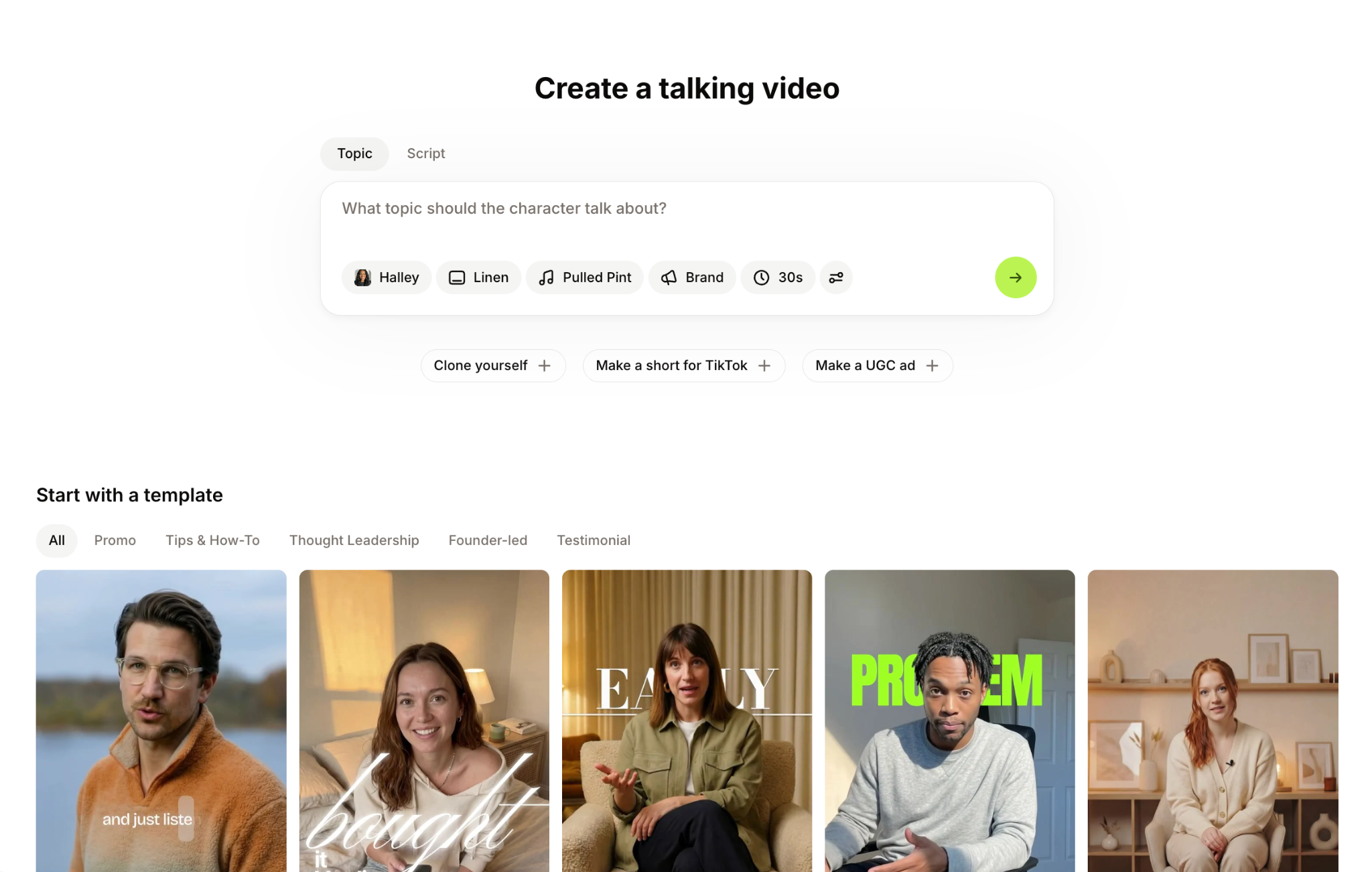
VEED AI is the AI creation dashboard in VEED. It replaces the old project list as the first thing you see after signing in, and it is built around one flow: prompt, script, and video. You type what you want to make, VEED AI writes a script, you change anything that does not sound like you, and the video is generated from the script you approved.
What is in it:
- Prompt to script: Type a topic or paste your own script. VEED AI drafts the script and lets you set the video type, platform, audience, and tone of voice before it writes.
- Script review: The script is shown in full before anything is generated. Edit any line or regenerate the whole thing.
- Panels: Characters, voices, music, and subtitle styles are chosen in panels next to the script, so you set up the video in one place.
- Characters and clones: Pick a stock character, or create your own from a photo and a voice recording so the videos look and sound like you.
- Credit cost up front: The estimated credit cost is shown before you generate. If you are out of credits, you are told before the video starts, not after.
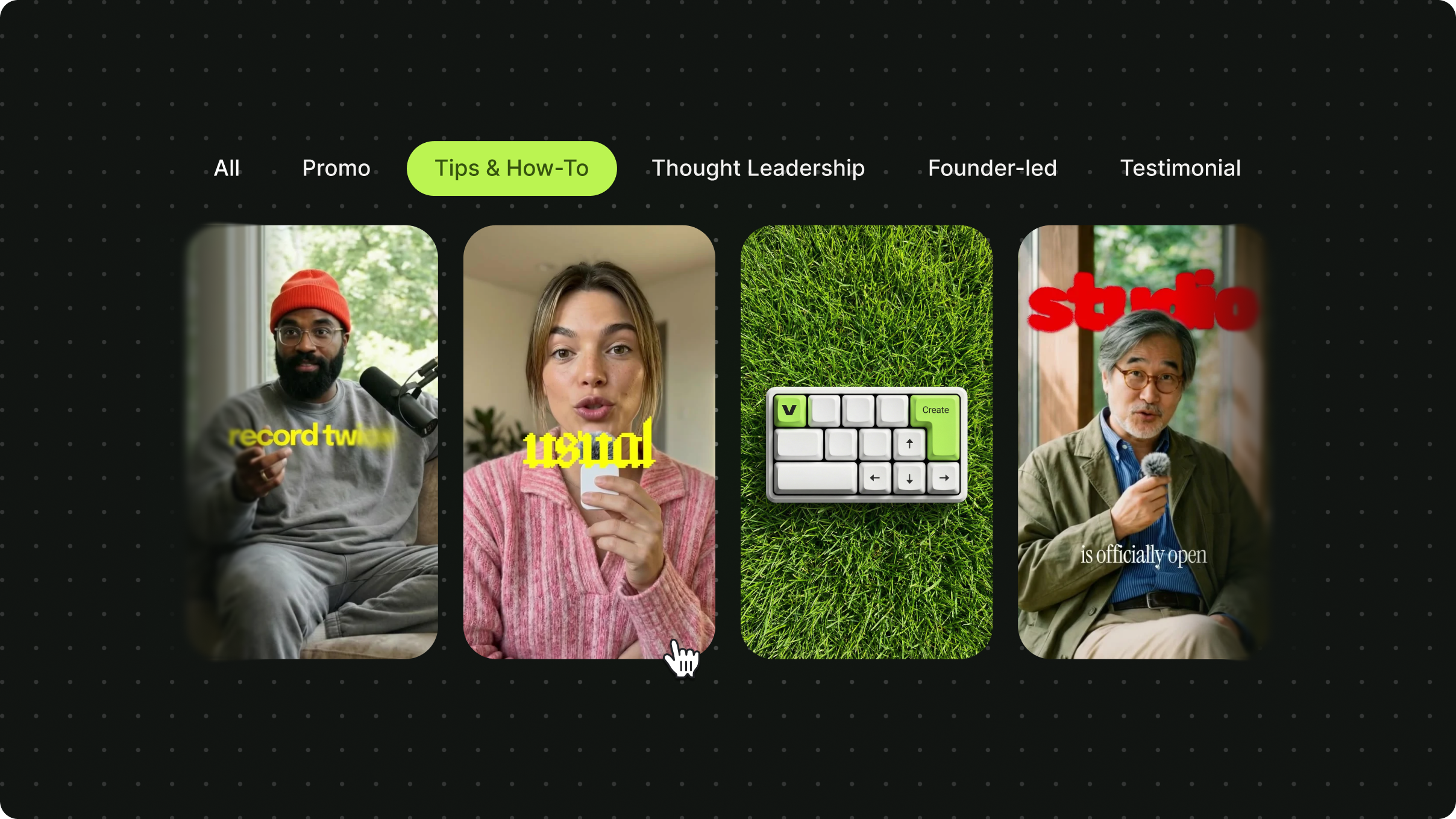
- Templates: Start from a template when you do not want to start from a blank prompt.
- Playback page: When the video is ready, you can download it, share it, or open it in AI Studio for deeper edits.
The part that saves the most time is what happens before you generate. Most AI video tools hand you a finished clip and leave you to fix it afterwards. VEED AI puts the script and the setup in front of you first, so the clip you get is the one you asked for.
Pricing: VEED AI runs on AI credits. Plan details are on the pricing page.
How do you make a video with VEED AI?
It takes six steps: sign in, type a prompt, review the script, set up the video in the panels, check the cost, and generate.
- Sign in to VEED. The VEED AI dashboard is the first screen you see.
- Type what the video is about in the prompt box, or paste a script you already have, and press the arrow.
- Review the script. Edit the lines that do not sound like you, or regenerate it.
- Set up the video in the panels: choose a character, a voice, music, and a subtitle style.
- Check the credit cost shown on the generate button.
- Generate. When it is ready, download it, share it, or open it in AI Studio to keep editing.
If you already have footage and want AI to cut and caption it instead, use the AI video generator in VEED. If you only have a script, the script-to-video tool will take you through the same flow, skipping the drafting step.
What does it cost?
Video generation in VEED AI is paid for with AI credits, and the estimated cost is shown before you generate. In the US, Canada, the UK, Australia, and most of the EU, new workspaces get three free character-video generations before credits are used. Videos with a voice and no character do not use credits. Plan prices and credit allowances are on the pricing page.
Who is VEED AI for?
VEED AI is for marketers and founders who are responsible for social video and do not have a video team or a camera day to spend on it.
The stretched marketing generalist
You own social video across four channels, and there is no one else on the video team. One week it is a product explainer, the next it is a customer story, and in between there is a founder post that needs cutting down.
VEED AI gives you a repeatable process for the videos that do not need a camera. Type the prompt, edit the script until it sounds like your company, pick a character, generate, and post. Because we show the credit cost up front, you can plan a week of content and know what it will cost before you start.
The founder doing everything
You are running the business and the marketing at the same time. You know video helps with visibility and sales, and you also know you are not posting enough of it.
Start with what you already say to customers. Put that in the prompt, read the script back, and edit it until it sounds like you. Create a character from your own face and voice once, and every video after that is you on camera without you being on camera. There is no camera day, no agency, and no need to piece together five different tools.
What happens after you generate?
The video lands on a playback page where you can download it, share it, or open it in AI Studio. AI Studio is the fuller workspace in VEED for changing scenes, swapping characters, adjusting subtitles, and adding your own footage. Your projects and assets stay in the VEED AI dashboard, so the next video starts from the last one instead of from a blank page.
Availability
VEED AI finished rolling out to all VEED accounts on 21 August 2026 and is the default dashboard on the web. The VEED app for iOS runs the same flow on mobile, and the Android app went live on the Play Store on 21 September 2026.
- Plans: Plans start at $20 a month, and each plan comes with a monthly AI credit allowance. See the pricing page for what each plan includes.
- Credits: The cost is shown before every generation, and your allowance depends on your plan. The Creator plan starts at 500 credits a month, which is around 125 AI videos.
- Languages: 30 languages, for both the script and the voices.
Make your first one
Sign in, type one prompt, and see what the script looks like. Edit the script, choose a character, and generate the video. If it works for one video, you have a process for the rest of the calendar.