VEED vs. Vizard AI: Which Is the Better Video Tool in 2026?

Quick comparison summary
- Best for content repurposing: Vizard—auto-clips long videos into social-ready shorts faster than any general editor
- Best for full video creation: VEED—build, edit, and publish polished videos entirely from scratch
- Key differences:
- VEED: AI avatars, text-to-video, voice cloning, 50,000+ stock assets, screen recorder, full timeline editor, team collaboration
- Vizard: AI clip maker with viral scoring, active speaker detection, prompt-based clipping, and built-in social scheduling
- Pricing in 2026: Vizard's Creator plan starts at ~$14.50/month (annual); VEED's Pro plan starts at $29/month. Vizard is meaningfully cheaper for repurposing-focused workflows
- Worth knowing: Vizard's free plan exports only at 720p with a watermark and 3-day storage; it's more of a trial than a genuine free tier

What is Vizard AI?
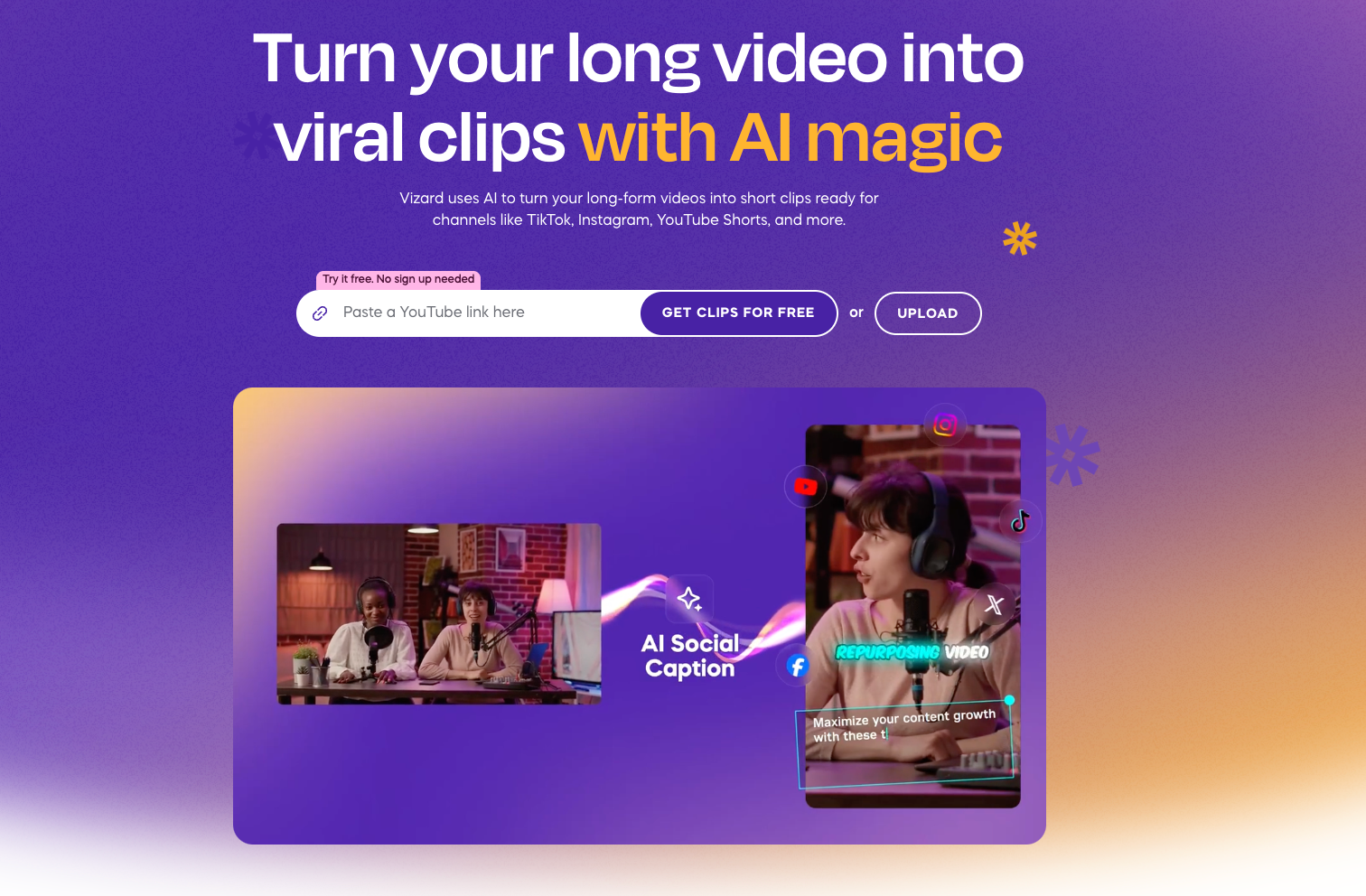
Vizard AI is an AI-powered video repurposing platform. It's designed for marketers, podcasters, and content teams who need to turn long-form recordings—webinars, interviews, podcast episodes—into multiple short clips for social media. Vizard claims over one million users and is best known for its AI clip maker, which automatically identifies the most engaging moments in a video and formats them for TikTok, Instagram Reels, YouTube Shorts, and more.
Best features of Vizard AI
- AI clip maker with viral scoring: automatically generates multiple clips from a long video, each ranked by predicted engagement potential
- Spark 1.0 prompt-based clipping: find specific moments using natural language (e.g., "find when they talk about pricing")
- Active speaker detection: auto-reframes the video to follow whoever is speaking, essential for multi-person recordings
- Built-in social scheduling: publish and schedule directly to up to 20 social accounts without leaving the platform
VEED vs. Vizard AI: how they compare
AI features and use case focus
Vizard was built specifically for one job: repurposing long videos into short clips at speed. Its AI understands content at a deep level --- Spark 1.0 can locate specific moments based on a natural-language prompt, and the viral score gives creators a head start on identifying which clips are worth posting. VEED's AI Clips feature covers the basics, but the auto-clipping intelligence isn't as developed. Where VEED leads is in the breadth of what its AI can do beyond clipping—AI avatars, voice cloning, text-to-video, and an AI agent that accepts plain-language editing commands.
Editing depth and content creation
If you need to create video content from scratch, VEED is the stronger choice. It comes with a full timeline editor, 50,000+ stock assets, 1,000+ templates, background removal, noise reduction, eye contact correction, and a built-in screen recorder. Vizard's editor can trim and restyle clips, but it's not designed for creating original video productions. Users who want a single tool that handles both repurposing and creation will find VEED more versatile.
Pricing and value
Vizard's paid plans start at around $14.50/month (billed annually) and unlock 4K exports, no watermark, and permanent storage. VEED's Pro plan starts at $29/month. For teams whose primary need is high-volume clip generation, Vizard delivers strong value at a lower price point. Neither free plan is ideal for regular use --- Vizard limits free users to 60 credits, 720p exports, and 3-day storage, while VEED's free tier adds a watermark and caps upload size.
Platform and collaboration
Both tools are web-based with no download required. VEED offers more robust team collaboration, including SSO, video analytics, and custom templates for enterprise teams. Vizard's Business plan supports shared workspaces and brand kits. Vizard has an iOS app; VEED is accessible via browser on any device, with a more developed collaboration layer overall.
Advanced features of VEED
- AI avatars and voice cloning --- create talking-head videos with diverse AI presenters, or clone your own voice for scalable content
- Text-to-video generation --- turn a script or prompt into a complete multi-scene video without any footage
- AI Agent --- edit your video using plain-language instructions, no manual timeline work needed
- Google Veo 3 and Sora 2 integration --- access the latest generative video models directly within VEED's AI Playground
What real users are saying
About Vizard:
Reviewers on Capterra consistently highlight the time savings. One user writes:
“It saves me hours of editing time by automatically picking the best moments from my long videos. The AI captions are super accurate, and the interface is very easy to use.”
On Trustpilot, the most common praise centers on the auto-clip workflow:
"Had to cut up a long format from a different language and was surprised they were still able to do the job."
The most common criticism: several users flag the free tier as misleading, with one noting that the tool processes your video before revealing export restrictions.
About VEED:
On G2, users frequently praise the platform's breadth:
"VEED cuts my editing time by hours and bridges the gap between amateur and professional production in minutes, letting me focus on message and impact instead of technical friction. I also appreciate the built-in stock media and subtitle tools. Subtle transitions, background visuals, and audio layering improve clarity and watch time, especially when producing content at scale."
On Trustpilot, newer users highlight the AI features:
"VEED.io makes editing easy everywhere, from their variety of helpful AI tools to their easy editing tools."
The most noted downside across reviews is occasional slowness with large files or when using multiple AI features simultaneously.
Why choose VEED over Vizard AI
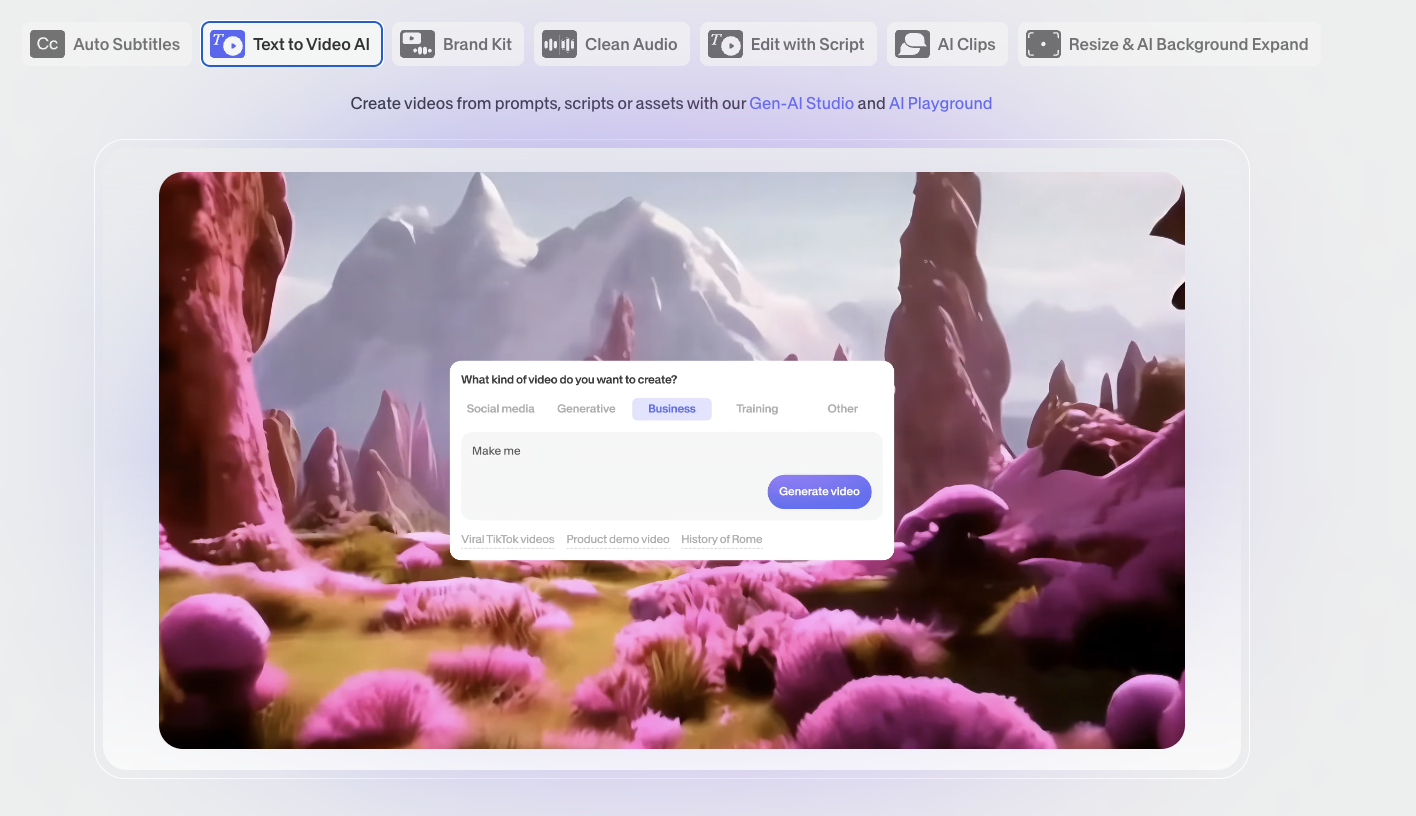
For marketers and content teams who need to do more than repurpose existing footage, VEED is the more complete platform. It combines AI clip generation with full video editing, avatar-based video creation, text-to-video, voice tools, and a deep asset library—all in a single browser-based workspace. Unlike Vizard, VEED lets you go from zero footage to a finished, branded video without needing a separate tool for each step.
For teams already subscribed to a social scheduling tool and wanting a dedicated repurposing engine, Vizard is a fair choice. But if you want one platform that handles creation, editing, and repurposing at scale, VEED is the stronger long-term investment.
Try VEED free today.
FAQ
Vizard has a free plan, but it's limited. Free users get 60 credits (minutes) per month, 720p exports with a watermark, and only 3 days of project storage before files are deleted. It's best treated as a trial rather than a long-term free option.
Vizard is primarily used to repurpose long-form videos—podcasts, webinars, interviews, and recordings—into short clips optimized for TikTok, Instagram Reels, YouTube Shorts, and LinkedIn. It auto-generates captions, ranks clips by viral potential, and schedules posts directly to social accounts.
Vizard's Creator plan starts at around $14.50/month (annual billing), while VEED's Pro plan starts at $29/month. Vizard is cheaper for repurposing-focused use, but VEED offers significantly more features for the higher price, including AI avatars, text-to-video, and a full-featured editor.
Yes, VEED includes an AI Clips feature that automatically identifies highlight moments from longer videos. Vizard's clip maker is more specialized, offering viral scoring and prompt-based clip selection via Spark 1.0, but VEED's version is capable of most everyday repurposing needs.
VEED offers stronger team features overall, including SSO, video analytics, custom templates, and more mature collaboration tools. Vizard's Business plan supports shared workspaces and brand kits, which work well for smaller content teams focused on social clip output.