Stable Diffusion 3 Prompt Guide: Get Better Results in 5 Steps

Stable Diffusion 3 essentials:
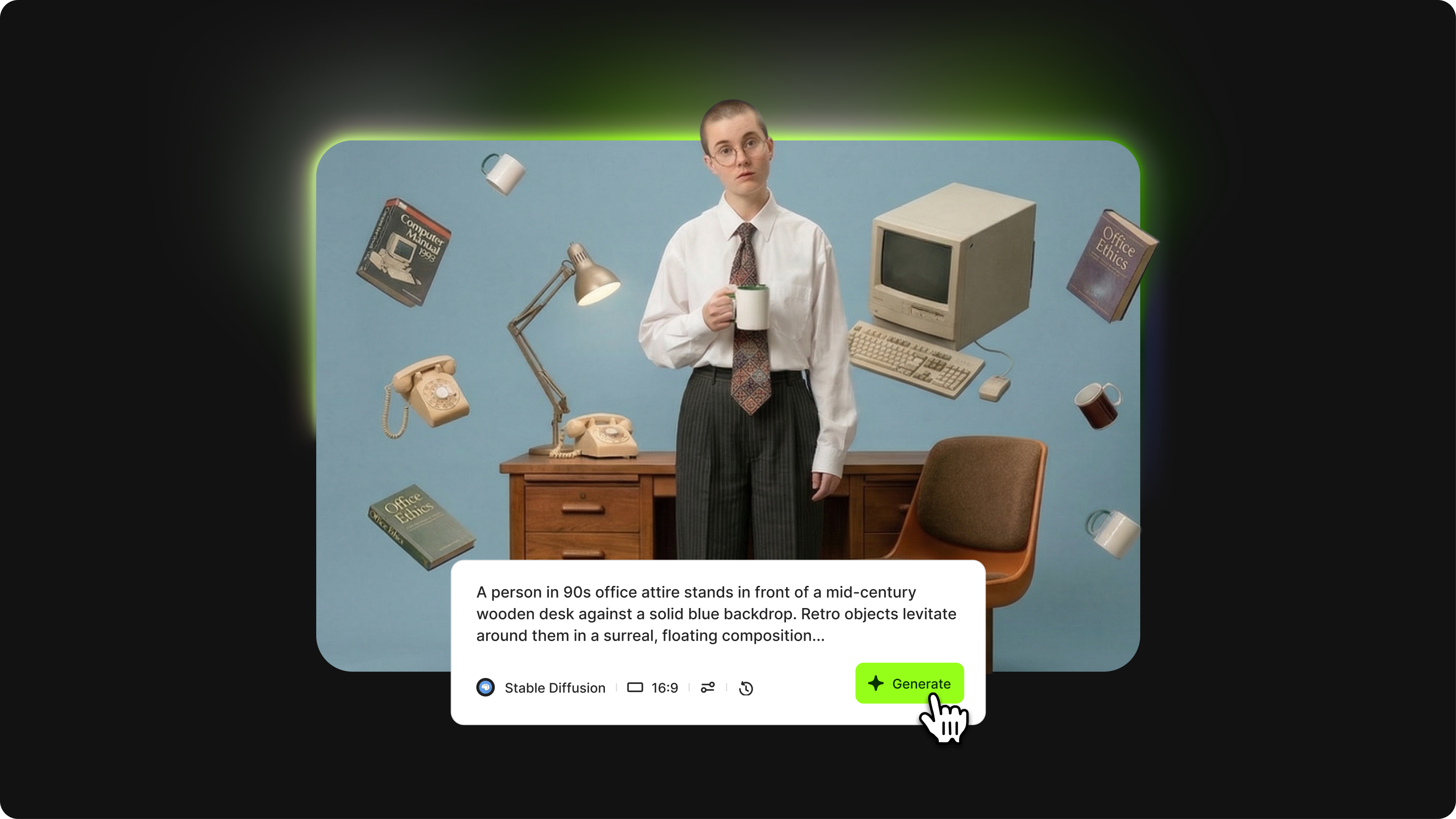
- Stable Diffusion 3.5 Large has 8 billion parameters and a market-leading prompt-adherence rate, making it more likely to generate exactly what you ask for, even for complex requests.
- The Stable Diffusion 3 prompt format uses a 7-part structure: style, subject and action, composition, lighting and color, technical parameters, text integration, and negative prompt.
- Stable Diffusion 3.5 understands natural language, so you can describe what you want as you would to another person.
Stable Diffusion 3.5 stands alone in its creative range. While other models handle photorealism well, SD3.5 brings something different to the table: deep art and artist-style knowledge, reliable multi-subject scenes, and the flexibility to work with both natural-language and keyword-style prompts.
The catch is that this flexibility can work against you if your prompt lacks structure. The model is powerful enough to interpret vague instructions, but that interpretation rarely matches what you had in mind. A well-built prompt gives you control. A loose one-handed grip that controls back to the model.
This guide walks you through the 7-part SD3.5 prompt framework, negative prompt strategy, and the techniques that consistently produce professional results.
What you will learn: The 7-element SD3 prompt structure, negative prompt strategy, keyword weighting, photorealistic prompt tips, and proven examples for different use cases.
What Stable Diffusion 3 excels at

Stable Diffusion 3.5 has outstanding art and artist style knowledge, making it a strong option for creative references that Flux lacks. Other standout strengths:
- Creates multiple distinct subjects in one image without confusion, so "dog and cat" generates two correct animals rather than a hybrid
- Produces high-fidelity images with intricate details, even in complex scenarios
- Supports both natural language and tag-based prompting styles
What to avoid:
- Brackets in prompts – SD3.5 ignores weighting syntax from older versions
- Conflicting style instructions in the same prompt
- Overcrowded scenes with too many competing subjects
Core Stable Diffusion 3 prompting framework
Treat SD3.5 as a creative partner. Express your ideas clearly in natural language and give the model the context it needs to align with your vision.
The 7-Part Prompt Structure
SD3 Prompt Example
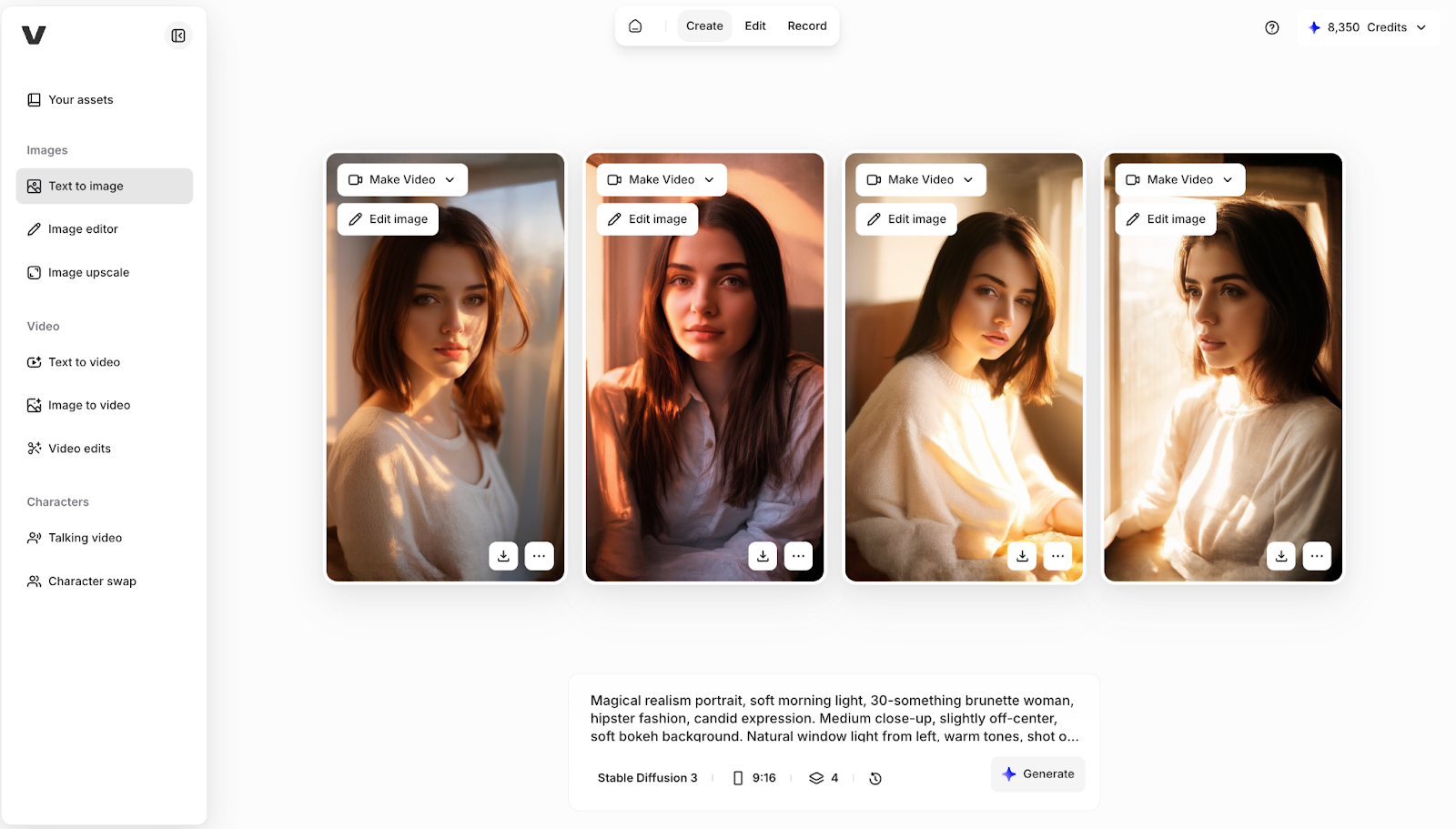
Positive: "Magical realism portrait, soft morning light, 30-something brunette woman, hipster fashion, candid expression. Medium close-up, slightly off-center, soft bokeh background. Natural window light from left, warm tones, shot on 85mm f/1.8." Negative: "Bad image quality, cartoonish, poorly drawn face, smooth, neon, 3D render."
Negative prompt strategy
Less is better with SD3.5. A short, focused negative prompt outperforms a long generic one.
- Portrait: "Distorted face, extra fingers, asymmetrical eyes, blurry, low quality."
- Product: "Shadows, reflections, background clutter, grainy, low resolution."
- Illustration: "Photorealistic, 3D render, cartoonish, flat colors, watermark."
Advanced techniques
Natural language vs. keywords: Both work, but natural language provides greater contextual consistency in complex scenes.
Keyword weighting: Use (term:1.3) to increase emphasis on an element. Keep weighting sparse; too many modifiers lead to unpredictable results.
Text in images: Wrap any in-image text in double quotation marks and keep phrases short for accurate rendering.
Prompt Examples by Use Case
Portrait: "Editorial photography, 30-something woman, flowing dark hair, white linen dress, coastal cliff. Golden hour backlighting, rim light, shot on Hasselblad 80mm at f/2.8." Negative: "Blurry, distorted face, extra fingers, neon colors, 3D render."
Product: "Commercial product photo, luxury skincare serum on white marble, gold cap, frosted glass. Softbox lighting, cool blue accent, ultra-sharp detail." Negative: "Shadows, background clutter, grainy, low quality."
Illustration: "Expressionist painting, bustling city street at night, vibrant colors reflecting off wet pavement, cinematic mood, highly detailed." Negative: "Photorealistic, 3D render, blurry, flat colors."
Common mistakes and fixes
Getting started with Stable Diffusion 3
Start with the 7-part framework using natural language, include a short negative prompt, and build complexity gradually. Keep your most important element first; word order alone can dramatically change the output.
Try Stable Diffusion 3 alongside other leading AI image generators in VEED's AI Playground, where you can compare outputs and use generated images directly in your video editing workflow.