


Trusted by 1M+ creators
HR Video Maker
Create engaging videos for recruitment, training, company updates, and more
No credit card required
4.6
2,100+ reviews















Create professional-quality HR videos in minutes
Making human resources videos can be daunting — especially if you’ve never edited videos before. VEED’s online editor helps you create professional videos in minutes. Record and edit HR videos with confidence. Our webcam recorder with a built-in prompter keeps you on-script. And our drag-and-drop editor makes HR video production a breeze.
Create polished recruitment videos, training materials, and HR explainer videos. With AI tools like auto-subtitles and lifelike avatars, it only takes a few clicks. What used to take days now only takes minutes. VEED saves you the time and costs of business video editing services. Get started now for free.
How to create HR videos:
Step 01
Upload
Upload your videos or photos into the editor. Or record a video using our webcam recorder.
Step 02
Customize
Customize your video with text, animations, and music. You can also generate AI voiceovers and avatars.
Step 03
Export and share
Export your HR video in high quality. Share the VEED link, embed the video on your site, or post it on social media.
Learn More
Learn how to make a video presentation:
Record HR videos with confidence
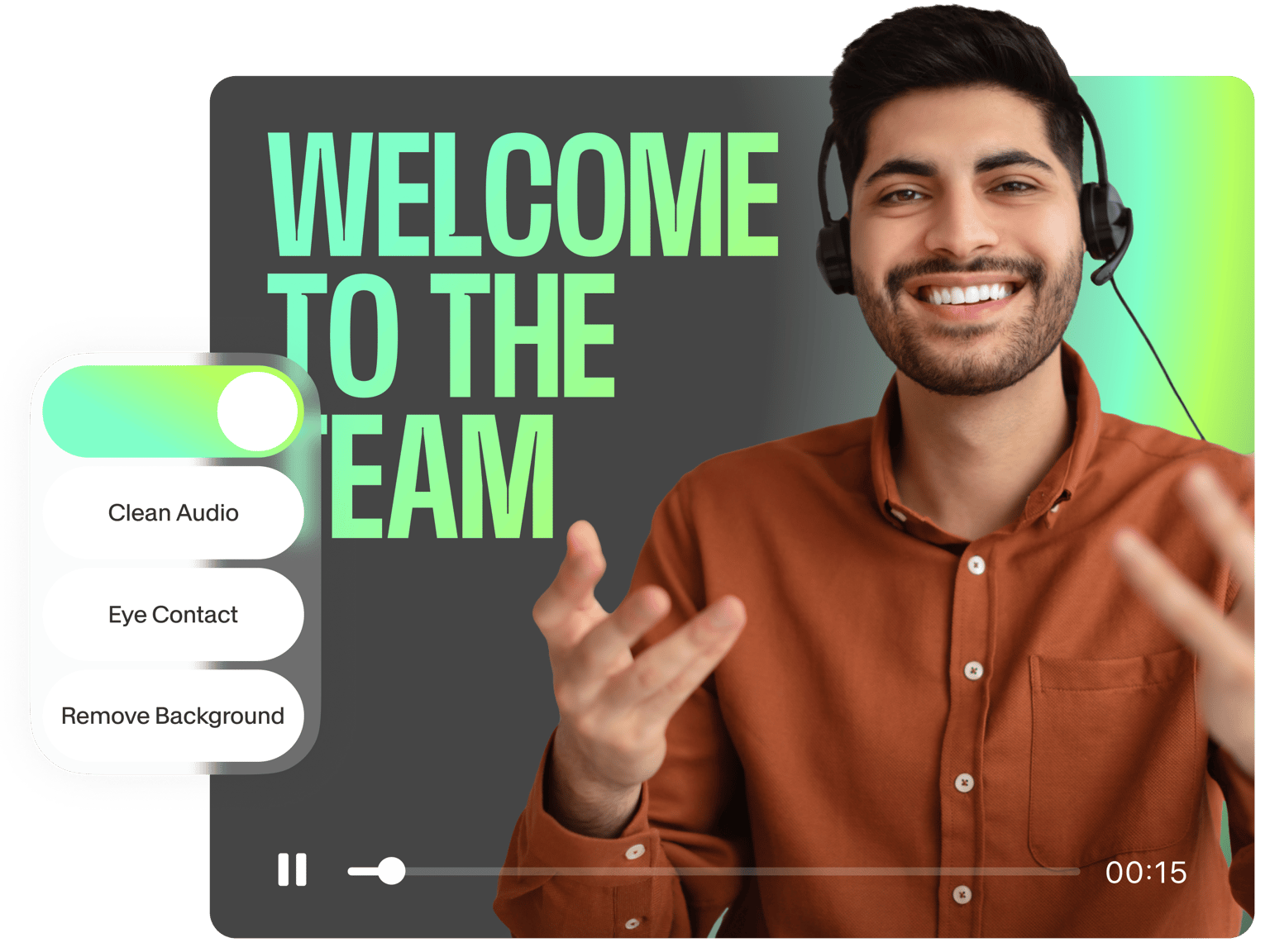
Overcome camera anxiety with VEED’s full suite of tools. Record presentations while reading a prompter. Auto-trim awkward pauses and filler words with Magic Cut. Plus, use AI eye contact correction to redirect your gaze to the camera for a more confident and engaging delivery. With AI dubbing, you can even speak 29 languages and connect with colleagues across countries.
Recruiting video software powered by AI
Prefer not to speak in front of a camera? Lifelike AI avatars have you covered. VEED's AI text-to-speech technology lets you turn scripts into talking avatars. Make your recruitment videos more engaging. Or add a personal touch to your onboarding and training videos. Create polished videos that employees will actually watch, and make job ads that stand out on LinkedIn.
Easily update onboarding videos
No need to record every time. Convert text into speech to update your onboarding videos. This way, employees always have access to relevant information. With voice cloning, you can personalize your communications. Collaborative editing lets you gather feedback and keep your team on the same page. Add video reviewers and editors and control levels of access. Maintain brand consistency using our brand kit. VEED streamlines your HR video production.
FAQ
An HR video is a short video created by HR teams to share important information with employees. These videos cover various topics related to working at the company, such as hiring, onboarding, training, and more. HR videos are an effective way to communicate with employees and keep them informed about company policies, procedures, and updates.
There are many types of HR videos, such as job ads, welcome videos for new hires, training videos, employee interviews, videos about diversity and inclusion, and videos for performance reviews. With VEED, you can quickly create HR videos for these various purposes.
- Upload your footage or record a video.
- Add text, animations, and music to make your video more engaging. You can also convert text into speech or AI avatars.
- Export your video for sharing with your team.
You can also convert slides into videos with AI. Upload your presentation, generate a script, and customize your AI presenter.
The best length varies depending on a video’s purpose:
- For welcome videos and announcements, shorter is better – try to keep them under 1 minute.
- Training videos can be a bit longer, at around 2-3 minutes, because they have more information. If you have a long training video, AI Clips can break it up into shorter, more digestible segments.
Loved by creators.
Loved by the Fortune 500
“
With VEED I didn't need 15 tutorials - I jumped straight in and started editing.

Gwenne Wilcox
Founder,
Brand Brainery
“
You can go beyond choppping things. VEED actually makes my videos look great.

Michael Glover
Demand Gen Manager,
ConvertFlow
“
The first four videos i created with VEED got over 40,000 impressions on LinkedIn.

Travis Tyler
Senior Content Producer,
PandaDoc
“
I found VEED at the right time: if you're making UGC ads and not using Eye Contact Correction and Noise Reduction on VEED you're missing out on ROI.

Sebastian Schurgers
Head of Growth Marketing,
Gronda
“
With VEED I didn't need 15 tutorials - I jumped straight in and started editing.
Gwenne Wilcox
Founder,
Brand Brainery
“
You can go beyond choppping things. VEED actually makes my videos look great.
Michael Glover
Demand Gen Manager,
ConvertFlow
“
The first four videos i created with VEED got over 40,000 impressions on LinkedIn.
Travis Tyler
Senior Content Producer,
PandaDoc
“
I found VEED at the right time: if you're making UGC ads and not using Eye Contact Correction and Noise Reduction on VEED you're missing out on ROI.
Sebastian Schurgers
Head of Growth Marketing,
Gronda
“
The first four videos i created with VEED got over 40,000 impressions on LinkedIn.
Travis Tyler
Senior Content Producer,
PandaDoc
“
I found VEED at the right time: if you're making UGC ads and not using Eye Contact Correction and Noise Reduction on VEED you're missing out on ROI.
Sebastian Schurgers
Head of Growth Marketing,
Gronda
“
With VEED I didn't need 15 tutorials - I jumped straight in and started editing.
Gwenne Wilcox
Founder,
Brand Brainery
“
You can go beyond choppping things. VEED actually makes my videos look great.
Michael Glover
Demand Gen Manager,
ConvertFlow
Discover more
Explore related tools
More from VEED

Best AI Avatar Generators in 2026 (The Only List You'll Need)
Searching for the best AI avatar generator? We got you. Check out this expert round-up of the must-try generators out there.

What is a Green Screen (& How to Use One)?
New to green screens? This beginner's guide will help you become a green screen pro in no time!

13 Best Video Collaboration Tools (The Only List You'll Need)
We carefully analyzed the leading video collaboration tools and shortlisted the best ones to try in 2024. Check out our detailed reviews in this listicle.
Trusted by 1M+ creators
When it comes to amazing videos, all you need is VEED
No credit card required
More than an HR video maker
VEED empowers you to create engaging videos for various HR purposes, from showcasing your company culture to onboarding your employees. With our video templates and intuitive tools, anyone can produce professional-quality videos. Enhance employee engagement and support your HR goals with well-made videos. No need for advanced editing skills! Try VEED now for free, right from your browser.