Veo 3.1 Prompting Guide: Get Better Results in 5 Steps

Veo 3.1 essentials:
- Google Veo 3.1 is an AI video model that generates up to 2-minute clips with cinematic quality, exceptional physics simulation, and industry-leading prompt adherence
- The 5-part Veo 3.1 prompt format includes shot composition, subject/action details, environment description, camera movement, and style/mood specifications
- Veo 3.1 prompt engineering best practices include using cinematography terminology, negative prompts to eliminate artifacts, and hand-over-hand prompting for seamless transitions between clips
Google Veo 3.1 prompting guide mastery is critical because this model interprets professional cinematography language better than conversational descriptions. Vague prompts produce generic results, while structured prompts using film terminology unlock Veo 3.1's full cinematic potential. This ultimate prompting guide for Veo 3.1 shows you how to structure prompts like a director, use advanced techniques for consistency, and troubleshoot common generation issues.

What you'll learn:
The 5-element Veo 3.1 prompt format, cinematography terminology that improves results, negative prompt strategies, and hand-over-hand prompting for extended sequences.
Understanding Veo 3.1's strengths
What Google Veo 3.1 video model excels at:
Cinematic camera language:
Interprets professional film terminology like "Dutch angle," "rack focus," and "dolly zoom" with exceptional accuracy. An extreme wide shot example maintains proper scale and composition throughout the clip.
Physics-accurate motion:
Produces realistic fluid dynamics, fabric movement, and object physics that follow natural laws. Water splashes realistically, clothing drapes authentically, and objects fall with proper weight.
Extended video length:
Generates clips up to 2 minutes (Veo 3.1 maximum video length), significantly longer than most competitors, enabling complete narrative sequences.
What to avoid:
- Abstract or metaphorical descriptions that lack concrete visual details confuse the model
- Mixing multiple camera movements in one prompt (pan while zooming while tracking) creates unstable footage
Quick tip: Veo 3.1 responds best to prompts written like shot lists from a screenplay. Use proper film terminology and be specific about every visual element.
Core Veo 3.1 prompting framework
The 5-part prompt structure
Veo 3.1 prompt format template
[Shot composition], [Subject & action], [Environment], [Camera movement], [Style & mood]
Google Veo 3.1 prompt guide example:
“Wide establishing shot transitioning to medium shot, East Asian woman (late 20s–early 30s), straight black hair (shoulder-length, natural shine), light linen blouse and breezy neutral-toned jacket, standing on a Santorini cliffside walkway with whitewashed buildings and blue-domed rooftops in the background, Aegean Sea shimmering below, gentle wind moving her hair and clothing, she turns slightly toward camera and smiles softly while holding a small takeaway coffee cup, natural, calm body language with subtle hand movement, camera: static wide for 2–3 seconds then slow push-in to a medium shot, slight handheld micro-stabilized feel for realism, late golden hour lighting with warm highlights and soft shadows, cinematic aesthetic with a slightly muted pastel color palette (creamy whites, sea blues), shallow depth of field in the medium shot, crisp detail on face and hair, atmospheric depth with distant haze over the water, no text, no logos, no watermarks, ultra-real, filmic.”
Long shot example:
"Long shot from elevated position, group of five hikers traversing mountain ridge trail single file, dramatic alpine landscape with snow-capped peaks in background, static camera position capturing full scene, crisp morning light with high contrast, documentary realism style with natural colors"
Advanced Veo 3.1 prompting techniques
Hand-over-hand prompting
Creates seamless transitions between multiple clips by ending one prompt and starting the next.
When to use: Building extended sequences beyond Veo 3.1 video length limits while maintaining visual continuity.
Example:
- Clip 1: "Shot ends with subject reaching for door handle, hand in mid-motion"
- Clip 2: "Shot begins with hand grasping door handle (matching previous position), pulling door open"
Veo 3.1 negative prompt strategy
Explicitly states what should NOT appear to eliminate common artifacts and unwanted elements.
When to use: Preventing motion blur, distortion, morphing, or specific unwanted visual elements.
Example negative prompt: "Negative: no motion blur, no face distortion, no warping, no morphing, no duplicate limbs, no inconsistent lighting, no background shifting, no floating objects"
Cinematography terminology integration
Uses professional film vocabulary for precise control over visual output.
When to use: When you need specific camera angles, movements, or lighting setups from traditional cinematography.
Example prompting techniques:
- "Dutch angle at 15 degrees, creating psychological tension"
- "Rack focus from foreground object to background subject"
- "Three-point lighting setup with strong key light from camera right"
- "Extreme wide shot example: establishing landscape with tiny human figure for scale"
Common mistakes and fixes
Getting started with Google Veo 3.1
The Veo 3.1 prompt engineering best practices emphasize cinematography, language, and structure. Use the 5-part framework with proper film terminology, always include a negative prompt, and leverage hand-over-hand prompting for extended sequences. Start with simple static shots before attempting complex camera movements.
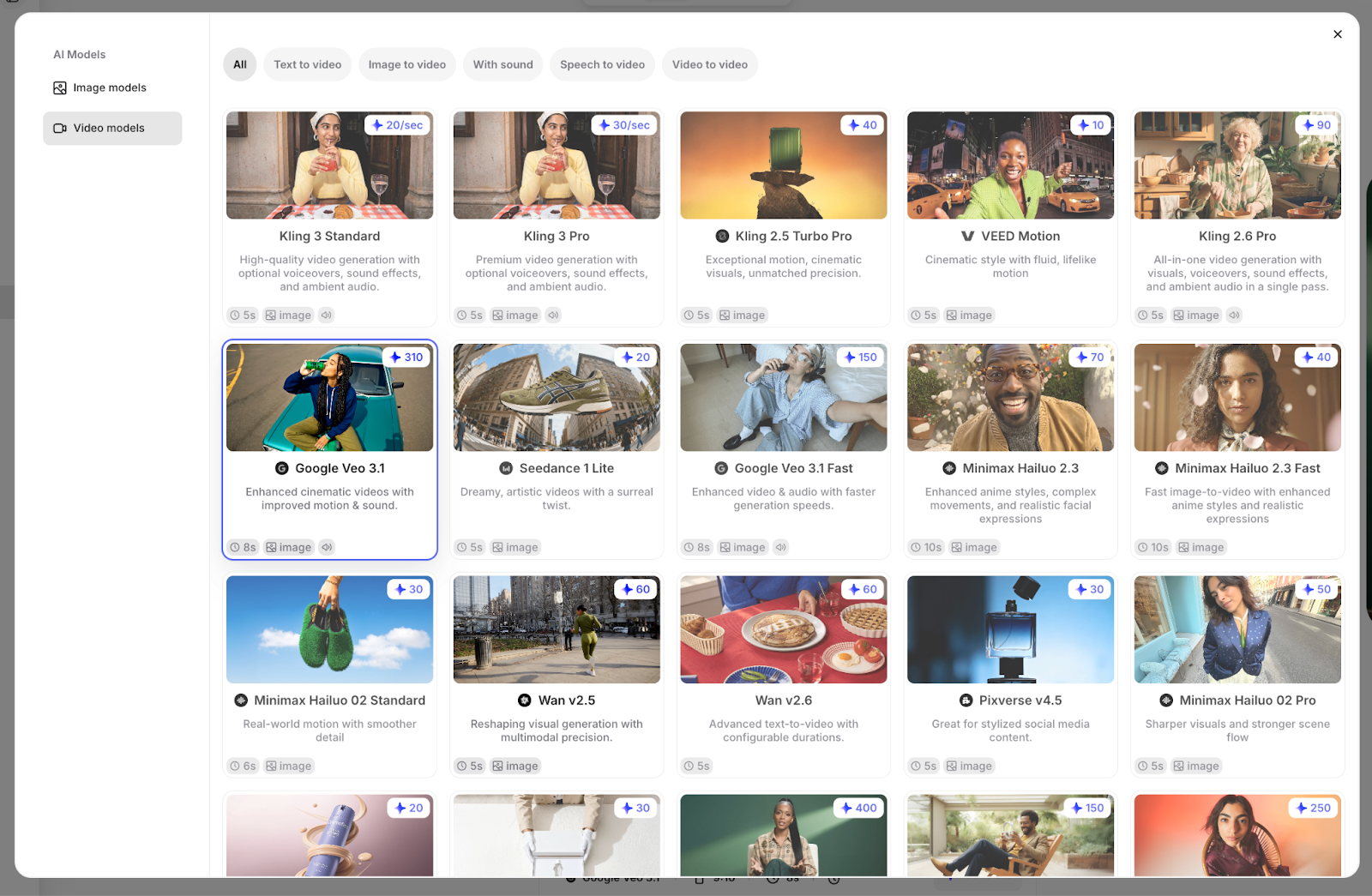
Try Google Veo 3.1 alongside other leading AI video generators in VEED's AI Playground, where you can compare outputs and integrate results directly into your video editing workflow.