


Trusted by 1M+ creators
AI Collage Maker
Attach your photos, describe the look, and get a collage arranged for you. No grids to drag, no layouts to pick
No credit card required
4.6
2,100+ reviews














Your photos, arranged into one post without touching a grid
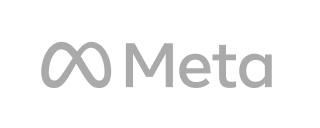
A collage puts several photos into one frame so a trip, a party, or a product line reads at a glance. Doing it by hand means picking a grid, resizing every picture, and nudging them until nothing is cropped wrong. VEED AI does the arranging. Attach the photos, describe the layout and the mood in a sentence, and the agent asks a couple of quick questions, builds the collage, and tells you exactly what it did.
Travel creators use it for a six-photo recap of a weekend. Wedding guests make one for the couple, parents for the first day of school, small shops for the new drop with every colorway in one frame. It goes to the Instagram feed, a Story, a Facebook post, or the family group chat. If you want to place clips and photos by hand in a fixed layout, the video collage maker does that in the editor.
How to make a collage with an AI collage maker:
Step 01
Upload your photos or describe the collage
Open VEED AI and attach the photos, or start with nothing and describe the collage you want. Say what it is for and what needs doing: which photo leads, grid or scrapbook, the mood, and whether it goes on the feed or a Story.
Step 02
Answer a few questions and let it build
The agent may ask whether you want a still image or a short animated version, and what words go on it, then builds the collage: your photos arranged around the lead, the spacing you asked for, and a caption. No photos yet? It offers stand-ins.
Step 03
Review, refine, and download
Look at the result, then ask for changes in the same chat: a different caption, a bigger lead photo, your own pictures swapped in. Each result is saved as its own version. Download the still, or ask for a Reels or YouTube version next.
Learn More
Watch this walkthrough of editing with VEED AI:
One batch of photos, a still for the feed and a version for every placement
A collage is rarely needed in one shape. Ask for the Story version first, then say "make a 16:9 version for YouTube" or "make one for the feed" in a follow-up, and VEED AI re-lays the same photos for that frame, so faces stay inside it instead of getting cut at the edge. Every version sits in the same conversation, numbered, with its own download.
Pick the mood, the layout, and which photo leads
A collage works when the best photo is the biggest one and the rest support it. Say which picture leads, whether you want a tidy grid or an overlapping scrapbook feel, and how much white space to leave. Re-prompt one detail at a time and the rest stays put. The result looks like it came from you, not from a template everyone has used.
From a collage to the whole photo dump
The same photos can carry more than one post. Ask the agent to turn the collage into a short video, build a photo slideshow with music for the recap, or bring a single shot to life with image to video AI for a Reel. Photos, collages, and clips stay in one place, so the next post starts from what you already uploaded.
FAQ
An AI collage maker is a tool that arranges several photos into one composition from a description instead of from a fixed grid you fill by hand. You supply the pictures and say what you want, and the AI decides the layout, the sizing, and the spacing. VEED AI works this way: attach the photos, describe the lead image and the mood, and it composes the collage, which you can adjust with a follow-up message or finish in the editor.
Gather the photos first and pick the one that should lead. Open VEED AI, attach them with the plus button, and describe the collage: grid or scrapbook, the mood, and whether it is for the feed or a Story. Answer its quick questions about a still or an animated version and the words on it, then review the result. Ask for changes in the reply box and download the version you like.
Yes. A blended collage overlaps or fades the photos into each other instead of placing them in boxes. Ask VEED AI for an overlapping or blended collage and name the photo that should sit on top, then adjust in a follow-up message. To fix a single photo before it goes in, the AI image editor makes the change with a text prompt.
Free collage apps usually limit you to fixed grids, watermark the export, or cap the number of photos. VEED AI runs on AI credits. You can sign up without a credit card, and what you spend depends on what you ask it to make, so a still collage from your own photos and a generated video are not the same. Visit the VEED pricing page for current plans and credit add-ons.
Loved by creators.
Loved by the Fortune 500
“
With VEED I didn't need 15 tutorials - I jumped straight in and started editing.
Gwenne Wilcox
Founder,
Brand Brainery
“
You can go beyond choppping things. VEED actually makes my videos look great.
Michael Glover
Demand Gen Manager,
ConvertFlow
“
The first four videos i created with VEED got over 40,000 impressions on LinkedIn.

Travis Tyler
Senior Content Producer,
PandaDoc
“
I found VEED at the right time: if you're making UGC ads and not using Eye Contact Correction and Noise Reduction on VEED you're missing out on ROI.
Sebastian Schurgers
Head of Growth Marketing,
Gronda
“
With VEED I didn't need 15 tutorials - I jumped straight in and started editing.
Gwenne Wilcox
Founder,
Brand Brainery
“
You can go beyond choppping things. VEED actually makes my videos look great.
Michael Glover
Demand Gen Manager,
ConvertFlow
“
The first four videos i created with VEED got over 40,000 impressions on LinkedIn.
Travis Tyler
Senior Content Producer,
PandaDoc
“
I found VEED at the right time: if you're making UGC ads and not using Eye Contact Correction and Noise Reduction on VEED you're missing out on ROI.
Sebastian Schurgers
Head of Growth Marketing,
Gronda
“
The first four videos i created with VEED got over 40,000 impressions on LinkedIn.
Travis Tyler
Senior Content Producer,
PandaDoc
“
I found VEED at the right time: if you're making UGC ads and not using Eye Contact Correction and Noise Reduction on VEED you're missing out on ROI.
Sebastian Schurgers
Head of Growth Marketing,
Gronda
“
With VEED I didn't need 15 tutorials - I jumped straight in and started editing.
Gwenne Wilcox
Founder,
Brand Brainery
“
You can go beyond choppping things. VEED actually makes my videos look great.
Michael Glover
Demand Gen Manager,
ConvertFlow
Discover more
Explore related tools
More from VEED
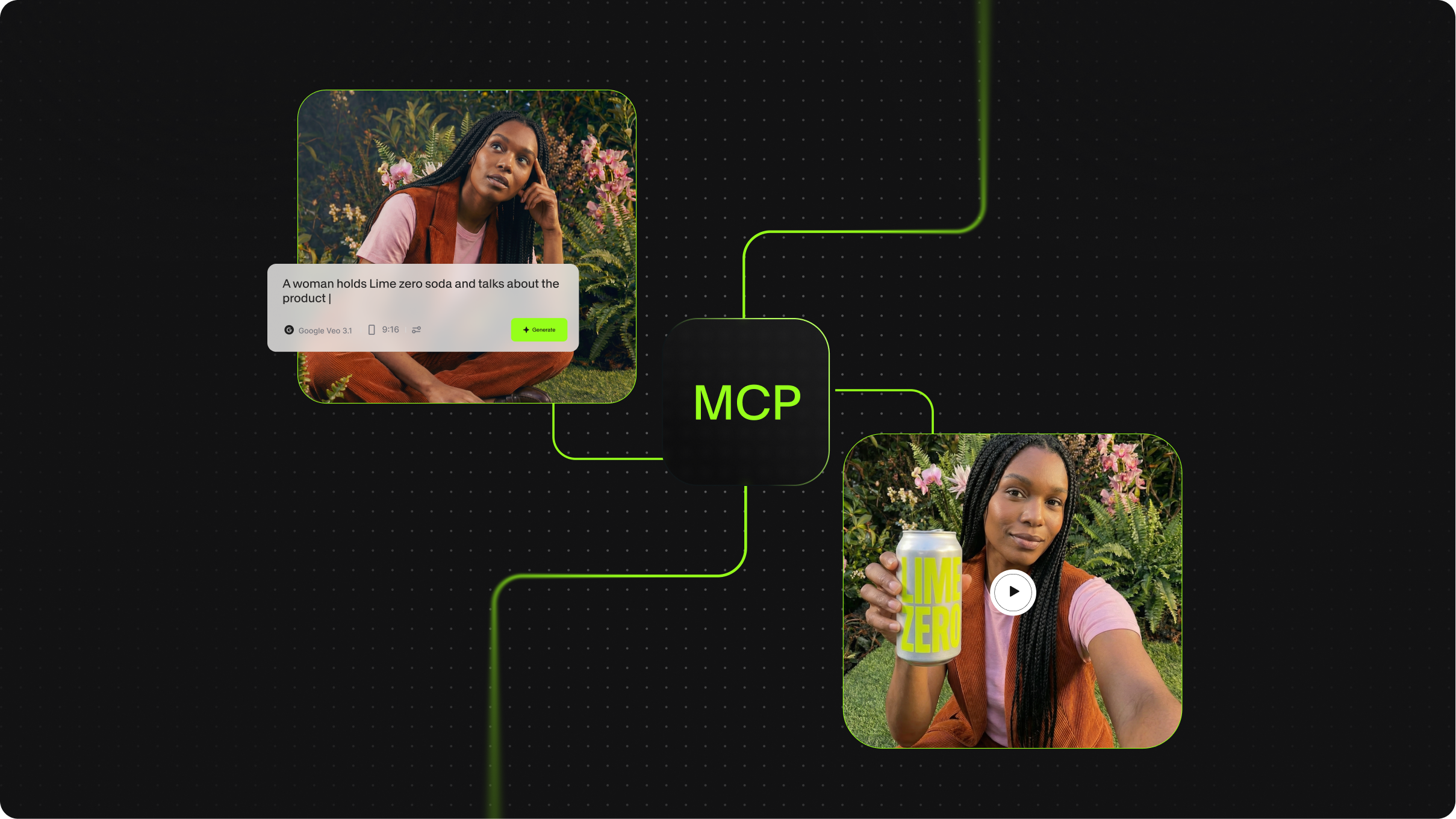
What is MCP in AI? The Model Context Protocol, Explained
Best Video API for Handling Media Files
We tested and compared the leading video and media file APIs across five practical use cases: large file upload via REST, batch audio and video processing, audio transcription from file, hosted FFmpeg manipulation, and programmatic media retrieval and delivery.

Introducing OpenEdit
OpenEdit is VEED's agent-native video tool. Tell your AI agent to add subtitles to a video, and it transcribes the audio, designs a caption style to fit, and renders the finished clip.
Trusted by 1M+ creators
When it comes to amazing videos, all you need is VEED
No credit card required
More than an AI collage maker
A collage is usually the first thing made from a batch of photos, and rarely the last. VEED is an AI video creation platform where you can generate, refine, and export videos. Ask VEED AI for a recap clip from the same pictures, add a voiceover or music, re-prompt the pacing until it holds, and keep your fonts and colors consistent so the collage and the clip look like one set. Export a post-ready video for Reels, TikTok, or YouTube Shorts. Create your first video now.