


Trusted by 1M+ creators
Event Video
Make professional-quality event videos in minutes. Streamline your content creation with VEED’s all-in-one, AI-powered video editor
No credit card required
4.6
2,100+ reviews















Create professional-quality event videos without breaking the bank
VEED's event video maker empowers anyone to create stunning, professional videos in minutes. Whether you're creating promos, trade show videos, or post-event highlights, VEED has you covered.
Enjoy seamless editing and a wide range of AI tools, such as talking avatars and our custom music generator. Ready to create an amazing event video? Try it now – all it takes is a few clicks!
How to make an event video:
Step 01
Upload your footage
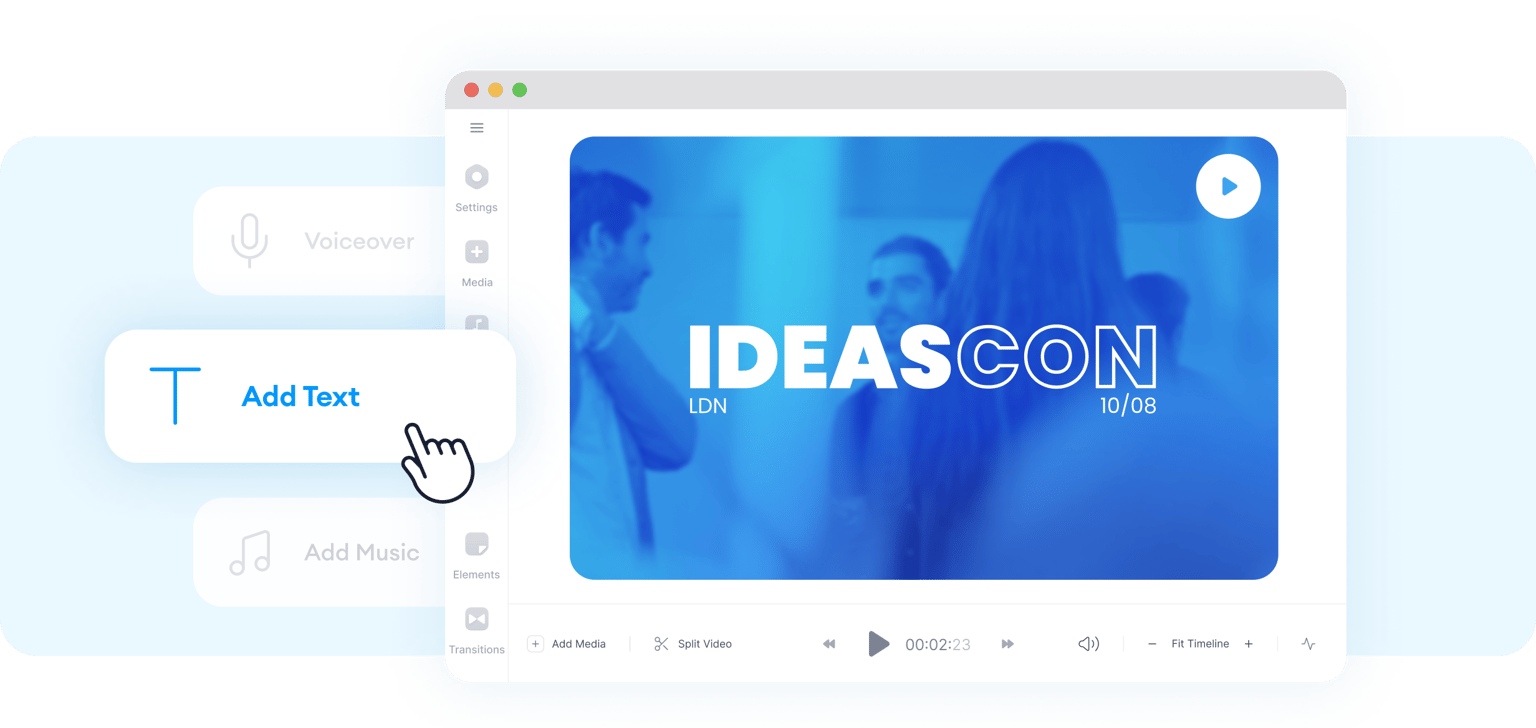
Start with a blank canvas or select one of our event promo video templates. Drag and drop your videos and photos into the editor.
Step 02
Create your event video
Add text, animations, and music to enhance your video. You can also use AI to generate text-to-speech voiceovers, realistic avatars, and more.
Step 03
Export and share
Export your video in high quality and easily resize it for different social media platforms.
Learn More
Learn how to use our video editor:
Stunning event videos in minutes
Save costs from video production services. With VEED, you can create engaging event videos in just a few clicks. Choose from professional event promo video templates, or create simple yet elegant photo slideshows. Also, craft post-event highlight reels to showcase the hard work and dedication you put into making a successful event.
AI-powered video editing
No time to record voiceovers or hire a presenter? No problem! Generate realistic avatars to present your event, selecting from diverse presets. Beyond that, you can explore our many other AI video editing tools. Customize music to capture the perfect mood for your video. Or create entire videos based on a simple prompt, using AI as a foundation.
Brand kit for cohesive visuals
Maintain brand consistency across all event videos. Our brand kit feature lets you easily apply your logo, font, and color palette to various videos. Ensure a cohesive brand experience for your audience, whether at a trade show or post-event.
FAQ
An event video can be a promo, trade show video, or post-event reel designed to promote an event and attract attendees. It's usually short-form video content that creates buzz or anticipation around a product, service, or company launch.
Use VEED's event video maker. Upload your videos and photos, then add text, animations, graphics, music, and more to enhance your video.
When creating an event video, include essential details like the date, time, location, and ticket prices, as well as highlights that make your event unique. Showcase the venue, incorporate testimonials from previous attendees, and end with a clear call to action. Consistently incorporate your event's branding elements throughout the video to create a cohesive and professional look.
Generally, aim for 1-2 minutes for promotional videos and up to 2-5 minutes for post-event highlights. The ideal length will depend on the platform and purpose. Remember to keep your event video concise, engaging, and informative.
Loved by creators.
Loved by the Fortune 500
“
With VEED I didn't need 15 tutorials - I jumped straight in and started editing.

Gwenne Wilcox
Founder,
Brand Brainery
“
You can go beyond choppping things. VEED actually makes my videos look great.

Michael Glover
Demand Gen Manager,
ConvertFlow
“
The first four videos i created with VEED got over 40,000 impressions on LinkedIn.

Travis Tyler
Senior Content Producer,
PandaDoc
“
I found VEED at the right time: if you're making UGC ads and not using Eye Contact Correction and Noise Reduction on VEED you're missing out on ROI.

Sebastian Schurgers
Head of Growth Marketing,
Gronda
“
With VEED I didn't need 15 tutorials - I jumped straight in and started editing.
Gwenne Wilcox
Founder,
Brand Brainery
“
You can go beyond choppping things. VEED actually makes my videos look great.
Michael Glover
Demand Gen Manager,
ConvertFlow
“
The first four videos i created with VEED got over 40,000 impressions on LinkedIn.
Travis Tyler
Senior Content Producer,
PandaDoc
“
I found VEED at the right time: if you're making UGC ads and not using Eye Contact Correction and Noise Reduction on VEED you're missing out on ROI.
Sebastian Schurgers
Head of Growth Marketing,
Gronda
“
The first four videos i created with VEED got over 40,000 impressions on LinkedIn.
Travis Tyler
Senior Content Producer,
PandaDoc
“
I found VEED at the right time: if you're making UGC ads and not using Eye Contact Correction and Noise Reduction on VEED you're missing out on ROI.
Sebastian Schurgers
Head of Growth Marketing,
Gronda
“
With VEED I didn't need 15 tutorials - I jumped straight in and started editing.
Gwenne Wilcox
Founder,
Brand Brainery
“
You can go beyond choppping things. VEED actually makes my videos look great.
Michael Glover
Demand Gen Manager,
ConvertFlow
Discover more
- AI ASMR
- Anniversary Video Maker
- Award Video
- Breaking News Video Maker
- Clip Maker
- Commentary Video
- Comparison Video
- Congratulations Video
- Customized Video
- Fancam Maker
- Greeting Video
- Gym Video Editing
- Hype Video Maker
- Karaoke Video Maker
- Reaction Video Maker
- Response Video
- Romantic Video Online
- Scary Video Maker
- Scrapbook Video Maker
- Snack Video Online Free
- Sponsor Video
- Teacher’s Day Video
- Timeline Video Maker
- Travel Video Editor
- Vertical Video Editor
- Video Maker for Kids
- Vlog Video Editing
More from VEED
How to add text to a video in iMovie
If your just getting started editing videos, iMovie is a great place to start! But adding text to a video in iMovie is unfortunately a little bit limited and harder than it should be. In this post I am going to teach how to do this using just iMove.

Facebook Video Ads Size Guide [All Video Ad Types Included]
Not sure about the size of your Facebook video ad? Learn about all the different specs you need to know in this handy guide.

Best AI Avatar Generators in 2026 (The Only List You'll Need)
Searching for the best AI avatar generator? We got you. Check out this expert round-up of the must-try generators out there.
Trusted by 1M+ creators
When it comes to amazing videos, all you need is VEED
No credit card required
More than an event video maker
VEED is your all-in-one platform for seamless video creation. With our wide array of intuitive and powerful editing tools, you can make all kinds of content. Create beautiful invitation videos, showcase your company's achievements with sleek profile videos, and attract leads with dynamic video emails. Ready to streamline your video production? Try VEED right from your browser; get started for free!