


Trusted by 1M+ creators
Parody Maker
Make parody videos online. Record clips, add effects, replace backgrounds, and more
No credit card required
4.6
2,100+ reviews















A simple yet powerful parody video maker
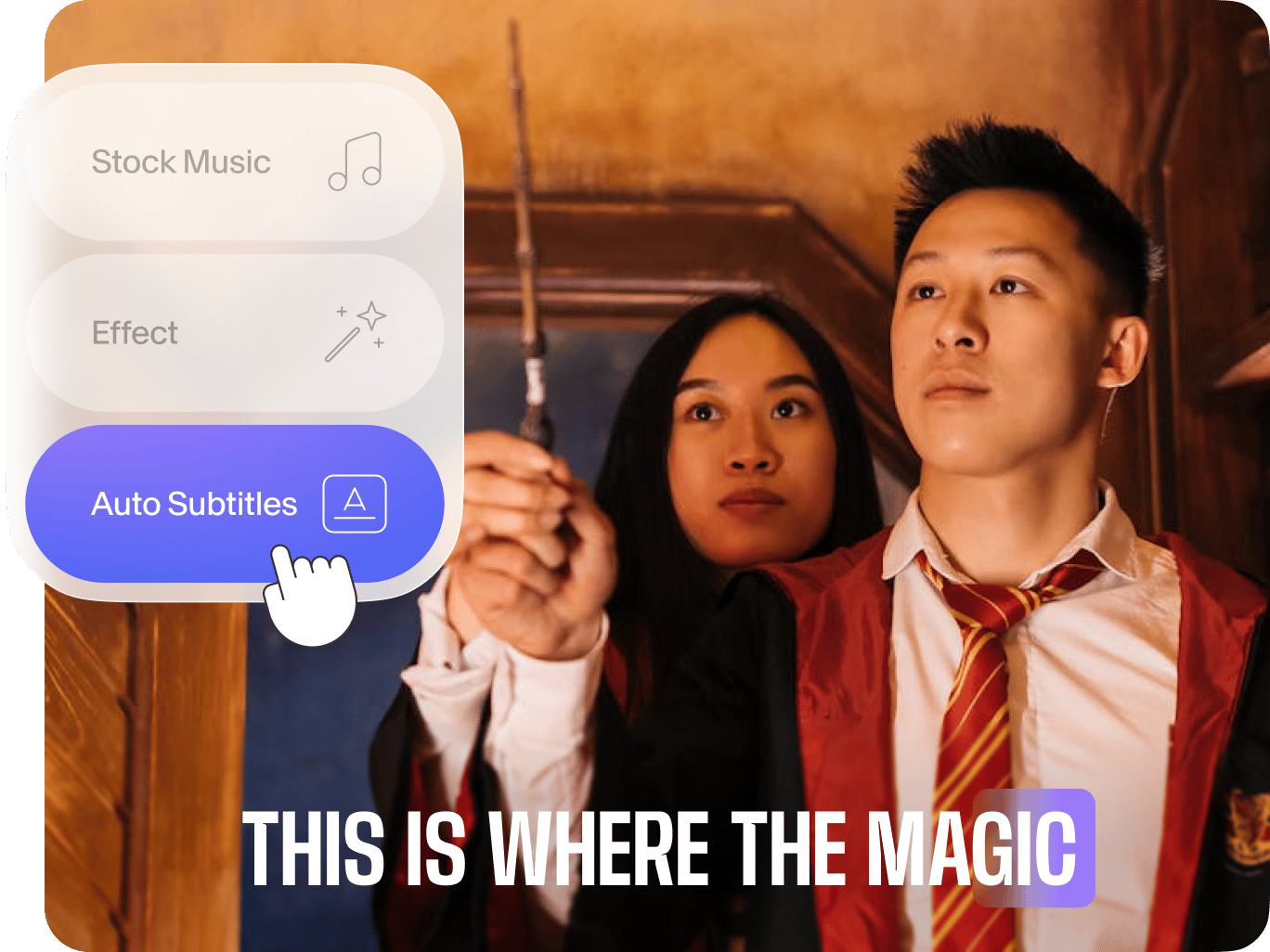
Struggling to create polished and shareworthy parody videos? Want to grow your audience or show your brand’s fun side? VEED's online parody maker is your ultimate video editor. It’s intuitive and has all the essential tools, from a recorder to music and video effects.
Trim and arrange clips, add sound effects, and replace backgrounds. We also have AI tools like auto-subtitles and Magic Cut to speed up your process. Stand out online with engaging parody videos.
How to make a parody video:
Step 01
Upload clips
Add your videos by dragging and dropping clips into the video editor. Alternatively, record yourself directly using our webcam recorder.
Step 02
Create
Trim, crop, or rearrange clips to perfect your parody. Enhance your video with text, music, animation, and sound effects – adding comedic elements.
Step 03
Export & share
Easily resize your video for various social media platforms. Export your parody video and share it with your audience.
Learn More
Learn how to make videos for social media:
Drag-and-drop interface
Effortless video effects
Transform your parody videos with our video effects. Our intuitive editor offers various filters, from nostalgic VHS and glitch effects to cinematic film looks. Easily apply these effects to your spoofs. Create professional-looking parodies quickly and efficiently, without the need for complex editing skills.
Quick resize for cross-posting
Maximize your parody's reach with our resizing tool. Quickly adapt your content for various social media platforms, saving time and effort. Create perfect parodies for every platform, expand your audience, and boost your brand's visibility.
FAQ
A parody video is a comedic imitation of a well-known video, film, TV show, or public figure, exaggerating its elements. Parodies entertain by making light of the original material, often serving as a form of commentary or criticism. By creating parodies, you can engage with the source in a creative way, appealing to viewers familiar with the original.
Make parody videos with VEED. Upload your clips and add music and sound effects. You can also use our green screen tool to change the background, placing your characters in different scenes. Once you're satisfied with your parody, export the video and share it on your preferred social media platform.
Find inspiration by exploring popular formats like song parodies, movie spoofs, and mockumentaries. You can find these videos on platforms like TikTok, YouTube, and Instagram. Use our video idea generator for creative suggestions based on your topic.
- Click ‘Subtitles’ on the left menu.
- Select ‘Auto Subtitle’ and choose a language. Create the subtitles.
- Edit the subtitle style. You can burn the subtitles in the rendered video and export your project.
Loved by creators.
Loved by the Fortune 500
“
With VEED I didn't need 15 tutorials - I jumped straight in and started editing.

Gwenne Wilcox
Founder,
Brand Brainery
“
You can go beyond choppping things. VEED actually makes my videos look great.

Michael Glover
Demand Gen Manager,
ConvertFlow
“
The first four videos i created with VEED got over 40,000 impressions on LinkedIn.

Travis Tyler
Senior Content Producer,
PandaDoc
“
I found VEED at the right time: if you're making UGC ads and not using Eye Contact Correction and Noise Reduction on VEED you're missing out on ROI.

Sebastian Schurgers
Head of Growth Marketing,
Gronda
“
With VEED I didn't need 15 tutorials - I jumped straight in and started editing.
Gwenne Wilcox
Founder,
Brand Brainery
“
You can go beyond choppping things. VEED actually makes my videos look great.
Michael Glover
Demand Gen Manager,
ConvertFlow
“
The first four videos i created with VEED got over 40,000 impressions on LinkedIn.
Travis Tyler
Senior Content Producer,
PandaDoc
“
I found VEED at the right time: if you're making UGC ads and not using Eye Contact Correction and Noise Reduction on VEED you're missing out on ROI.
Sebastian Schurgers
Head of Growth Marketing,
Gronda
“
The first four videos i created with VEED got over 40,000 impressions on LinkedIn.
Travis Tyler
Senior Content Producer,
PandaDoc
“
I found VEED at the right time: if you're making UGC ads and not using Eye Contact Correction and Noise Reduction on VEED you're missing out on ROI.
Sebastian Schurgers
Head of Growth Marketing,
Gronda
“
With VEED I didn't need 15 tutorials - I jumped straight in and started editing.
Gwenne Wilcox
Founder,
Brand Brainery
“
You can go beyond choppping things. VEED actually makes my videos look great.
Michael Glover
Demand Gen Manager,
ConvertFlow
Discover more
Explore related tools
More from VEED

3 Types of Cuts Every YouTuber Needs to Use [GUIDE]
Capture and retain attention plus improve your overall video and channel engagement with these three types of cuts for your YouTube video editing.

What is a Green Screen (& How to Use One)?
New to green screens? This beginner's guide will help you become a green screen pro in no time!

105 YouTube video ideas for when you don't know what to post
Want to grow your YouTube channel but are stuck on what to post? We did the work and curated a list of 105 ideas every creator should know about.
Trusted by 1M+ creators
When it comes to amazing videos, all you need is VEED
No credit card required
More than a parody maker
Want to keep your channel fresh and engaging? VEED is an all-in-one video editor that lets you go beyond just parody videos. Expand your creativity with memes, vlogs, and facecams. You can even make tutorials to share your knowledge on specific topics. With VEED, anyone can create professional-quality videos in a few clicks. Stand out from the crowd and connect with your audience. Create a video now.