


Trusted by 1M+ creators
Voice Dubber
Add voice dubbing to your video online in a few clicks. Translate the spoken audio to multiple languages instantly
No credit card required
4.6
2,100+ reviews















Instant online voice dubber: translate and dub videos with AI
Instantly add translated narrations or dubbing to your video online. Translate the original spoken audio into multiple languages. The voice dubber automatically replaces the spoken words in your video with a voiceover in your selected language, complete with matching subtitles. For a fully automatic translation of the original speaker, use our AI dubbing tool.
Dub your video, then keep editing to add text titles, captions, and animations. Create text-to-speech videos for social media content, marketing campaigns, and more. Dub your videos without hiring voice actors or booking a recording studio. If you only need the audio recording, you can also download your projects as audio files.
How to convert text to voice with the voice dubber:
Step 01
Upload video
Upload the video you’d like to translate. You can drag and drop it into the dubbing tool.
Step 02
Customize
Select your target language. You can clone the original voice or choose one of our realistic AI voices.
Step 03
Preview and download
Download the dubbed video. Or add subtitles and enhance your video.
Learn More
Learn more about our dubbing AI in this video:
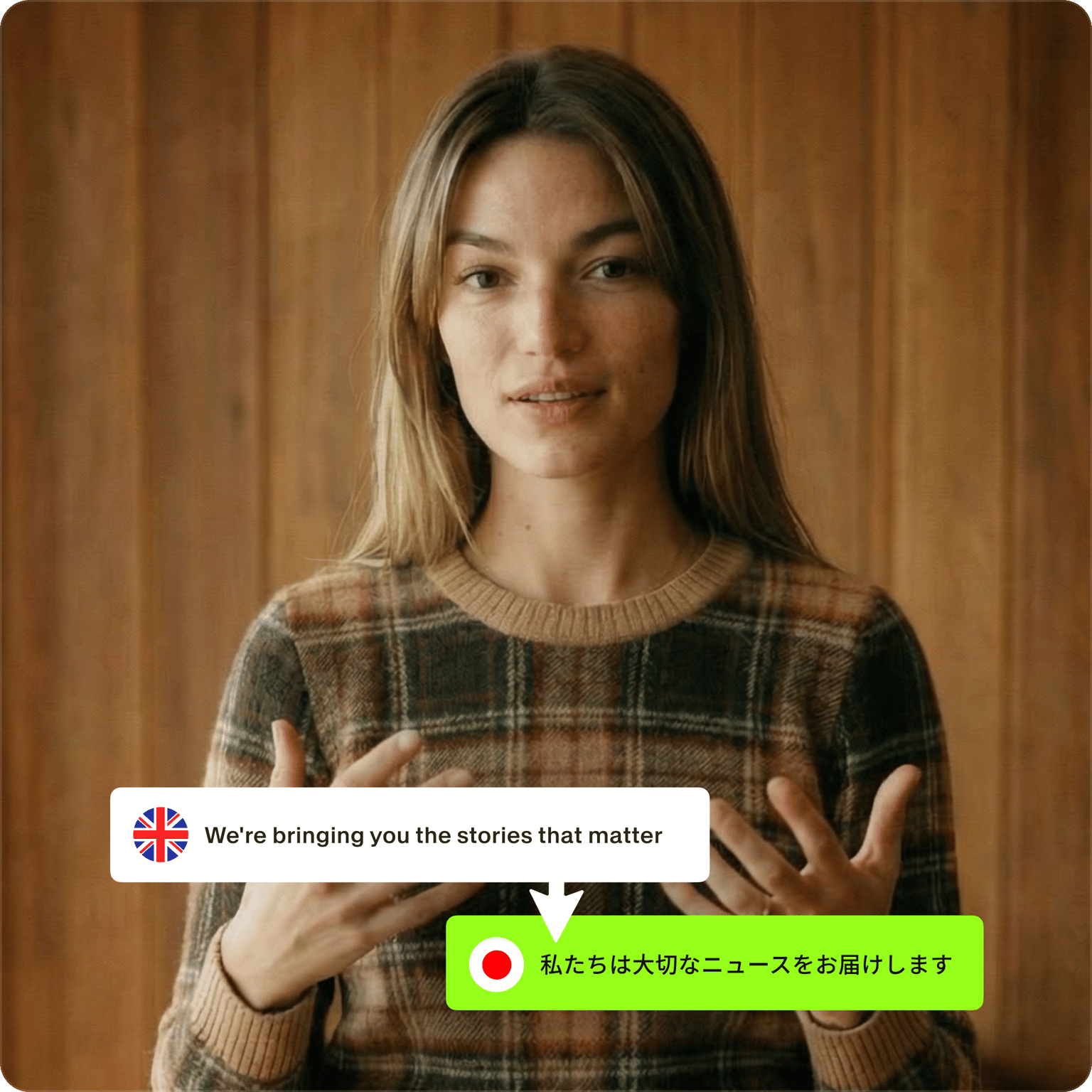
Online automatic voice dubber from text
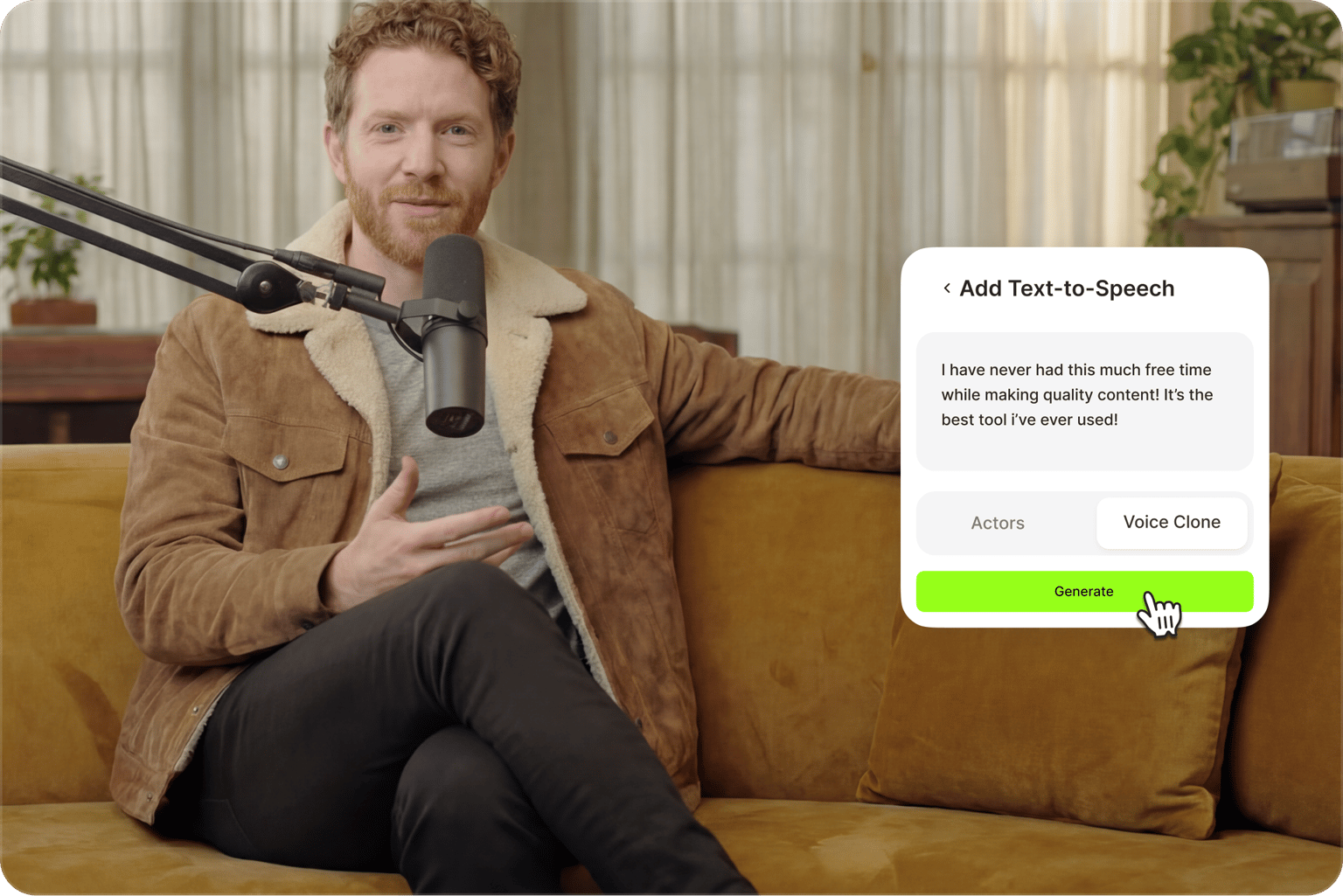
Automatically add voice dubbing to your video from text online, straight from your browser. No need to download and use complicated apps. Simply type or paste your text into the text field and add the audio file to your project. No complicated configuration settings to learn. You can even add subtitles or clone your voice for more personalized videos.
Plenty of AI voice actors and languages to choose from
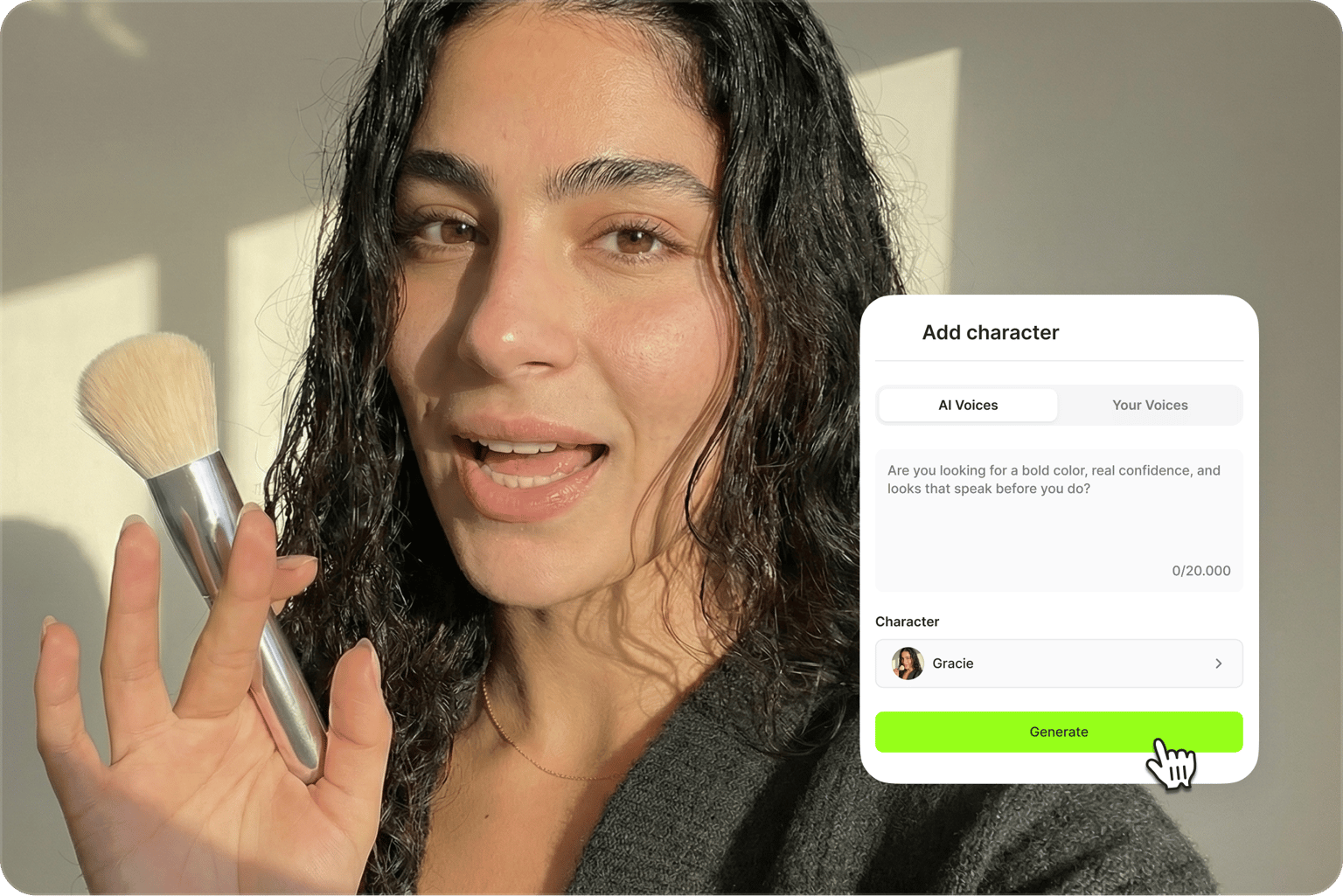
Generate voice from text automatically, whether you’re dubbing social media videos, marketing content, or product demos. Select from many languages and voice characters to read your text aloud, from Spanish and Hindi to Bulgarian, Finnish, and Greek dubbing. Our AI will read your text in the language and accent you choose. Preview the voice, so you can hear how it sounds before adding it to your video.
From voice dubbing to AI video creation
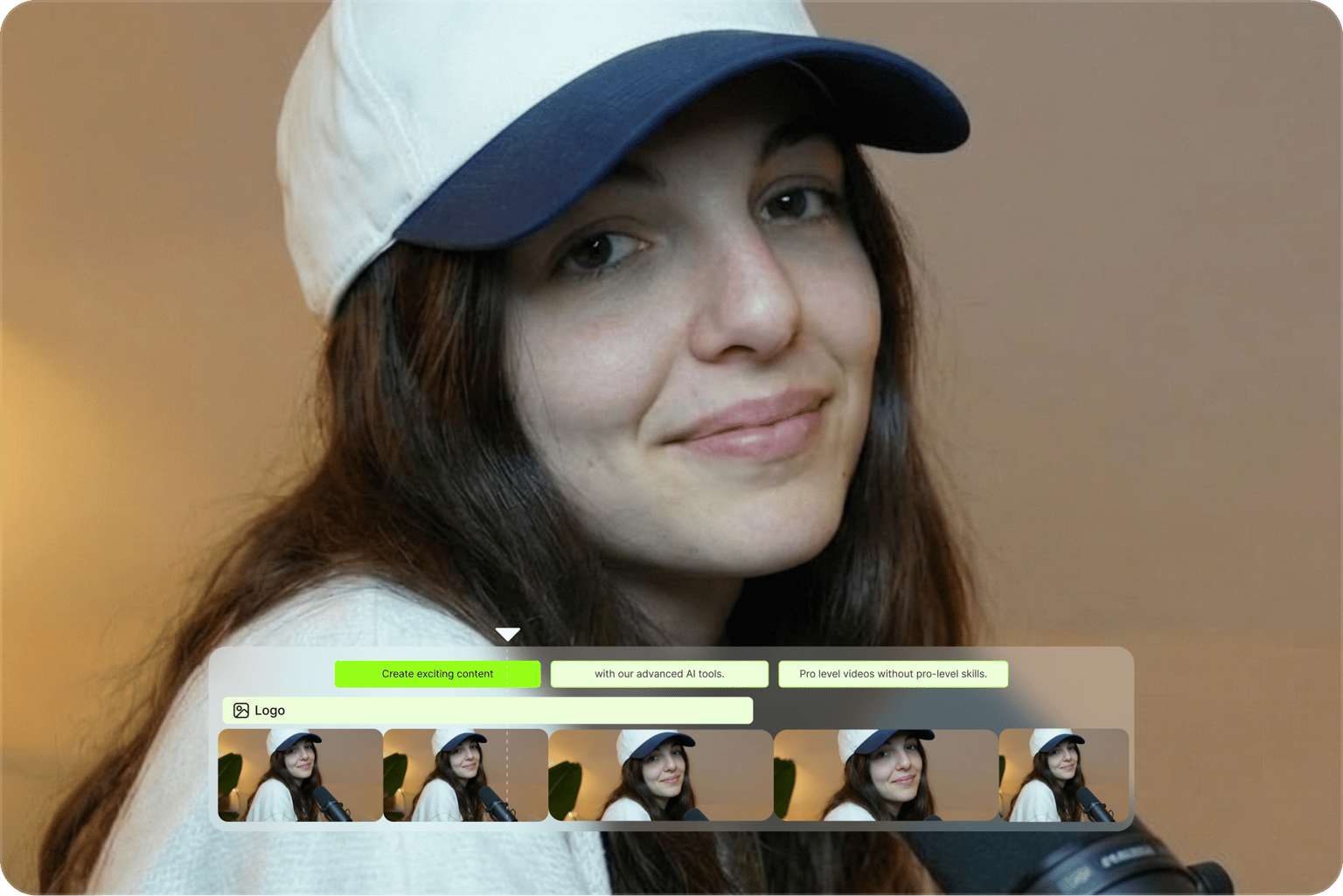
Beyond voice dubbing, VEED gives you more tools to localize your content and grow your reach. Generate realistic talking avatars or convert text to video with AI. Create talking videos in any language. VEED lets you generate, edit, and repurpose videos all in one place. No more switching between different tools.
FAQ
Upload your video to the editor or record one using the webcam recorder. Click Audio from the left menu, click Text to Speech, and start typing or pasting your text. Select a voice, preview the speech, and add it to your video. You can also translate the audio and replace it with an instantly translated voiceover.
The best AI dubbing tool is the one that keeps your original voice, syncs the new audio to your video, and lets you fix the translation before you publish. VEED does all three in one place: upload a video, pick a target language, clone the speaker or choose an AI voice, and export with matching subtitles. For a side-by-side look at how VEED compares with other options, read our guide to the best AI dubbing software.
Yes. Besides replacing audio, VEED lets you generate a text-to-speech avatar that reads your script in the target language. This tool is a good option when you want a visible presenter without filming yourself.
The voice dubber features different male and female voice actors in multiple languages. Just select a language, type or paste your text, and our AI voice actor will narrate your text in that accent.
You can try VEED's text-to-voice and voice cloning tools for free. Upgrade to a Pro plan to unlock more credits.
Yes, Pro users can convert 5,000 characters of text to speech per audio clip. Monthly limits vary per subscription plan. Check our pricing page for more information.
Loved by creators.
Loved by the Fortune 500
“
With VEED I didn't need 15 tutorials - I jumped straight in and started editing.

Gwenne Wilcox
Founder,
Brand Brainery
“
You can go beyond choppping things. VEED actually makes my videos look great.

Michael Glover
Demand Gen Manager,
ConvertFlow
“
The first four videos i created with VEED got over 40,000 impressions on LinkedIn.

Travis Tyler
Senior Content Producer,
PandaDoc
“
I found VEED at the right time: if you're making UGC ads and not using Eye Contact Correction and Noise Reduction on VEED you're missing out on ROI.

Sebastian Schurgers
Head of Growth Marketing,
Gronda
“
With VEED I didn't need 15 tutorials - I jumped straight in and started editing.
Gwenne Wilcox
Founder,
Brand Brainery
“
You can go beyond choppping things. VEED actually makes my videos look great.
Michael Glover
Demand Gen Manager,
ConvertFlow
“
The first four videos i created with VEED got over 40,000 impressions on LinkedIn.
Travis Tyler
Senior Content Producer,
PandaDoc
“
I found VEED at the right time: if you're making UGC ads and not using Eye Contact Correction and Noise Reduction on VEED you're missing out on ROI.
Sebastian Schurgers
Head of Growth Marketing,
Gronda
“
The first four videos i created with VEED got over 40,000 impressions on LinkedIn.
Travis Tyler
Senior Content Producer,
PandaDoc
“
I found VEED at the right time: if you're making UGC ads and not using Eye Contact Correction and Noise Reduction on VEED you're missing out on ROI.
Sebastian Schurgers
Head of Growth Marketing,
Gronda
“
With VEED I didn't need 15 tutorials - I jumped straight in and started editing.
Gwenne Wilcox
Founder,
Brand Brainery
“
You can go beyond choppping things. VEED actually makes my videos look great.
Michael Glover
Demand Gen Manager,
ConvertFlow
Discover more
- Afrikaans Dubbing
- AI Dubbing
- AI Video Localization
- Arabic Dubbing
- Audio Dubbing
- Auto Dubbing
- Bangla Dubbing
- Bulgarian Dubbing
- Chinese Dubbing
- Croatian Dubbing
- Czech Dubbing
- Danish Dubbing
- Dutch Dubbing
- English Dubbing
- Farsi Dubbing
- Finnish Dubbing
- French Dubbing
- German Dubbing
- Greek Dubbing
- Hebrew Dubbing
- Hindi Dubbing
- Icelandic Dubbing
- Indonesian Dubbing
- Italian Dubbing
- Japanese Dubbing
- Korean Dubbing
- Language Dubbing
- Malay Dubbing
- Norwegian Dubbing
- Polish Dubbing
- Portuguese Dubbing
- Romanian Dubbing
- Russian Dubbing
- Slovak Dubbing
- Slovenian Dubbing
- Somali Dubbing
- Spanish Dub
- Swedish Dubbing
- Tagalog Dubbing
- Talking Translator
- Tamil Dubbing
- Telugu Dubbing
- Thai Dubbing
- Turkish Dubbing
- Ukrainian Dubbing
- Video Dub
- Video Dubbing for Educational Content
- Video Dubbing Service
- Vietnamese Dubbing
- Voice Over Narration
- YouTube Dubbing
- YouTube Voice Over
Explore related tools
More from VEED
.png)
Best AI Dubbing Software for Businesses in 2025
Let’s explore the best AI dubbing software to help you dub and localize your business videos.

How to Dub a Video with AI: Step-by-Step Guide for Perfect Audio Sync
Want to learn how to dub a video with AI? This guide is all you need.

Video Dubbing Guide: Top Tips and Tools for Quality Voiceovers
Dubbing over a video doesn't have to be complicated. Well, that is, if you know what you're doing. Read on to learn more!
Trusted by 1M+ creators
When it comes to amazing videos, all you need is VEED
No credit card required
More than a voice dubber
VEED's AI video creation platform gives you many ways to scale your content and grow your audience. Try the best AI models on our AI playground, generate visuals and talking videos, and fine-tune them in the editor. Add text, captions, music, and your branding. Starting from an idea or script? Use VEED AI to create videos with realistic characters or voiceovers. From content creation to localization, you can do it all in one place. Sign up for VEED today.