Video to Sketch AI

Turn videos into sketch-style animations with AI

Create sketch-style animations with AI motion transfer

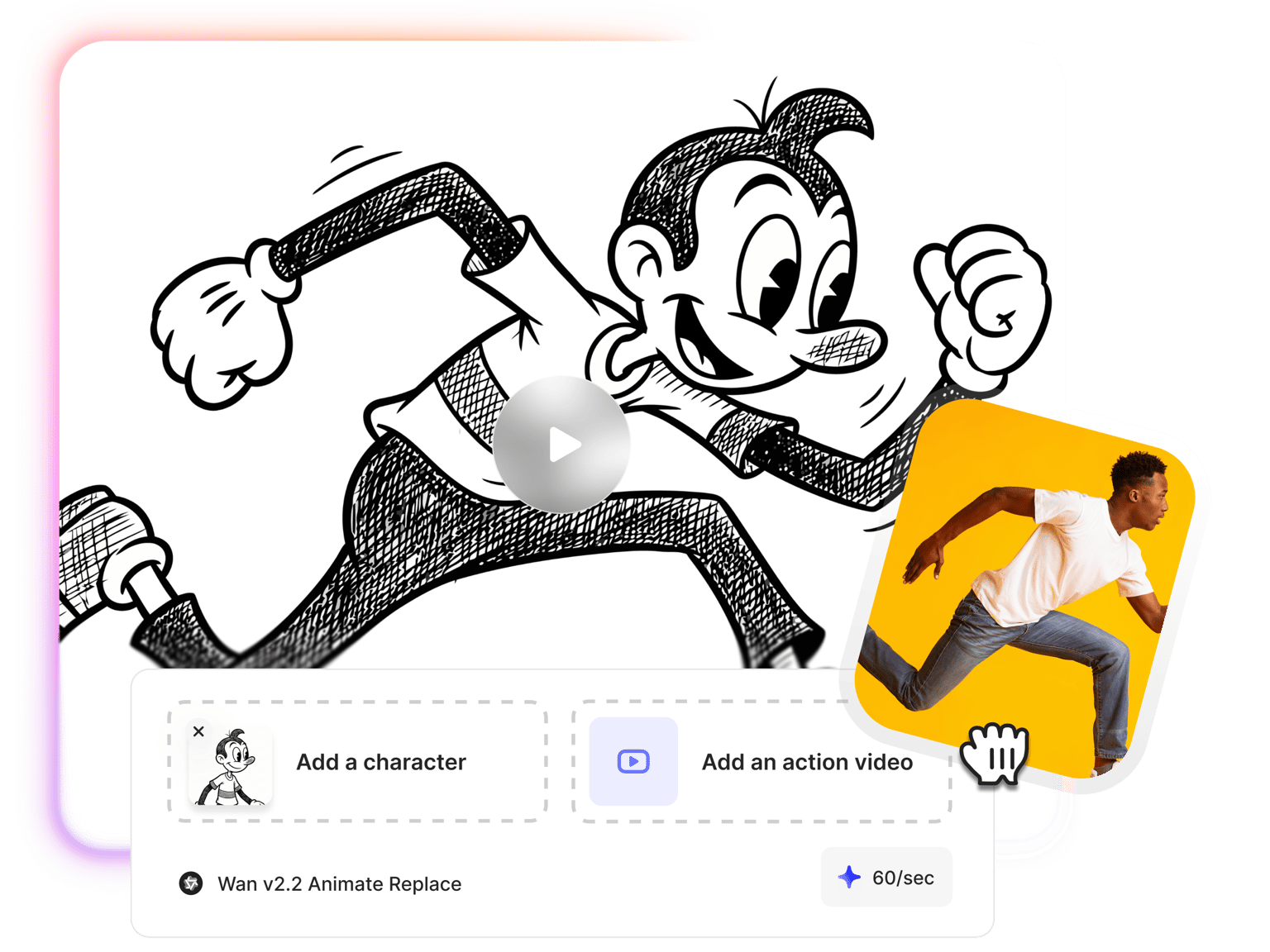
Upload your video and a sketch character image to our video-to-sketch converter. The AI transfers your movements and expressions onto the sketch character, creating hand-drawn style animations. Every detail transfers—head tilts, hand gestures, facial expressions. Choose Wan 2.2 Animate Move to animate a sketch character image with your video's movements, or Wan 2.2 Animate Replace to swap the person in your footage with a sketch character.

Unlike sketch filters that simply stylize your existing footage, motion transfer gives you creative control over the visual narrative. Design your sketch character's appearance, clothing, and environment using AI image generation. Then bring it to life with authentic movements from your video. Record in your space, but let your sketch character exist anywhere you imagine. Generate your animation, then enhance it in our built-in video editor with text, background music, and more.

How to convert video to sketch:

Step 1

Design or upload your sketch character

Use our illustration generator or a sketch filter app to create your character image. Design the appearance, clothing, and style you want. Create your sketch character once, then reuse it across multiple videos for consistent branding.

Step 2

Choose your video-to-video model

Select Wan v2.2 Animate Move to transfer movements onto your sketch character image, or Wan v2.2 Animate Replace to swap the person in footage with your sketch character. Upload your source video—2 to 30 seconds works best for optimal results.

Step 3

Generate and edit your sketch video

The AI transfers movements, gestures, and facial expressions onto your sketch character. Preview your sketch-style animation, download it, or move it directly into VEED's editor. Add text overlays, animation voiceovers, music, and brand assets to complete your video.

Learn More

Learn how to turn yourself into an animated AI cartoon:

Creative freedom beyond sketch filters

Sketch filters stylize your existing footage; you're stuck with what you film. Motion transfer works differently: record your movements against any background, then design a sketch character image with different clothing, settings, and style. The AI transfers your movements onto that custom character. Your sketch persona isn't limited by your filming environment. You control the entire visual narrative.

Multiple ways to create sketch animations

Video to sketch AI captures authentic movements with motion transfer—perfect when you want realistic gestures and expressions. You can also generate sketch animations from text prompts with our text-to-animation AI. Have artwork you want to bring to life? Animate your static sketches using image-to-video models. Choose the method that fits your creative workflow and project needs.

Video to sketch converter and editor in one workspace

Generate your sketch animation, then add your finishing touches without switching platforms. Our built-in editor lets you add text overlays, animation voiceovers, music, and transitions. Save your brand assets to a brand kit for consistent styling across projects. Create sketch-style educational content, marketing campaigns, or social media videos with complete creative control in one workspace.

FAQ

Loved by creators.

Loved by the Fortune 500


VEED has been game-changing. It's allowed us to create gorgeous content for social promotion and ad units with ease.

Max Alter
Director of Audience Development, NBCUniversal


I love using VEED. The subtitles are the most accurate I've seen on the market. It's helped take my content to the next level.

Laura Haleydt
Brand Marketing Manager, Carlsberg Importers


I used Loom to record, Rev for captions, Google for storing and Youtube to get a share link. I can now do this all in one spot with VEED.

Cedric Gustavo Ravache
Enterprise Account Executive, Cloud Software Group


VEED is my one-stop video editing shop! It's cut my editing time by around 60%, freeing me to focus on my online career coaching business.

Nadeem L
Entrepreneur and Owner, TheCareerCEO.com

More from VEED

When it comes to amazing videos, all you need is VEED

Try video to sketch AI

No credit card required

More than a video to sketch AI tool

Video to sketch is one method in VEED's animation toolkit. Generate sketch scenes from text prompts with text-to-video, or animate static sketches with image-to-video. Auto-generate subtitles in 125+ languages, add AI voiceovers, resize videos for different platforms, and collaborate with your team. VEED simplifies video production for content creators and marketers alike. Creating and editing happen in one integrated workspace.

VEED app displayed on mobile,tablet and laptop