


Trusted by 1M+ creators
LinkedIn Videos
Create professional LinkedIn videos in minutes with the LinkedIn video maker
No credit card required
4.6
2,100+ reviews















Improve your LinkedIn presence with VEED’s all-in-one video editor
Stand out on LinkedIn and boost your brand with VEED's intuitive video editor. Our AI LinkedIn video maker and tools make it simple to craft polished, professional videos. Easily cut footage using our Magic Cut tool. Seamlessly add your logo, custom branding, and automatic subtitles to level up your videos. VEED empowers you to make captivating videos that drive engagement and website traffic. Start creating LinkedIn videos now, right from your browser!
How to make a video for LinkedIn:
Step 01
Start a project
Open our video editor, upload your videos, or opt for a ‘Blank Canvas’ to start from scratch. You can also start with one of our many video templates.
Step 02
Create your LinkedIn video
Add stock footage, subtitles, speech-to-text voiceovers, and more. It’s as simple as drag-and-drop!
Step 03
Export your video
Export your video in MP4 format, ready to be shared on LinkedIn.
Learn More
Learn how to go viral on LinkedIn in 2025:
All-in-one LinkedIn video editing
Enhance your professional image and impress your network with captivating video content – no editing expertise required. VEED’s LinkedIn video maker provides a full suite of easy-to-use editing tools, allowing you to trim, cut, and polish your videos right from your browser. No need to download software or switch between different apps!
AI-powered content creation
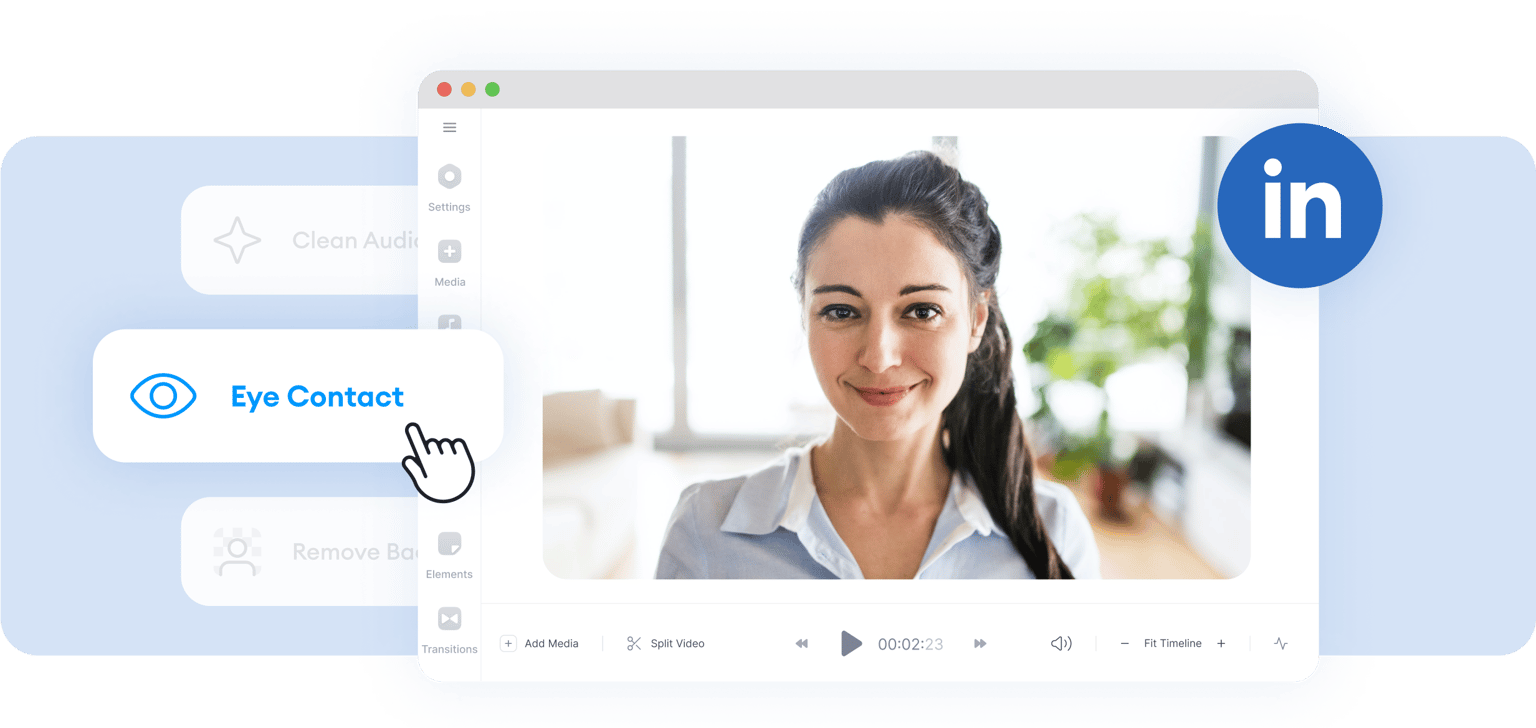
VEED offers intuitive AI features, so you can create stunning videos in just a few clicks. Remove awkward pauses and mistakes with Magic Cut. Or use our eye contact tool to redirect your eyes to the camera. You can even generate AI voiceovers in your own voice!
Versatile LinkedIn video maker
Easily tailor your videos for different platforms and audiences. Explore templates for LinkedIn, Instagram, YouTube, and more. Then download in various video sizes, ready to upload anywhere your audience is watching. Also, translate your videos into multiple languages, expanding your global reach.
FAQ
Engaging LinkedIn content includes educational tutorials, industry insights, and thought leadership videos that highlight expertise. Customer testimonials, product demonstrations, and event highlights boost credibility and engagement. Need ideas? You can explore templates on VEED to get started easily.
Aim for short and to-the-point videos, which is the best video length for LinkedIn, being mindful of your audience’s time. Subtitles can make your videos more engaging, as well as accessible to diverse audiences. With VEED, you can create professional-looking subtitles in one click!
Keep your LinkedIn videos brief at 30-90 seconds. It’s the best video length for LinkedIn. Shorter videos work especially well for awareness videos introducing your brand or product. Meanwhile, longer videos can delve into brand stories. LinkedIn allows a maximum of 10 minutes of video.
LinkedIn recommends dimensions ranging from 256 x 144 pixels to 4,096 x 2,304 pixels. This range ensures sharp and professional video quality. You can use VEED’s video resizing tool to ensure your videos look great across all platforms.
Loved by creators.
Loved by the Fortune 500
“
With VEED I didn't need 15 tutorials - I jumped straight in and started editing.

Gwenne Wilcox
Founder,
Brand Brainery
“
You can go beyond choppping things. VEED actually makes my videos look great.

Michael Glover
Demand Gen Manager,
ConvertFlow
“
The first four videos i created with VEED got over 40,000 impressions on LinkedIn.

Travis Tyler
Senior Content Producer,
PandaDoc
“
I found VEED at the right time: if you're making UGC ads and not using Eye Contact Correction and Noise Reduction on VEED you're missing out on ROI.

Sebastian Schurgers
Head of Growth Marketing,
Gronda
“
With VEED I didn't need 15 tutorials - I jumped straight in and started editing.
Gwenne Wilcox
Founder,
Brand Brainery
“
You can go beyond choppping things. VEED actually makes my videos look great.
Michael Glover
Demand Gen Manager,
ConvertFlow
“
The first four videos i created with VEED got over 40,000 impressions on LinkedIn.
Travis Tyler
Senior Content Producer,
PandaDoc
“
I found VEED at the right time: if you're making UGC ads and not using Eye Contact Correction and Noise Reduction on VEED you're missing out on ROI.
Sebastian Schurgers
Head of Growth Marketing,
Gronda
“
The first four videos i created with VEED got over 40,000 impressions on LinkedIn.
Travis Tyler
Senior Content Producer,
PandaDoc
“
I found VEED at the right time: if you're making UGC ads and not using Eye Contact Correction and Noise Reduction on VEED you're missing out on ROI.
Sebastian Schurgers
Head of Growth Marketing,
Gronda
“
With VEED I didn't need 15 tutorials - I jumped straight in and started editing.
Gwenne Wilcox
Founder,
Brand Brainery
“
You can go beyond choppping things. VEED actually makes my videos look great.
Michael Glover
Demand Gen Manager,
ConvertFlow
Trusted by 1M+ creators
When it comes to amazing videos, all you need is VEED
No credit card required
Make more than just LinkedIn videos
Explore more than just LinkedIn videos with VEED’s all-in-one editor. With our wide range of tools, you can make anything from online courses to TikTok talking head videos. Easy to use, amazing results! Create auto-captions, polish your recordings with Magic Cut, and more. Ready to make professional content in minutes? Try VEED now!